Knowing your exact age can be useful for school forms, job applications, official documents, birthday planning, and personal records. Your age is not always a whole number of years because the months and days also matter.
This guide explains how to calculate age in years months and days using your date of birth and a selected date. You will learn the manual method, see practical examples, and understand how leap years and different month lengths affect the result.
For a quick answer, use our Age Calculator to calculate your age online.
How to Calculate Age in Years Months and Days
To calculate your exact age, you need two dates:
- Date of birth: The day, month, and year you were born.
- Target date: The date on which you want to know your age.
Usually, the target date is today. However, you can also select a date in the past or future.
The calculation gives you three values: completed years, remaining months, and remaining days. These values together show your exact calendar age.
Steps to Calculate Your Exact Age
Follow these simple steps to work out your age manually.
Step 1: Subtract the Birth Year
Subtract your birth year from the target year.
For example, if you were born in 2000 and the target year is 2026:
2026 − 2000 = 26 years
This is only the starting point. You must check whether your birthday has already occurred in the target year.
Step 2: Check the Month
Compare your birth month with the target month. If your birthday has not occurred yet in the target year, subtract one year from the initial result.
For example, someone born in December will not have reached their next birthday in October.
Step 3: Check the Day
Compare the day of birth with the target day. If the target day is earlier than the birth day, borrow days from the previous month and adjust the month count.
Because months have different lengths, the number of borrowed days depends on the calendar month.
Step 4: Write the Final Result
After adjusting the years, months, and days, write the result in a clear format, such as:
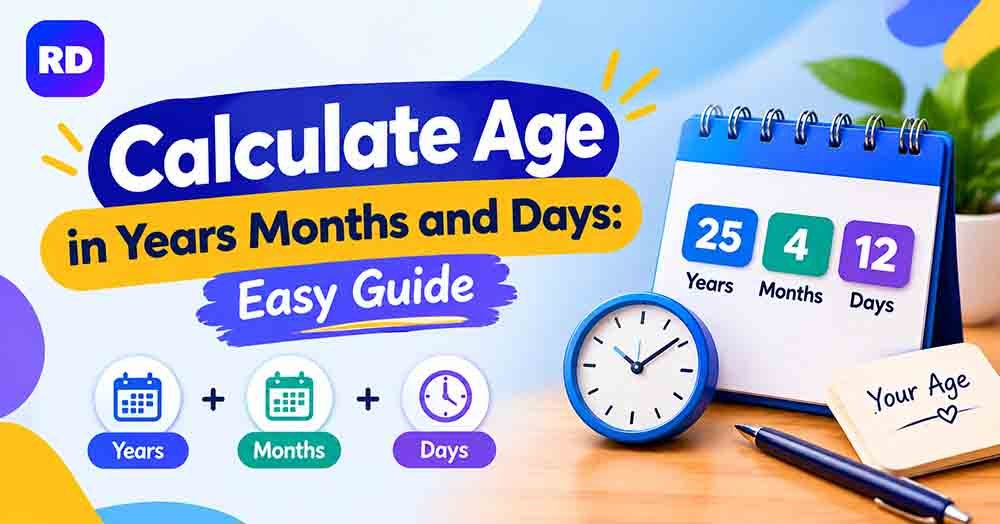
26 years, 3 months, and 12 days
You can also use an online age calculator by date of birth if you want to avoid manual mistakes.
Example: Calculate Age in Years Months and Days
Suppose a person was born on 15 March 2000, and the target date is 26 October 2026.
| Calculation | Result |
|---|---|
| Completed years | 26 |
| Remaining months | 7 |
| Remaining days | 11 |
| Exact age | 26 years, 7 months, 11 days |
The person turned 26 on 15 March 2026. From 15 March to 15 October is seven months, and from 15 October to 26 October is another 11 days.
Therefore, the exact age on 26 October 2026 is 26 years, 7 months, and 11 days.
Your own result will depend on your date of birth and the date you choose for the calculation.
Age Calculation Formula
The basic age calculation starts with the difference between the target year and the birth year. However, the month and day must also be checked.
Use these rules:
- Years: Subtract the birth year from the target year, then subtract one if the birthday has not yet occurred.
- Months: Compare the birth month and target month, adjusting for a year boundary when necessary.
- Days: Compare the day numbers and borrow days from the previous month when required.
This method works for ordinary calendar-age calculations. You should not assume every month contains 30 days because calendar months have different lengths.
Why Month Lengths and Leap Years Matter
The calendar includes months with 28, 29, 30, or 31 days. February usually has 28 days, but it has 29 days during a leap year.
A leap year generally occurs every four years, with exceptions for century years that are not divisible by 400. For example, 2000 was a leap year, while 1900 was not.
These differences matter when calculating the remaining days between two dates. A reliable calculator uses actual calendar dates rather than treating every month as equal. “calculate age in years months and days”
Manual Calculation vs Online Age Calculator
You can calculate age by hand, but an online tool is often faster and helps reduce arithmetic mistakes.
| Feature | Manual calculation | Online age calculator |
|---|---|---|
| Speed | Takes more time | Usually takes seconds |
| Calendar adjustments | Must be handled manually | Calculated automatically |
| Risk of arithmetic mistakes | Higher if you miss a step | Lower when dates are entered correctly |
| Best use | Learning the method | Quick and repeated calculations |
If you need to find the difference between two people’s ages rather than calculate one person’s age, use our Age Difference Calculator.
Calculate Age on a Past or Future Date
Sometimes you may need to know how old you were on a particular date or how old you will be on a future date.
For example, you might need your age on the day you started school, began a job, or reached a specific milestone.
To do this, enter your date of birth and select the required target date. The result should be calculated relative to that selected date, not automatically relative to today.
You can also visit our Age Calculator on a Specific Date for this type of calculation.
Different Ways to Express Your Age
Your age can be shown in several formats depending on the purpose.
| Age format | What it means |
|---|---|
| Years | Completed years since birth |
| Years and months | Completed years plus remaining months |
| Years, months, and days | Detailed calendar age |
| Total days | Number of elapsed days between dates |
| Total weeks | Elapsed days converted into weeks |
For example, an age of 20 years, 4 months, and 10 days gives more detail than simply saying 20 years old. The total number of days is a separate calculation and may be useful for tracking milestones.
If you want to explore your age in days, read our guide on How Many Days Old Am I?.
Common Age Calculation Mistakes
A few common mistakes can lead to an incorrect result.
1. Subtracting Only the Years
Subtracting the birth year from the target year does not always give the correct completed age. Check whether the birthday has occurred yet.
2. Treating Every Month as 30 Days
Calendar months vary in length. Use the actual month and year when calculating the remaining days.
3. Forgetting Leap Years
February has 29 days in a leap year. Ignoring this can cause mistakes in date calculations.
4. Using the Wrong Target Date
Make sure you select the date on which you want to know your age. A result for today may differ from your age on a past or future date.
5. Entering an Incorrect Date of Birth
Double-check the day, month, and year before relying on the result. An incorrect date will produce an incorrect age.
For a quick check, enter your details into the online Age Calculator and compare the result with your manual calculation.
Frequently Asked Questions
1. How do I calculate age in years months and days?
Enter your date of birth and target date. Subtract the years, adjust the months if needed, and then calculate the remaining days using the actual calendar.
2. Can I calculate my exact age without a calculator?
Yes. You can work out your age manually by comparing the year, month, and day of both dates. However, you must account for different month lengths and leap years.
3. Why is my age different from the simple year subtraction?
The difference between two years does not account for whether your birthday has occurred. Your completed age may be one year lower until your birthday arrives.
4. Does a leap year affect age calculation?
Yes. A leap year adds 29 February to the calendar, which can affect the number of elapsed days between two dates.
5. Can I calculate my age for a past date?
Yes. Select the past date as the target date and compare it with your date of birth.
6. Can I calculate my age on a future date?
Yes. Choose a future target date to find how old you will be on that day.
7. Is calendar age the same as total days lived?
No. Calendar age is expressed in years, months, and days. Total days lived counts the elapsed days between two dates.
8. Why do different age calculators sometimes show different results?
Differences may arise from date-entry formats, time zones, leap-day conventions, or how a tool handles certain calendar dates. Check that both tools use the same birth date and target date.
9. What information do I need to calculate my age?
You normally need your complete date of birth and the date for which you want to calculate your age.
10. What is the easiest way to check my exact age?
Use a reliable online age calculator. Enter the correct dates and review the result in years, months, and days.
Conclusion
Learning how to calculate your age manually helps you understand the relationship between years, months, and days. The key is to compare both dates carefully and account for birthdays, different month lengths, and leap years. “calculate age in years months and days”
For a quick and convenient result, use the RandomsDex Age Calculator. Enter your date of birth, select the target date, and check your exact calendar age in seconds.
Learn More About Calendar Dates
For more information about leap years and how they affect calendar calculations, visit the official NASA guide to leap years.
This resource explains why leap years occur and why calendar years do not always contain exactly 365 days.