
Do you want to know your exact age on a past or future date? An age calculator on a specific date helps you find your age in years, months, and days on any date you choose. You do not have to calculate everything manually or count the days on a calendar.
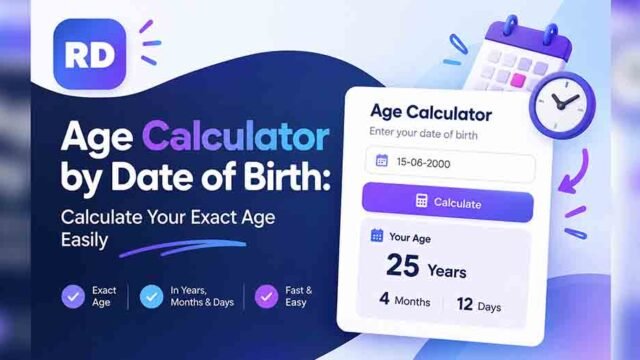
Start with our Age Calculator to calculate your age using your date of birth. You can use a date-based age calculation to check your age on a birthday, at the start of a year, on a special event, or on any other important date.
In this guide, you will learn how to calculate your age on a specific date, understand the formula, see calculation examples, and get answers to common questions.
What Is an Age Calculator on a Specific Date?
An age calculator on a specific date is a tool that calculates how old you were or will be on a selected date. Instead of showing only your age today, it uses your date of birth and the date you choose.
For example, you may want to know your age on January 1, 2025, even if today is a different date. You can enter your birth date and select January 1, 2025, as the calculation date.
The result can show your age in:
- Years
- Months
- Days
- Total days lived, if the calculator supports this option
This is useful for checking past records, planning future events, and understanding your exact age at a particular time.
How to Calculate Your Age on a Specific Date
Using an age calculator is simple. Follow these steps to get your result.
- Open our Age Calculator by Date of Birth.
- Enter your complete date of birth.
- Select the specific date you want to calculate your age on.
- Click the calculate button, if required.
- Check the result in years, months, and days.
Make sure you enter the correct dates. Even a small mistake in your birth date can change the result.
For example, if your date of birth is January 1, 2000, and your selected date is January 1, 2025, your age is exactly 25 years. The elapsed time between these dates is 9,132 days, including leap days.
Why Use an Age Calculator on a Specific Date?
An age calculator on a specific date is useful when you need to know your age on a date other than today. A regular age calculation tells you how old you are now, but a custom date gives you a result for a past or future event.
Here are some common reasons to use one.
| Purpose | Example |
|---|---|
| Past age calculation | Find your age on January 1, 2020 |
| Future age calculation | Check how old you will be on January 1, 2030 |
| Birthday planning | Find your age on your next birthday |
| Personal records | Check your age on an important event date |
| School or work records | Calculate age on a required reference date |
| Family history | Find someone’s age on a past date |
This tool can save time and help you avoid mistakes when calculating your age manually.
Age Calculation Examples
Let’s look at some simple examples to understand how the calculation works.
| Date of Birth | Specific Date | Age on That Date |
|---|---|---|
| January 1, 2000 | January 1, 2025 | 25 years |
| January 1, 2010 | January 1, 2020 | 10 years |
| January 1, 2024 | January 1, 2025 | 1 year |
| June 15, 2005 | June 15, 2025 | 20 years |
| December 12, 2000 | December 12, 2025 | 25 years |
These examples use dates that fall on the same month and day as the birthday. When the selected date falls between birthdays, the result will also include the remaining months and days.
For example, someone born on January 1, 2000, would be 24 years, 6 months, and 15 days old on July 16, 2024.
Formula to Calculate Age on a Specific Date
You can calculate your age on a specific date by comparing two dates:
Age = Selected Date − Date of Birth
However, the result must be divided into complete years, months, and remaining days. You cannot always find the exact result by simply subtracting the birth year from the selected year.
Follow this basic method:
- Subtract the birth year from the selected year.
- Compare the selected month with the birth month.
- If the selected date is before the birthday in that year, reduce the year count by one.
- Calculate the remaining months and days from the last birthday.
An online calculator handles these steps automatically and accounts for different month lengths and leap years.
Step-by-Step Age Calculation Example
Suppose a person was born on January 1, 2000, and wants to know their age on July 1, 2025.
Step 1: Calculate complete years
From January 1, 2000, to January 1, 2025, is 25 complete years.
Step 2: Calculate additional months
From January 1, 2025, to July 1, 2025, is another 6 months.
Step 3: Calculate remaining days
Both dates fall on the first day of their months, so there are no additional days after the 6 complete months.
Final result: 25 years, 6 months, and 0 days.
This method works for many date calculations, but an online calculator is more convenient when the dates have different days or cross several leap years.
How Leap Years Affect Age Calculations
A leap year has 366 days instead of the usual 365 days. February has 29 days during a leap year.
Leap years matter when calculating the total number of days between your birth date and a specific date. They can also affect calculations involving February birthdays.
For example:
- 2024 was a leap year.
- 2025 was not a leap year.
- 2028 will be a leap year.
Most years that are divisible by four are leap years. However, century years must also be divisible by 400 to qualify.
When you use an age calculator on a specific date, make sure the tool accounts for leap years so that the result is accurate.
Age in Years, Months, Days, and Total Days
Your age can be displayed in different formats. Each format gives you a different way to understand the time between two dates.
| Age Format | What It Shows |
|---|---|
| Years | Your completed years of age |
| Months | Your age expressed in months |
| Days | Your age expressed in calendar days |
| Weeks | The number of complete weeks and remaining days |
For example, the period from January 1, 2000, to January 1, 2025, is 25 years or 9,132 elapsed days.
The number of months or weeks may be presented as an estimate or a complete-unit count, depending on the calculation method. Calendar months do not all have the same number of days, so multiplying months by 30 will not always give an exact result.
If you want to check your total days lived, read our guide on How Many Days Old Am I?.
Can You Calculate Your Age on a Past Date?
Yes. You can calculate how old you were on any valid past date after your birth.
For example, you might want to know your age when you started school, when you joined a company, or when a family event took place.
Enter your birth date and choose the past date as the calculation date. The calculator can then determine your age on that date, provided it supports a custom calculation date.
This is also helpful when checking old documents or personal records.
Can You Calculate Your Age on a Future Date?
Yes, you can also calculate your age on a future date.
For example, you may want to know how old you will be on January 1, 2030, or on a future birthday. Select the future date and compare it with your date of birth.
The result shows the age you will have reached on that date. If your birthday has not yet occurred by the selected date, the calculator should show your age before your next birthday.
Future age calculations can help with birthday planning, personal goals, and upcoming milestones.
Age Calculator vs. Age Difference Calculator
An age calculator and an age difference calculator perform related but different tasks.
| Feature | Age Calculator | Age Difference Calculator |
|---|---|---|
| Main purpose | Find one person’s age | Compare two people’s ages |
| Dates required | Birth date and calculation date | Two dates of birth |
| Result | Age in years, months, and days | Time difference between two dates |
| Common use | Past or future age calculation | Comparing ages |
If you want to find the gap between two people’s ages, use our Age Difference Calculator. It helps you compare two dates of birth without doing the calculations manually.
Tips for Getting an Accurate Result
Keep these points in mind when calculating your age:
- Enter your full birth date: Make sure the day, month, and year are correct.
- Choose the right calculation date: The result changes when you select another date.
- Check leap years: Leap days affect the total number of elapsed days.
- Understand the result: Complete years are different from total months or total days.
- Use a reliable tool: A well-designed calculator should handle different month lengths and leap years correctly.
Following these tips will help you understand your result and reduce common date calculation errors.
Frequently Asked Questions
1. What is an age calculator on a specific date?
It is a calculator that finds your age on a date you select. You enter your date of birth and the chosen date to calculate your age in years, months, and days.
2. How do I calculate my age on a past date?
Enter your date of birth and select the past date you want to check. The calculator will determine how old you were on that date.
3. Can I calculate my age on a future date?
Yes. Enter your date of birth and choose a future date. The result shows how old you will be on that date.
4. Is an age calculator on a specific date accurate?
It can provide an accurate result when the dates are entered correctly and the calculator handles calendar months and leap years properly.
5. How many days are in 25 years?
The exact number depends on the dates and leap years included. For example, January 1, 2000, to January 1, 2025, is 9,132 elapsed days.
6. Does a leap year change my age?
A leap year can change the total number of days between two dates. Your completed age in years generally changes on your birthday, but the total days depend on the calendar dates.
7. Can I calculate my age without knowing the exact time I was born?
Yes. Most date-based age calculators need your birth date, not your exact birth time. Their results are based on calendar dates.
8. What is the difference between age in years and age in days?
Age in years shows your completed years, while age in days shows the elapsed number of calendar days between your birth date and the selected date.
9. Can I calculate someone else’s age on a specific date?
Yes. If you know the person’s date of birth, you can use the same method to calculate their age on a past, present, or future date.
10. What if the selected date is before my birth date?
A date before your birth date cannot be used to calculate your age at that time. Choose a date on or after your date of birth for a meaningful age result.
Conclusion
An age calculator on a specific date is a simple way to find your age at a particular point in time. You can use it to check your age on past dates, plan for future birthdays, and calculate the time between important events.
Instead of counting years, months, and days manually, enter your date of birth and select the date you want to check. Remember to use the correct dates and a calculator that accounts for leap years.
For more date-related calculations, you can also explore the W3Schools Date Calculator.

Comments