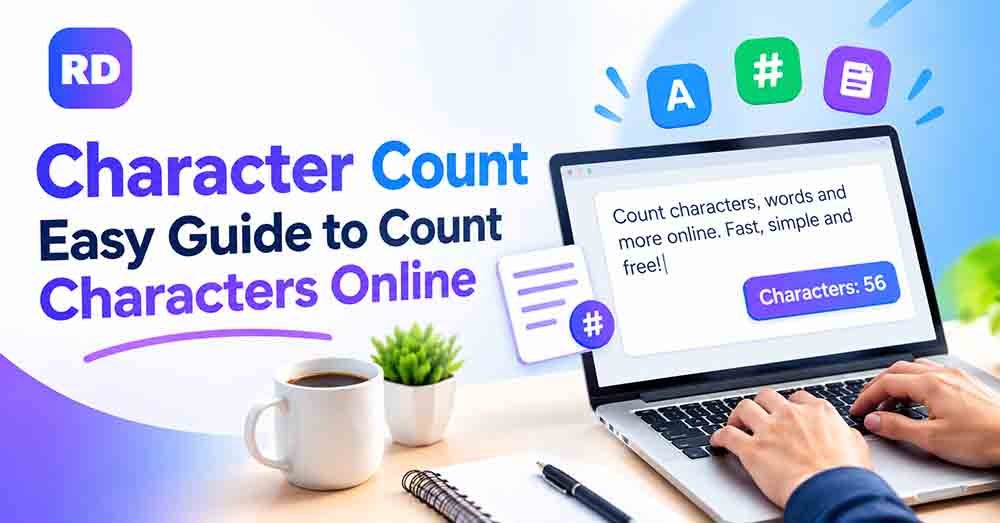
Have you ever written a social media post, text message, or website description and wondered how many characters it contains? Character count helps you find the total number of letters, numbers, spaces, and punctuation marks in your text. It is useful when you need to follow a specific text limit.
With a free online character counter, you can check your text in seconds without counting every letter manually. This guide explains how character counting works, how to calculate text length, how spaces affect the result, and how to stay within common limits.
What Does Character Counting Mean?
Character counting measures the individual characters in a piece of text. These characters can include:
- Letters, such as A, B, and C
- Numbers, such as 1, 2, and 3
- Spaces between words
- Punctuation marks, such as commas and periods
- Special symbols and emojis
For example, the sentence “Hello World!” contains 12 characters when the space and exclamation mark are included.
This measurement is useful when writing social media posts, meta descriptions, online forms, product descriptions, and other content with a length limit.
How to Count Characters Online
The easiest way to check the length of your text is to use an online tool. You do not need special software or advanced technical skills.
Follow these simple steps:
- Open the free character counter tool.
- Copy the text you want to check.
- Paste your text into the input box.
- Review the displayed result.
- Edit your text if you need to meet a specific limit.
An online tool can save time and help you avoid mistakes when checking long paragraphs. It is especially useful for social media captions, website content, and short descriptions.
How to Calculate Text Length Manually
You can also calculate text length yourself by counting each letter, number, space, and punctuation mark according to the counting rules you are using.
For example, consider this sentence:
Text: I love design.
Here is the breakdown:
| Text part | Number of characters |
|---|---|
| I | 1 |
| Space after I | 1 |
| love | 4 |
| Space after love | 1 |
| design | 6 |
| Period (.) | 1 |
| Total | 14 |
Therefore, “I love design.” contains 14 characters when spaces and punctuation are included.
For longer text, manual counting can become difficult. Using an online tool is usually faster and more convenient.
Counting With Spaces vs. Without Spaces
One important thing to understand is the difference between counting text with spaces and counting it without spaces.
When spaces are included, every space between words adds to the total. When spaces are excluded, those spaces are removed from the result. Letters, numbers, and punctuation may still be counted, depending on the tool’s settings.
For example, the text “I love SEO” has 10 characters with spaces and 8 without spaces.
| Text | With spaces | Without spaces |
|---|---|---|
| Hello World | 11 | 10 |
| I love SEO | 10 | 8 |
| Count characters | 16 | 15 |
| Good morning! | 13 | 12 |
If you want to learn more, read this guide on how to count characters with and without spaces.
Always check which counting method is required before submitting your text. Some platforms count spaces toward their limits, while others may use different rules.
Why Is Text Length Important?
Text length matters whenever your writing must fit within a specific limit. Checking it can improve readability, help you meet platform requirements, and reduce the need for last-minute editing.
1. Social Media Posts
Many social media platforms have limits on the length of posts, captions, or profile descriptions. Measuring your text helps you write a clear message that fits the available space.
You can also read our guide on how to count characters for social media posts for more practical tips.
2. SEO Titles and Meta Descriptions
Search engine titles and meta descriptions benefit from concise, clear wording. A text counter helps you measure their length before publishing.
However, there is no single fixed character limit that guarantees how a title or description will appear in Google search results. Display length can depend on factors such as pixel width, device, and the search result itself.
3. Website and Blog Content
Writers use text length measurements to prepare headings, summaries, descriptions, and short introductions. This helps them keep important information concise without losing the main message.
4. Product Descriptions
Online stores may have text limits for product names, summaries, and other fields. Checking the length makes it easier to create descriptions that fit those requirements.
5. Forms and Applications
Online forms sometimes restrict how much text users can enter in a field. Checking your text before submitting it helps you prepare an answer that fits the available space.
Character Count vs. Word Count
Character count and word count measure different things. The first measures individual characters, while the second measures the number of words in a text.
For example, the sentence “Design makes ideas clear” contains four words and 24 characters when spaces are included.
| Feature | Character measurement | Word measurement |
|---|---|---|
| Measures | Individual characters | Words |
| Counts spaces | Usually, if enabled | Uses spaces to separate words |
| Useful for | Text limits and short descriptions | Essays, articles, and reports |
| Example | “Hello World” = 11 characters | “Hello World” = 2 words |
Both measurements are useful, but the right choice depends on your task. Read our full explanation of word count vs. character count to understand the difference.
Do Spaces, Punctuation, and Emojis Count?
In many text counters, spaces and punctuation marks are included in the total. Emojis can be more complicated because some visible symbols are made from multiple underlying Unicode code points.
For example, a simple letter usually counts as one character in common text counters. However, a family emoji or a symbol made from combined marks may contain several code points even though it appears as one symbol on screen.
The official Unicode guide to character counting explains why results can differ depending on whether a system measures bytes, code units, code points, or user-perceived characters.
If you are checking text for a specific platform, use its own counting rules whenever they are available.
Tips for Getting an Accurate Result
Follow these tips to measure your text more accurately:
- Use a reliable tool: An online counter is easier than counting long text manually.
- Check spaces: Confirm whether spaces are included in your required limit.
- Include punctuation: Commas, full stops, and other symbols can affect the total.
- Review emojis: Different tools may handle complex emojis differently.
- Check the platform limit: Requirements can vary between websites and applications.
- Edit carefully: Remove unnecessary words without changing the meaning of your message.
- Check the final version: Measure your text again after making any changes.
These simple steps can help you avoid exceeding a limit and keep your writing clear.
Frequently Asked Questions (FAQs)
1. What does character count mean?
It means the total number of characters in a piece of text. Depending on the counting method, it may include letters, numbers, spaces, punctuation, and symbols.
2. How do I count characters in a sentence?
You can count every character manually or paste your sentence into an online counter. A tool is usually quicker, especially for longer sentences.
3. Are spaces included when counting characters?
Many tools include spaces by default. However, some let you view the result both with spaces and without spaces, so check the settings and the requirements for your task.
4. Are punctuation marks included?
Yes, punctuation marks such as commas, periods, question marks, and exclamation marks are generally included when counting all characters.
5. Do emojis count as one character?
A simple emoji may be treated as one visible character, but some emojis contain multiple Unicode code points. The result depends on how the tool measures characters.
6. What is the easiest way to measure text length?
The easiest way is to use a free online character counter. Paste your text into the tool and review the result.
7. What is the difference between character count and word count?
Character count measures individual characters, while word count measures words. For example, “Hello World” has 11 characters with the space included and two words.
8. Why should I check text length before publishing?
Checking text length helps you meet limits, prepare concise descriptions, and avoid unexpected editing when publishing social media posts, website content, or other text.
Final Thoughts
Measuring text length is useful for anyone who writes online. It helps you prepare social media posts, website descriptions, product details, and other content that must fit a specific limit.
Instead of counting every character manually, use the RandomsDex character counter to check your text quickly. Remember to consider spaces, punctuation, emojis, and the requirements of the platform where you plan to publish your content.
With the right tool and a few simple checks, you can create clear, accurate text that fits your needs.
Character count can sometimes be confusing when text includes emojis, special symbols, or combined characters. The Unicode character counting guide explains how characters and combining marks work, helping you understand why some visible symbols may contain multiple underlying code points. This information can help you count text more accurately with an online character counter.