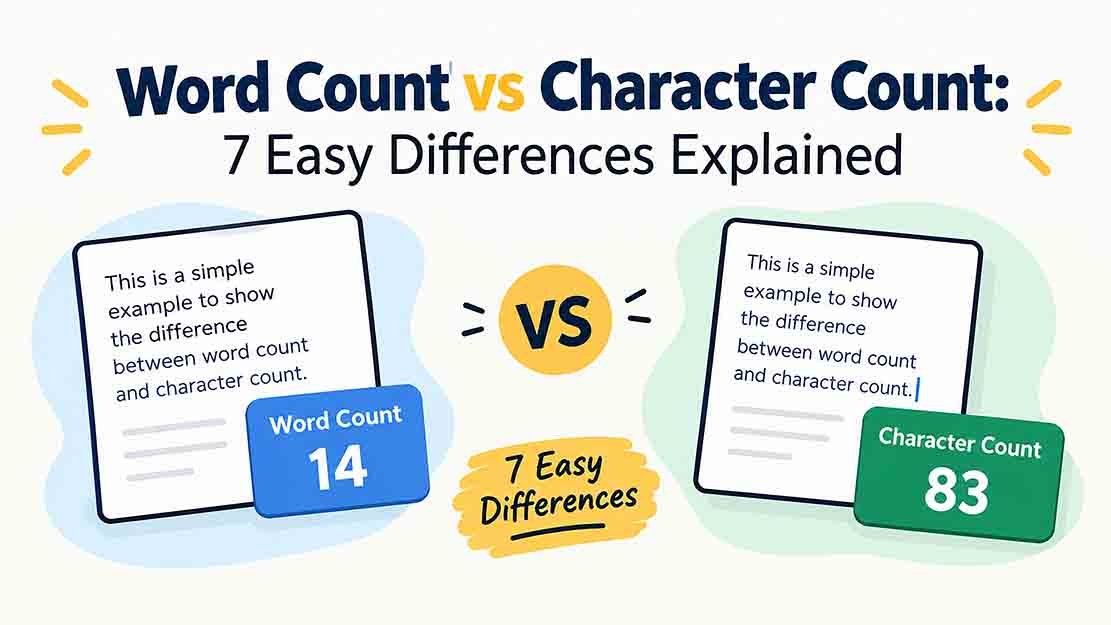
Understanding word count vs character count is important when writing blog posts, essays, social media captions, emails, and website content. Although both measurements help you check text length, they count different things. Word count measures the number of words, while character count measures individual characters, including letters, numbers, spaces, and punctuation.
Knowing the difference between word count vs character count can help you meet assignment requirements, stay within character limits, and create better SEO titles and meta descriptions. In this guide, you will learn how both measurements work, compare practical examples, and discover when to use each counting method.
You can check your text instantly with the free RandomsDex Word Counter and RandomsDex Character Counter.
Table of Contents
- What Is Word Count?
- What Is Character Count?
- Word Count vs Character Count: Key Differences
- Practical Counting Examples
- How Spaces and Punctuation Affect Character Count
- How Hyphens, Numbers, and Emojis Affect Counts
- When to Use a Word Counter
- When to Use a Character Counter
- Common Counting Mistakes
- Frequently Asked Questions
- Conclusion
1. What Is Word Count?
Word count tells you how many words appear in a piece of text. It is commonly used for essays, blog posts, reports, school assignments, and professional documents.
For example, consider this sentence:
“Time flies when you learn.”
It contains five words: Time, flies, when, you, and learn.
A word counter automatically counts words, helping you check whether your content meets a required length. Instead of counting manually, you can paste your text into an online tool and get the result in seconds.
Why Is Word Count Important?
Word count is useful for several purposes:
- Academic writing: Meet essay and assignment requirements.
- Blog writing: Monitor article length and organize your content.
- Content marketing: Review website pages and marketing materials.
- Professional documents: Keep reports and proposals within requested limits.
- Editing: Identify sections that need more detail or unnecessary wording.
If you need to count words quickly, try the free RandomsDex Word Counter.
2. What Is Character Count?
Character count measures the individual characters in a piece of text. Depending on the tool, these characters can include letters, numbers, spaces, punctuation marks, and other symbols.
For example:
“Hello, world!”
This sentence contains 13 characters when the comma, space, and exclamation mark are included. Without the space, it contains 12 characters.
Understanding word count vs character count is especially useful when a website, form, social media platform, or search engine imposes a text-length limit.
Why Is Character Count Important?
Character count helps you:
- Write concise SEO titles and meta descriptions.
- Keep social media captions within platform limits.
- Complete online forms with character restrictions.
- Prepare SMS messages and short advertisements.
- Check product titles and descriptions.
You can use the RandomsDex Character Counter to check characters with or without spaces.
3. Word Count vs Character Count: Key Differences
The main difference between word count and character count is what each measurement counts. Word count measures complete words, whereas character count measures individual text characters.
| Feature | Word Count | Character Count |
|---|---|---|
| Measures | Number of words | Number of characters |
| Letters | Part of each word | Counted individually |
| Spaces | Usually separate words | May count as characters |
| Punctuation | Usually not a separate word | Usually counts as characters |
| Main purpose | Measure writing length | Check character limits |
| Common uses | Essays, blogs, reports | Titles, captions, forms |
| Recommended tool | Word counter | Character counter |
Quick Comparison Example
Consider the sentence “I love SEO!”
| Measurement | Result |
|---|---|
| Word count | 3 |
| Characters including spaces | 11 |
| Characters excluding spaces | 10 |
The sentence has three words but eleven characters when spaces and punctuation are included. This example shows why word count vs character count produces different results.
Neither measurement is automatically better than the other. The correct choice depends on the requirements of your writing task.
4. Practical Counting Examples
The easiest way to understand word count vs character count is to compare real sentences.
Example 1: A Short Sentence
Text: “Time flies when you learn.”
- Word count: 5
- Characters including spaces and punctuation: 26
- Characters excluding spaces: 22
The sentence contains five words. Its character count includes every letter, the spaces between words, and the final period.
Example 2: A Greeting
Text: “Hello, world!”
- Word count: 2
- Characters including spaces: 13
- Characters excluding spaces: 12
The comma, space, and exclamation mark contribute to the character total.
Example 3: A Single Long Word
Text: “Internationalization”
- Word count: 1
- Character count: 20
A single word can contain many characters, which is why word count alone does not describe the full length of a text.
Example 4: A Website Title
Text: “Free Online Age Calculator”
- Word count: 4
- Characters including spaces: 26
This type of comparison is useful when writing website titles, headings, and short descriptions.
For another practical example, read our guide on how to count characters with and without spaces.
5. How Spaces and Punctuation Affect Character Count
Spaces and punctuation can change character count without adding more words.
Compare these two versions:
With spaces: “Time flies when you learn”
Without spaces: “Timeflieswhenyoulearn”
The first version contains 25 characters, including spaces. The second contains 21 characters because the four spaces have been removed.
Punctuation marks also contribute to character count. Adding a period, comma, question mark, or exclamation mark generally adds one character.
Character Count With Spaces vs Without Spaces
Many character counters provide two results:
- Characters with spaces: Includes letters, numbers, punctuation, and spaces.
- Characters without spaces: Excludes spaces but usually retains letters, numbers, and punctuation.
This distinction matters when you need to meet a specific character limit. Always check whether the requirement includes spaces before editing your text.
You can learn more from our guide on how to count characters for social media posts.
6. How Hyphens, Numbers, and Emojis Affect Counts
Some text formats can affect how word counters and character counters calculate results. Hyphenated words, numbers, emojis, and line breaks may be handled differently by different tools.
| Text | Typical Word Count | Characters Including Spaces |
|---|---|---|
| hello | 1 | 5 |
| hello world | 2 | 11 |
| well-known | Usually 1 | 10 |
| 2026 | Usually 1 | 4 |
| Hello! | 1 | 6 |
| Hi 😊 | Tool-dependent | Tool-dependent |
A hyphen generally counts as a character, even when a counter treats a hyphenated expression as one word. Standalone numbers are also commonly treated as words.
Emojis require extra care because some are represented by multiple Unicode code points. As a result, the displayed character count may differ between tools. Line breaks can also affect the total, depending on how they are counted.
If you are working with a strict text limit, check your final content with the same platform or counting tool that will enforce the limit.
7. When Should You Use a Word Counter?
A word counter is the best choice when you need to measure the length of written content.
Writing Essays and Assignments
Students often need to meet minimum or maximum word limits. A word counter helps check a draft before submission.
Creating Blog Posts
Bloggers can monitor article length, organize sections, and identify content that needs more explanation.
Editing Reports and Documents
Professionals can check whether reports, proposals, and other documents meet client or workplace requirements.
Preparing Website Content
Writers can measure the length of landing pages, product descriptions, and informational articles.
Use the RandomsDex Word Counter to calculate word totals without counting each word manually.
For students, our guide explains how to count words in an essay before submitting it.
8. When Should You Use a Character Counter?
A character counter is useful when your text must fit a specific character limit.
Writing SEO Titles and Meta Descriptions
Character count helps you keep SEO titles and meta descriptions concise. However, search result display length also depends on pixel width, device, and Google’s presentation, so character count alone cannot guarantee how much text will appear.
Creating Social Media Captions
Social media platforms may set limits for captions, profile descriptions, or other text fields. A character counter helps you check the length before publishing.
Completing Online Forms
Applications and website forms sometimes impose minimum or maximum character requirements. Checking your text first can help prevent errors.
Writing SMS Messages and Advertisements
Short messages often require careful editing. Character count helps you monitor length and remove unnecessary wording.
Checking Product Titles
Online stores and marketplaces may impose title-length limits. A character counter can help you prepare product listings that meet those requirements.
For more help, see our article on how to check word and character limits before publishing content.
9. Common Counting Mistakes
Avoid these common mistakes when checking word count vs character count.
Mistake 1: Treating Both Measurements as the Same
Word count measures words, while character count measures individual characters. Choose the measurement that matches your requirement.
Mistake 2: Forgetting Spaces
Spaces are usually included when a tool reports characters with spaces. Check both totals if you are close to a character limit.
Mistake 3: Ignoring Punctuation
Periods, commas, quotation marks, and other punctuation marks generally count as characters, even when they do not count as separate words.
Mistake 4: Assuming Every Tool Counts Identically
Tools can handle hyphens, contractions, emojis, and line breaks differently. If a specific platform enforces your limit, check your text using that platform whenever possible.
Mistake 5: Checking Before the Final Edit
Adding a sentence, changing a title, or inserting a link can change the total. Always check the final version before publishing or submitting it.
10. Frequently Asked Questions
What is the difference between word count and character count?
Word count measures the number of words in a text. Character count measures individual characters, including letters, numbers, spaces, and punctuation, depending on the counting method.
Is character count always higher than word count?
Not necessarily. Character count is usually higher for ordinary sentences because each word contains multiple characters, but the relationship depends on the text and the counting method.
How many characters are in 100 words?
There is no exact answer because words vary in length. As a rough estimate, 100 average English words may contain around 500 letters, plus spaces and punctuation. Use a character counter to find the actual total.
Does character count include spaces?
Many tools provide both a total that includes spaces and another that excludes them. Check which measurement you need before using the result.
Does Google Docs count characters with spaces?
Google Docs provides a character count and a separate count excluding spaces. You can access the feature through Tools → Word count. See the official Google Docs word-count instructions.
Which is better for SEO: word count or character count?
Both are useful for different purposes. Word count helps you measure article length, while character count helps you check SEO titles and meta descriptions. Neither measurement alone guarantees higher search rankings.
Can I count words and characters online for free?
Yes. Online tools let you paste or type text and calculate its length quickly. Try the free RandomsDex Word Counter and Character Counter.
Which counter should I use for an essay?
Use a word counter if your assignment specifies a word limit. If it also includes a character limit, check that separately with a character counter.
11. Conclusion
Understanding word count vs character count helps you choose the right measurement for every writing task. Word count tells you how many words you have written, while character count measures the individual characters in your text.
Use a word counter for essays, blog posts, reports, and other long-form content. Choose a character counter for SEO titles, meta descriptions, captions, forms, and short messages with strict limits.
Before publishing or submitting your content, check the final version to ensure it meets the required length. Get started with the free RandomsDex Word Counter and Character Counter.