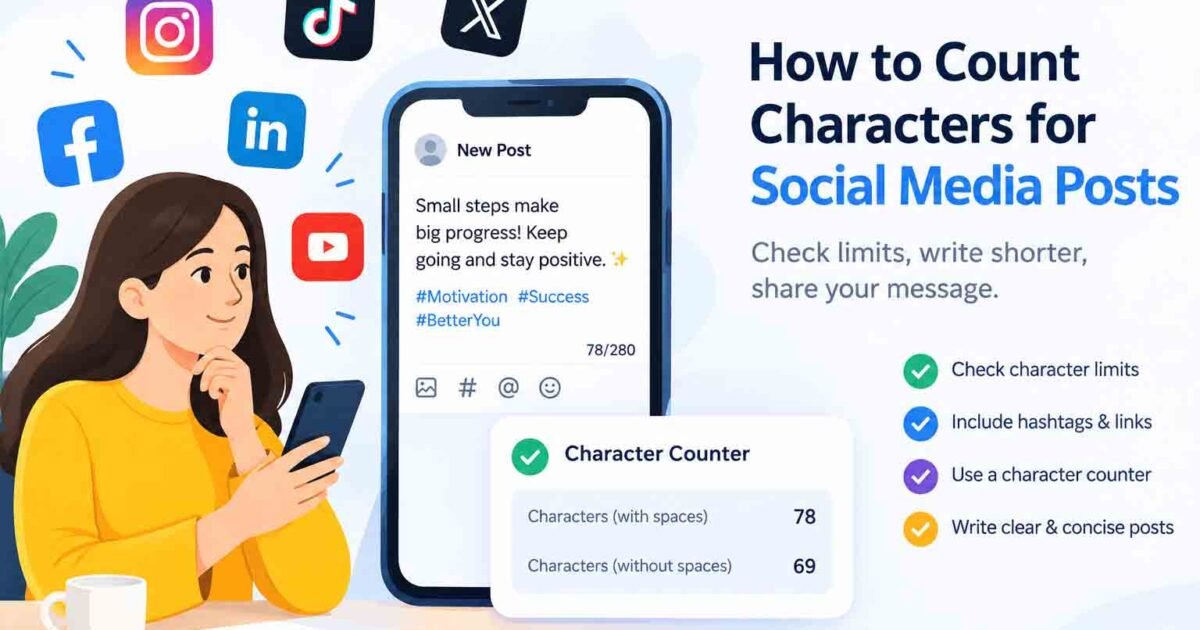
Learning how to count characters for social media posts can help you avoid publishing problems and keep your captions within the required limits. Whether you are writing a short update, promotional caption, profile bio, or comment, checking your character count before publishing can save time and prevent last-minute edits.
Social media platforms have different rules for text length, and some count spaces, links, and special symbols differently. In this guide, you will learn how to count characters for social media posts, check character limits, and shorten your captions without losing their meaning. You can also use our free Character Counter to check your text instantly.
Why Character Limits Matter on Social Media
Character limits help social media platforms manage the length of posts, captions, bios, comments, and messages. Some fields have strict maximum lengths, while longer posts may display only a portion of the text before showing a “See more” option.
Understanding these limits helps you avoid rejected posts and incomplete messages. Learning how to count characters for social media posts also makes it easier to write clear captions that communicate your main point quickly.
Social Media Post Length
Even when a platform allows long captions, readers may see only the opening lines before expanding the post. Your first sentence should therefore explain the main idea or give readers a reason to continue.
Keep your opening direct and remove unnecessary introductions. A clear first line can make your content easier to understand without requiring readers to expand the entire post.
Character Limits for Different Content Types
Different parts of a social media account can have different character limits. A profile bio may have a much shorter limit than a regular post, while comments, usernames, and direct messages can follow separate rules.
Before publishing, check the requirements for the specific field you are using. Do not assume that the same limit applies to every type of content on a platform.
How to Count Characters for Social Media Posts
The easiest way to count characters for social media posts is to use an online character counter. This helps you check the length of your caption before publishing it.
Follow these simple steps:
- Write your complete caption in a notes app or text editor.
- Copy the entire draft, including hashtags, mentions, links, and punctuation.
- Open the free RandomsDex Character Counter.
- Paste your text into the counter.
- Review the character count and compare it with the platform’s current limit.
- Remove unnecessary words if your caption is too long.
- Check the revised version again before publishing.
This simple process works for promotional posts, short updates, profile descriptions, and other text that needs to fit a specific character limit.
What Should You Include in the Character Count?
When counting characters for social media posts, check the complete text rather than counting only the main sentence. Depending on the platform and its counting method, these elements may contribute to the total:
- Letters and numbers
- Spaces between words
- Punctuation marks
- Hashtags, including the # symbol
- Mentions, including the @ symbol
- Links and URLs
- Emojis and special symbols
For example, adding three hashtags to a caption increases its text length. A long URL may also affect the count, although some platforms process links using their own rules.
To understand the difference between counting with and without spaces, read our guide on how to count characters with and without spaces.
Social Media Character Limits Across Platforms
Every platform has its own rules for posts, captions, bios, comments, and messages. These limits may also change when a platform updates its features or introduces different account options.
If you want to know how to count characters for social media posts accurately, first identify the type of content you are creating and then check the relevant platform’s limit.
| Content type | What to check | Writing tip |
|---|---|---|
| Short posts | Maximum permitted length | Remove unnecessary words |
| Long captions | Maximum length and preview | Put your main point first |
| Profile bios | Bio character limit | Use concise wording |
| Comments | Comment length restrictions | Keep replies direct |
| Hashtags | Whether they count toward the limit | Choose relevant hashtags |
| Direct messages | Message length restrictions | Break up long messages if needed |
How to Check the Current Character Limit
Avoid relying on outdated articles for exact character limits. Social media platforms can change their rules, and some features may have different restrictions.
Use these methods to confirm the current limit:
- Check the publishing box: Look for a live character counter or a warning when you approach the maximum.
- Visit the official help centre: Search for the latest rules for posts, captions, bios, and comments.
- Test your draft: Paste your complete text into the actual publishing field and check whether it is accepted.
- Recheck your final version: Make sure your last edits have not pushed the text over the limit.
You can visit the Instagram Help Centre or X Help Center for official platform guidance.
How Spaces, Links, and Emojis Affect Character Count
Character counting involves more than counting letters. Spaces, punctuation, symbols, and other text elements can affect the final result.
Understanding these differences helps you count characters for social media posts more accurately, especially when your caption is close to the maximum limit.
Do Spaces Count as Characters?
Many character counters include spaces in the total. For example, the phrase “Hello world” contains 11 characters when the space is included and 10 when it is excluded.
However, counting methods can differ between tools and platforms. If you need to meet a strict limit, check whether the counter includes spaces.
Do Hashtags and Mentions Count?
Hashtags and mentions generally contribute to a post’s text length. For example, #DigitalMarketing and @example each contain several characters.
Include these elements when checking your draft. If you use multiple hashtags or tag several accounts, remember that they can take up a significant part of your available space.
Do Emojis Count as One Character?
Not always. Some emojis contain multiple Unicode code points, and combinations such as family emojis or skin-tone variations may be counted differently by different tools.
Links can also be counted differently depending on the platform. Some services process URLs using their own rules instead of counting the full visible address.
When learning how to count characters for social media posts, use an online counter for an initial check and the platform’s own publishing counter for final confirmation.
7 Tips to Shorten Social Media Posts
If your caption exceeds the character limit, you usually do not need to remove the main message. A few careful edits can make your text shorter and easier to read.
1. Remove Filler Words
Words such as “really,” “very,” and “just” can often be removed without changing the meaning.
Instead of writing “We are really excited to share our new update,” write “We’re excited to share our new update.”
2. Replace Long Phrases With Shorter Ones
Use shorter expressions when they communicate the same idea. For example, replace “at this point in time” with “now” or “in order to” with “to.”
These small changes can reduce your character count while keeping your writing natural.
3. Put the Main Message First
Avoid long introductions before explaining your main point. Start with the announcement, question, offer, or useful information you want readers to notice.
This approach is especially helpful when a platform displays only the opening lines of a longer post.
4. Use Relevant Hashtags
Hashtags can help people discover your content, but too many can make a caption longer and harder to read. Choose a few relevant hashtags rather than adding unrelated ones.
5. Remove Repeated Information
If two sentences communicate the same idea, combine them or keep the clearer sentence. This reduces unnecessary text and makes your post more direct.
6. Use Active, Direct Sentences
Active sentences are often shorter and easier to understand.
For example, “The team launched the product today” is more direct than “The product was launched by the team today.”
7. Check Your Text After Editing
After shortening a caption, paste the complete version into the RandomsDex Character Counter.
Checking again is important because even small changes can affect the final total. This is one of the simplest ways to count characters for social media posts before publishing.
Example: Shorten a Social Media Caption
Consider this longer caption:
“Our new blog post is now live and ready for you to read today.”
- Word count: 14
- Character count with spaces: 62
Now compare it with this shorter version:
“New blog post is live! Read it today.”
- Word count: 8
- Character count with spaces: 37
The shorter version saves 25 characters while keeping the main message clear.
You can use the same method for announcements, product promotions, event reminders, and other social media updates. Check both versions with a counter whenever you want to compare their lengths.
If you also create website content, read our guide on how to check meta title and meta description length for SEO.
Related Writing Skills
Character counting is useful beyond social media captions. It can help you prepare website content, emails, online forms, and search engine snippets.
Explore these related guides:
- Word Count vs Character Count: What Is the Difference?
- How to Count Characters With and Without Spaces
- How to Count Characters in Text Messages and Emails
Frequently Asked Questions
1. How do I count characters in a social media post?
Copy your complete post and paste it into an online character counter. Include spaces, punctuation, hashtags, mentions, and links, then compare the result with the platform’s current limit.
2. Do hashtags count toward a social media character limit?
Generally, yes. The hashtag symbol and the letters that follow it contribute to the text length. Check the platform’s counting rules if you need an exact total.
3. Do emojis count as one character?
Not always. Some emojis and emoji combinations may be counted differently by different tools. Check your final draft in the platform’s publishing field if you are close to the limit.
4. Are character limits the same on every social media platform?
No. Each platform can set different limits for posts, captions, bios, comments, and messages. These rules can also change over time, so check the current requirements before publishing.
5. Do spaces count toward the character limit?
Many counters and platforms include spaces, but counting methods can differ. Check whether the tool you are using includes spaces in its total.
6. What should I do if my social media post is too long?
Remove filler words, shorten long phrases, eliminate repeated information, and keep your main message near the beginning. Count the revised text before publishing.
7. What is the easiest way to check social media text length?
Use a free online character counter to check your draft, then confirm the final result in the platform itself, especially when the limit is strict.
Conclusion
Knowing how to count characters for social media posts helps you prepare captions that fit platform limits without losing their meaning. Include hashtags, mentions, links, spaces, and punctuation when checking your draft, and remember that emojis and URLs may follow platform-specific counting rules.
Before publishing, use the free RandomsDex Character Counter to check your text. If your caption is too long, remove unnecessary words, keep your main point clear, and count it again. With a little practice, you can create concise, readable posts that are ready to publish.