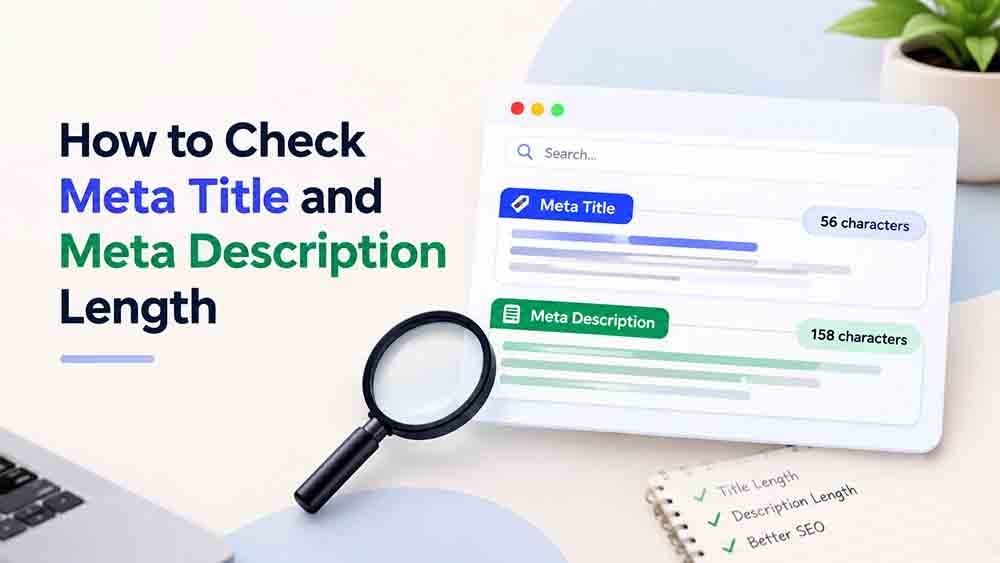
A clear title and description help people understand what a webpage is about before they visit it. If your title is too long, Google may shorten it in search results. If your description is unclear, people may not understand what they will find on your page.
Checking meta title and meta description length helps you create clear, useful text for your webpages. In this guide, you will learn how to count characters, understand recommended lengths, and improve your titles and descriptions with simple examples.
What Is a Meta Title?
A meta title, also called an SEO title, describes the main topic of a webpage. It may appear as the clickable headline in Google search results and helps readers understand what the page offers. meta title and meta description length
A good title should be relevant, readable, and specific. It should describe the page accurately without adding unnecessary words.
Example:
Instead of writing:
Useful Information About Calculators
Write:
How to Use an Online Character Counter
The second title tells readers exactly what the page covers.
What Is a Meta Description?
A meta description is a short summary of a webpage. Search engines may display it below the title in search results to help users decide whether the page is relevant to their needs.
A useful description explains what readers can expect and uses natural language.
Example:
Learn how to count characters in your text, check spaces and punctuation, and use an online character counter to get quick results.
Google does not always display the exact description you provide. It may generate a different snippet based on the user’s search query and your page content.
What Is the Ideal Meta Title and Meta Description Length?
There is no fixed character limit that guarantees your complete title or description will appear in Google search results. Google may shorten text depending on the available display space and the device being used.
The following ranges are common starting points:
| Element | Recommended starting range |
|---|---|
| Meta title | Around 50–60 characters |
| Meta description | Around 140–160 characters |
These are general guidelines, not strict Google limits. A title does not automatically become incorrect if it exceeds 60 characters, and a description does not have to reach 160 characters.
When checking meta title and meta description length, focus on making your text clear and useful rather than reaching an exact character count.
For more information, read Google’s documentation about title links and search snippets.
How to Check Meta Title and Meta Description Length
You can check the character count of your title and description with a free online tool. This is quicker and more accurate than counting every character manually.
Follow these steps:
- Write your title in a text editor or your website’s SEO settings.
- Copy the title.
- Open the RandomsDex Character Counter.
- Paste your text into the tool and check the character count.
- Repeat the process with your meta description.
- Remove unnecessary words if your text is longer than you want.
- Review both texts to make sure they accurately describe the webpage.
Remember that spaces and punctuation also contribute to the character count.
You can learn more from our guide on how to count characters with and without spaces.
How to Write a Good Meta Title
A strong title helps readers quickly understand the subject of your page. Use these tips when writing one:
- Include the main topic: Make the purpose of the page clear.
- Keep it readable: Avoid unnecessary words and complicated wording.
- Make it unique: Give each important page its own descriptive title.
- Avoid keyword repetition: Use natural wording instead of repeating the same phrase.
- Match the content: Ensure the title accurately represents the information on the page.
For example, if your article explains how to calculate age, a title such as “How to Calculate Your Exact Age” is more informative than “Helpful Online Information.”
How to Write a Good Meta Description
A good description gives readers a short, accurate summary of your webpage. It should explain the value of the content without making promises the page cannot fulfil.
Use these simple recommendations:
- Explain what the reader will learn.
- Keep the wording clear and natural.
- Include relevant terms when they fit the sentence.
- Avoid repeating the same information.
- Write a unique description for each important page.
- Check that the description matches the article.
- meta title and meta description length
Example of a weak description:
This article provides information about character counting. Read this article to get information about character counting. “Meta title and meta description length
Improved description:
Learn how to count characters, check spaces and punctuation, and measure text length with a free online tool.
The improved version is more direct and tells readers what they can expect.
Common Mistakes to Avoid
When reviewing meta title and meta description length, watch out for these common mistakes.
1. Treating recommended character counts as strict rules
The suggested ranges are useful starting points, but Google does not guarantee that text within a particular character count will display in full.
2. Repeating keywords too often
Repeated phrases can make your title, description, and article difficult to read. Use your main keyword where it fits naturally.
3. Using the same title on different pages
Different pages usually cover different topics. Their titles should reflect those differences.
4. Writing misleading descriptions
A description should accurately represent the content. Avoid promising information that readers will not find on the page.
5. Ignoring readability
Do not sacrifice clarity just to achieve a specific character count. Useful, natural wording is more important than forcing every title or description into an exact range.
You may also find these guides useful:
- How to Count Characters for Social Media Posts
- Word Count vs. Character Count: What Is the Difference?
- How to Count Characters in Text Messages and Emails
Frequently Asked Questions
How many characters should a meta title have?
Around 50–60 characters is a common starting point. However, Google may shorten a title depending on the available display space.
How long should a meta description be?
Around 140–160 characters is a practical guideline. Focus on writing a clear summary rather than meeting an exact number.”Meta title and meta description length”
Does Google always show my meta description?
No. Google may use your provided description or generate a different snippet from the page content to match a user’s search.
How can I check character length for free?
Use the RandomsDex Character Counter to check your title, description, or other text quickly.
Should every webpage have a unique title and description?
Yes, where possible. Unique and descriptive text helps explain what each page covers and makes it easier for readers to distinguish between pages.
Final Thoughts
Checking meta title and meta description length is a useful step when preparing a webpage for publication. Start with the recommended character ranges, use a character counter, and review your wording before publishing.
There is no single character count that guarantees how Google will display your text. Aim for clear titles, useful descriptions, and content that matches what readers are looking for.
Before publishing, use the RandomsDex Character Counter to review your text and make any final adjustments.