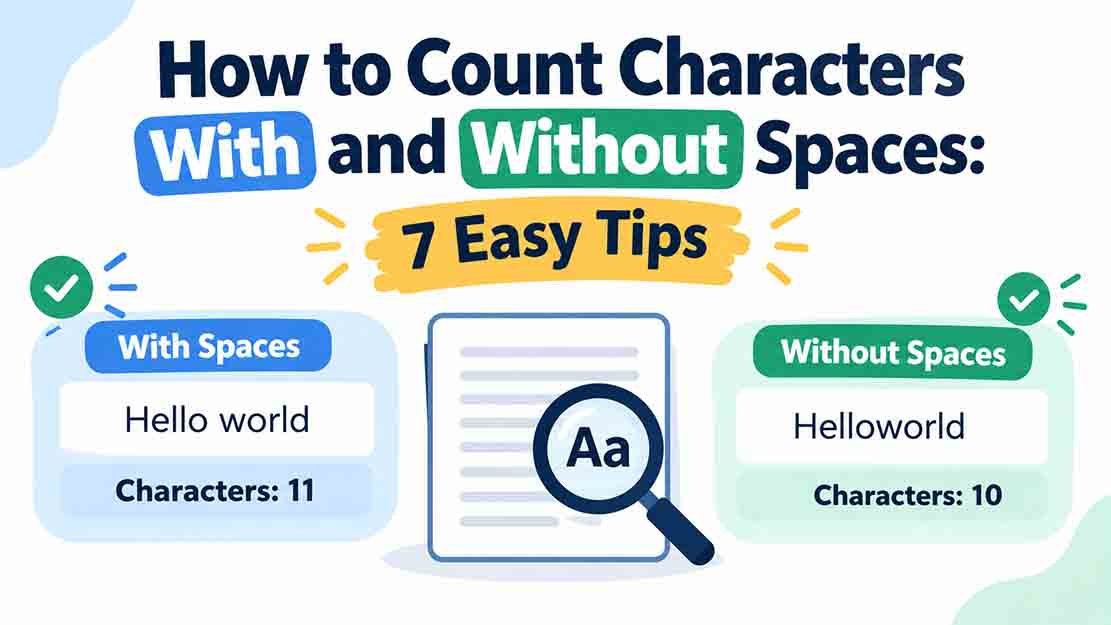
Have you ever typed a message, website title, or social media bio and seen a limit such as “maximum 100 characters”? To make sure your text fits, you need to understand how to count characters with and without spaces.
Character counting helps you prepare social media captions, SEO titles, meta descriptions, online forms, essays, and other types of content. However, spaces, punctuation, numbers, and special symbols can affect the final result.
In this guide, you will learn how to count characters with and without spaces, understand practical examples, avoid common counting mistakes, and use a free online tool to check your text accurately.
You can also try the free RandomsDex Character Counter to check your character count in seconds.
Table of Contents
- What Is Character Counting?
- What Counts as a Character?
- Character Count With Spaces vs Without Spaces
- How to Count Characters With and Without Spaces
- Practical Character Counting Examples
- How to Count Characters in a Long Text
- Common Character Counting Mistakes
- Frequently Asked Questions
- Conclusion
1. What Is Character Counting?
Character counting means calculating the number of individual characters in a piece of text. Depending on the counting method, these characters can include letters, numbers, punctuation marks, spaces, and symbols.
For example, the word “Cat” contains three characters. The word “Hello!” contains six characters because the exclamation mark counts as one character.
Knowing how to count characters with and without spaces is useful whenever you need to meet a text-length requirement.
Why Is Character Counting Important?
Character counting is helpful for several everyday tasks:
- Social media: Check whether captions and profile descriptions fit platform limits.
- SEO writing: Keep SEO titles and meta descriptions concise.
- Online forms: Meet minimum and maximum character requirements.
- Academic writing: Follow specific character limits in assignments.
- Marketing: Prepare short advertisements, product titles, and promotional messages.
- Translation: Estimate text length when a service charges by character.
If you need to check text quickly, use the free RandomsDex Character Counter.
2. What Counts as a Character?
A character is an individual unit of text. Most everyday character counters count letters, digits, punctuation, and symbols individually. Spaces are included when the tool reports a total with spaces.
Here is a simple breakdown:
| Character Type | Examples | Typical Count |
|---|---|---|
| Letters | a, B, z | 1 each |
| Digits | 0, 7, 2026 | 1 per digit |
| Punctuation | . , ! ? | 1 each |
| Symbols | @ # % & | 1 each |
| Spaces | The gap between words | 1 each |
| Line breaks | A new line | Depends on the tool |
| Emojis | 😊, ❤️ | Depends on the counting method |
For example, “2026” contains four digits, so it usually counts as four characters.
Similarly, “Hello!” contains five letters and one punctuation mark, giving it a total of six characters.
Do Capital and Small Letters Count Differently?
No. In ordinary character counting, uppercase and lowercase letters each count as one character.
For example:
- CAT = 3 characters
- cat = 3 characters
- Cat = 3 characters
The capitalization changes, but the number of characters remains the same.
3. Character Count With Spaces vs Without Spaces
Most online character counters provide two totals: characters including spaces and characters excluding spaces. Understanding the difference helps you select the correct measurement for your task.
Characters With Spaces
A character count with spaces includes letters, numbers, punctuation, symbols, and spaces between words.
For example:
“Learn fast.”
- Letters: 9
- Space: 1
- Full stop: 1
- Total: 11 characters
This measurement is useful when a text field counts spaces toward its character limit.
Characters Without Spaces
A character count without spaces excludes ordinary spaces but usually retains letters, numbers, and punctuation.
Using the same example, “Learn fast.” contains nine letters and one full stop.
Therefore:
- Characters with spaces: 11
- Characters without spaces: 10
Some tools may handle line breaks, tabs, and special whitespace differently, so check the counting method if accuracy is important.
What Is the Main Difference?
The difference is straightforward: a count with spaces includes spaces, while a count without spaces excludes them.
If you also need to understand how words differ from characters, read our guide on word count vs character count.
4. How to Count Characters With and Without Spaces
You can count a short sentence manually, but an online character counter is usually faster for longer text.
Method 1: Count Characters Manually
Follow these steps to count a short sentence:
- Write down the text you want to measure.
- Count each letter and digit.
- Count punctuation marks and symbols.
- Count every space if you need the total including spaces.
- Add the individual counts together.
- For the total excluding spaces, subtract the number of spaces.
For example, consider “Hi there!”
- Letters: 7
- Spaces: 1
- Exclamation mark: 1
Characters with spaces: 7 + 1 + 1 = 9
Characters without spaces: 7 + 1 = 8
Manual counting is useful for learning the method, but it becomes difficult when working with paragraphs or long documents.
Method 2: Use a Free Online Character Counter
For a faster result, follow these steps:
- Copy your text.
- Open the RandomsDex Character Counter.
- Paste your text into the input box.
- Check the displayed character totals.
- Select the count that matches your requirement.
This method is convenient for captions, titles, descriptions, messages, and other text with strict limits.
A Simple Character Counting Formula
You can calculate the total using this formula:
Characters with spaces = Characters without spaces + Number of spaces
For example, if your text contains 25 characters without spaces and five spaces, its total with spaces is 30 characters.
This formula works when the only difference between the two totals is the removal of ordinary spaces. Other whitespace or special-character handling may vary between tools.
5. Practical Character Counting Examples
The following examples show how to count characters with and without spaces.
Example 1: “Count every character.”
The sentence contains:
- “Count” = 5 letters
- “every” = 5 letters
- “character” = 9 letters
- Spaces = 2
- Full stop = 1
Characters with spaces: 19 + 2 + 1 = 22
Characters without spaces: 19 + 1 = 20
Example 2: “I love SEO 2026!”
The sentence contains:
- I = 1 character
- love = 4 characters
- SEO = 3 characters
- 2026 = 4 characters
- Spaces = 3
- Exclamation mark = 1
Characters with spaces: 12 + 3 + 1 = 16
Characters without spaces: 12 + 1 = 13
Example 3: “Hello, world!”
The sentence contains:
- Hello = 5 letters
- world = 5 letters
- Comma = 1 character
- Exclamation mark = 1 character
- Space = 1 character
Characters with spaces: 10 + 2 + 1 = 13
Characters without spaces: 10 + 2 = 12
These examples show why checking the exact character count is better than estimating text length.
6. How to Count Characters in a Long Text
Manually counting characters in a paragraph, email, article, or social media post can take time. An online tool makes the process easier and reduces counting mistakes.
Count Characters in a Paragraph
To check a paragraph, copy the complete text and paste it into an online character counter. Review the total and confirm whether spaces are included.
Before relying on the result, consider these details:
- Line breaks: Different tools may count line breaks differently.
- Emojis: Some emojis contain multiple Unicode code points, so displayed totals may vary.
- Extra spaces: Spaces at the beginning or end of a text may affect the count.
- Special symbols: Some symbols may be represented internally by more than one code point.
- Copied text: Pasting from another app can introduce extra whitespace or special characters.
If you are preparing social media content, read our guide on how to count characters for social media posts.
For website content, you may also find our guide on how to check meta title and meta description length for SEO helpful.
Can Google Docs Count Characters?
Yes. Google Docs offers a word-count feature that also displays character totals, including characters without spaces.
You can open Tools → Word count to view the available measurements. For instructions, visit the official Google Docs Help page.
This can be helpful when working with documents instead of short text snippets.
7. Common Character Counting Mistakes
Avoid these mistakes when checking character length.
Assuming Every Limit Includes Spaces
Some requirements specify a character count that includes spaces, while others exclude them. Always check the instructions before editing your text.
Forgetting Punctuation and Symbols
Commas, periods, question marks, and symbols usually count as characters. Remember to include them when calculating the total.
Counting Words Instead of Characters
A sentence with five words can contain many more than five characters. Use a character counter when your requirement specifies characters.
Ignoring Extra Spaces
Accidental spaces at the beginning, end, or between words can affect the result. Remove unnecessary spaces before checking your final text.
Assuming Every Tool Produces the Same Result
Tools may handle emojis, line breaks, and special symbols differently. If a platform has a strict limit, verify the text using that platform whenever possible.
8. Frequently Asked Questions
1. Is a space considered a character?
Yes. An ordinary space generally counts as one character when spaces are included in the total. A count excluding spaces removes ordinary spaces from the result.
2. How do I count characters without spaces?
Count all the characters in your text except ordinary spaces. The easiest approach is to paste your text into an online character counter that provides a separate total without spaces.
3. Does a line break count as a character?
It depends on the tool. Some counters include line breaks, while others handle them differently. Check the final platform if you have a strict character limit.
4. Do numbers count as characters?
Yes. Each digit generally counts as one character. For example, the number “2026” contains four characters.
5. Why do two character counters show different results?
Different tools may handle line breaks, emojis, special symbols, and whitespace differently. Their counting methods can produce different totals for the same text.
6. What is the fastest way to count characters?
Use a free online character counter. Paste your text into the tool and review the character count with and without spaces.
7. Is character count important for SEO?
Yes. Character count helps you prepare concise SEO titles and meta descriptions. However, search engines may display different amounts of text depending on the device and search result layout, so character count alone does not guarantee how your content will appear.
9. Conclusion
Learning how to count characters with and without spaces helps you prepare text for social media, website forms, SEO content, and other writing tasks. Letters, digits, punctuation marks, and symbols usually count as characters, while spaces are included or excluded depending on the measurement you need.
For short sentences, manual counting can help you understand the process. For paragraphs and longer content, an online character counter is faster and more practical.
Before publishing or submitting your text, confirm the required limit and check the final version. Try the free RandomsDex Character Counter to calculate your text length in seconds.