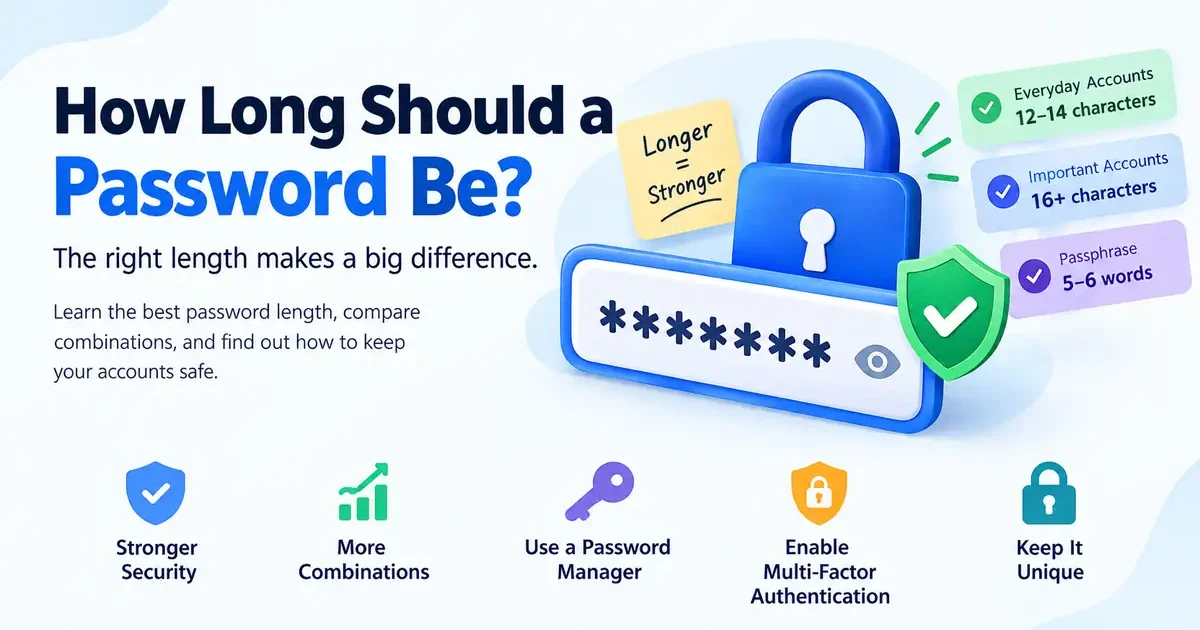
How long should a password be to keep your online accounts secure? Is 8 characters enough, or should you use 16 or more? Different websites have different rules, and password advice can be confusing.
For most accounts, a longer, randomly generated password is a better choice than a short or predictable one. A practical target is at least 15 characters when a password is your only authentication factor, while a password manager can help you create and store even longer passwords.
In this guide, you will learn how password length affects guessing difficulty, compare the number of possible combinations, and discover suitable lengths for email, banking, and other important accounts. You can create a unique password using our free Password Generator.
Why Password Length Matters
Every additional character increases the number of possible passwords an attacker must consider. The increase can be enormous because the number of combinations grows exponentially rather than linearly.
Password Length and Security
The formula for calculating the number of possible passwords is:
Number of possible passwords = (size of character set) ^ (password length)
For example:
- Lowercase letters only: 26 possible characters.
- Uppercase and lowercase letters: 52 possible characters.
- Letters, numbers, and common symbols: approximately 94 possible characters.
These calculations assume that every character is selected independently and uniformly at random. Real passwords may be much easier to guess if they contain familiar words, names, dates, or predictable patterns. “how long should a password be:”
Why Longer Passwords Are Harder to Guess
A short password can be vulnerable to automated guessing, especially when it follows a common pattern. A longer, randomly generated password can have an enormous number of possible combinations.
However, password length is not the only factor. Password reuse, compromised credentials, phishing, and weak password storage can also put accounts at risk.
Password Length and Guessing Difficulty
The following table compares the number of possible combinations for passwords of different lengths.
Password Combinations by Length
| Password length | Lowercase only (26 characters) | All typeable characters (94 characters) |
|---|---|---|
| 8 characters | 2.09 × 10¹¹ | 6.10 × 10¹⁵ |
| 12 characters | 9.54 × 10¹⁶ | 4.76 × 10²³ |
| 16 characters | 4.36 × 10²² | 3.72 × 10³¹ |
These figures are mathematical estimates, not predictions of the exact time required to crack a password. Actual results depend on the attack method, password randomness, hashing algorithm, and available computing resources.
For example, increasing a random lowercase password from 8 to 12 characters increases the number of possible combinations by approximately 456,000 times. This demonstrates why adding length can make such a significant difference.
Understanding Password Entropy
Password entropy is a measure of how difficult a password is to guess. It is commonly expressed in bits, with each additional bit doubling the number of possibilities.
For a password chosen uniformly at random from 94 possible characters, the estimated entropy is:
- 8 characters: approximately 52 bits.
- 12 characters: approximately 79 bits.
- 16 characters: approximately 105 bits.
These estimates apply only when each character is selected randomly from the full character set. A long password based on a name, familiar phrase, or predictable substitution pattern may have substantially less effective strength.
How Long Should a Password Be?
If you are wondering how long should a password be for everyday use, the answer depends on the account, authentication methods, and whether you need to memorize the password.
Recommended Password Length
Use these practical guidelines when creating passwords:
- 8 characters: A minimum accepted by some services, but not a good general target for a new password.
- 12–14 characters: Can be a reasonable choice for randomly generated passwords in some situations, particularly when additional authentication protections are present.
- 15–16 characters: A stronger practical target for new passwords, especially when a password is the only authentication factor.
- 16–20 characters or longer: A useful target for important accounts when a password manager generates and stores the password.
- Long passphrase: A good option when you need to memorize a password, provided its words are selected randomly.
The NIST Digital Identity Guidelines specify a minimum of 15 characters for passwords used as a single authentication factor. They allow a minimum of eight characters in certain cases where the password is used as part of multifactor authentication. NIST also recommends allowing passwords of at least 64 characters.
These are requirements and recommendations for authentication systems, not a guarantee that every password of a particular length is secure. “how long should a password be”
Choosing a Password You Can Manage
A password manager makes it easier to use a different, randomly generated password for every account. You do not have to memorize each password, so you can prioritize length and randomness.
For accounts where you must remember the password, a randomly generated passphrase may be easier to type and recall.
Read our guide to random password vs. memorable password to understand the differences.
How Long Should a Password Be for Important Accounts?
When deciding how long should a password be for important accounts, consider how much damage someone could cause if they gained access. Email, banking, and password manager accounts deserve particular attention. “how long should a password be”
Email Password Length
Your email account is particularly important because it may be used to reset passwords for other accounts. Use a long, unique password and enable multifactor authentication (MFA).
Never reuse your email password on social media, shopping websites, or other services. If another website suffers a data breach, a reused password can put your email account at risk.
Banking Account Password Security
For online banking, use a unique password that meets your bank’s requirements. Enable every appropriate security feature the bank offers, such as multifactor authentication or transaction alerts.
If the bank limits password length or restricts certain characters, follow its rules and use the strongest password it accepts. Never reuse that password on another website.
What About Your Password Manager’s Master Password?
Your password manager’s master password protects access to your stored credentials, so it deserves particular care.
Choose a long, unique password or a strong passphrase. Enable MFA where available, protect your recovery methods, and never share your master password.
A password manager can also generate random passwords for your other accounts, reducing the temptation to reuse passwords.
What Is a Password Passphrase?
A passphrase is a password made from multiple words. It can be easier to remember than a random string of letters, numbers, and symbols.
The strength of a passphrase depends on how the words are selected. Words chosen independently and randomly from a sufficiently large list provide more predictable security than words selected from a familiar quote or sentence.
For example, if each word is selected uniformly at random from a list of 7,776 words, each word contributes approximately 12.9 bits of entropy.
| Random words | Approximate entropy |
|---|---|
| 4 words | 52 bits |
| 5 words | 65 bits |
| 6 words | 78 bits |
A six-word passphrase selected randomly from this list has approximately the same theoretical entropy as a 12-character password selected randomly from 94 possible characters.
This comparison assumes truly random selection and does not account for every real-world attack. A familiar quotation, song lyric, or sentence is not equivalent to a randomly generated passphrase.
Other Factors That Affect Password Security
Password length matters, but a strong password also needs to be unique and protected against common attacks.
Use a Unique Password for Every Account
Never use the same password across multiple websites. If one service is breached, attackers may try the exposed credentials on other platforms.
Using a password manager is one of the easiest ways to create and maintain unique passwords.
Learn more in our guide on why you should never reuse the same password.
Enable Multi-Factor Authentication
Multi-factor authentication adds another verification step when you sign in. Depending on the service, this may involve an authenticator app, a security key, or another supported method.
Even if an attacker obtains your password, an additional authentication factor can make unauthorized access more difficult. Enable MFA on your email, banking, password manager, and other important accounts.
For additional guidance, consult the official CISA cybersecurity resources.
Check Password Requirements Before Creating One
Websites can have different password-length limits and character requirements. Some services accept very long passwords, while others impose restrictions.
Use the longest practical password the service accepts, and make sure it is stored correctly in your password manager. If you are unsure how a tool counts letters, spaces, numbers, and symbols, our guide on counting characters in text messages and emails explains how character counting works.
Create a Strong Password Without Guesswork
Instead of relying on personal information or predictable substitutions, use a password generator to create a random password. Store it securely and avoid sending passwords through ordinary messages or email.
Follow our step-by-step guide on how to create a strong password for your online accounts for more practical advice. “how long should a password be”
Frequently Asked Questions
1. Is a 12-character password strong enough?
A randomly generated 12-character password can be strong, depending on its character set and the account’s security controls. However, 15 or more characters is the recommended minimum for passwords used as a single authentication factor under current NIST guidance.
2. Is a longer password always better?
A longer, random, unique password is generally harder to guess than a shorter password with comparable randomness. However, length alone does not protect against phishing, password reuse, malware, or compromised account recovery methods.
3. What is the maximum password length?
There is no universal maximum. NIST recommends that authentication systems permit passwords of at least 64 characters. Individual websites may impose their own limits, so check the service’s requirements.
4. Is a passphrase better than a short password?
A passphrase made from randomly selected words can offer greater guessing resistance than a short password and may be easier to remember. Its strength depends on the number of words and how randomly they are chosen. how long should a password be”
5. Do I need symbols if my password is long?
Symbols can increase the number of possible combinations when they are selected randomly. However, current NIST guidance does not recommend forcing users to include a specific mixture of character types. Prioritize length, randomness, and uniqueness rather than relying on predictable substitutions.
6. Should I change my password regularly?
You generally do not need to change a strong password on a fixed schedule unless the service requires it. Change it promptly if you suspect it has been exposed, reused credentials have been compromised, or an unauthorized person may have accessed your account.
7. Is a password generator safe to use?
A reputable password generator can help you create long, random passwords without relying on predictable personal information. Use a trusted tool, store the generated password securely, and make sure each account has its own password.
Conclusion
Now you know how long should a password be for better online security. Aim for a long, random, unique password, with 15–16 characters or more as a practical target for new accounts. For important accounts, use a password manager, enable multifactor authentication, and protect your recovery methods.
A longer password is useful, but the strongest approach combines length with randomness, uniqueness, and good account security habits.
Ready to create a stronger password? Try the free RandomsDex Password Generator and create a unique password for your next account.


