Your email, banking, social media, and shopping accounts all depend on one important thing: a password. A weak password can make it easier for someone to access your personal information, while a strong password helps protect your accounts against guessing attacks and unauthorized access.
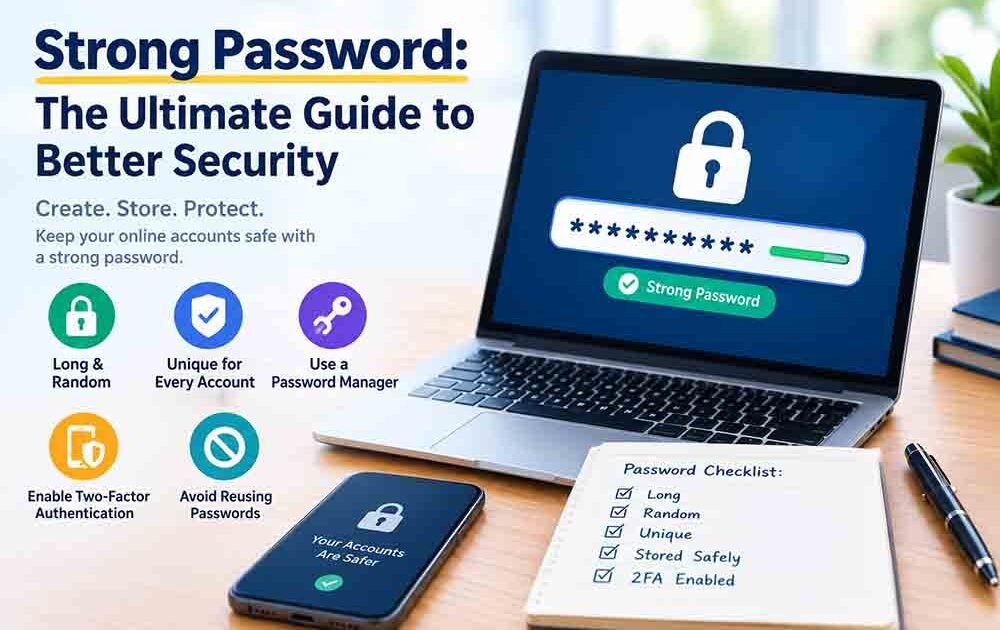
Creating a strong password does not have to be difficult. You need a password that is long, unpredictable, unique, and stored securely. In this guide, you will learn how to create a strong password, choose the right length, use a password generator, and protect your passwords from common security risks.
Ready to create one? Try the free Password Generator on RandomsDex to generate a new password for your account.
What Makes a Strong Password?
A strong password is difficult for other people to guess and resistant to automated guessing attempts. It should not depend on personal information, familiar phrases, or predictable patterns.
Here are the main characteristics of a strong password:
- Long: More characters generally make a password harder to guess.
- Unpredictable: It should not follow a familiar pattern or common password formula.
- Unique: Every account should have its own password.
- Private: Avoid sharing it or storing it somewhere others can easily access.
- Securely stored: Use a trusted password manager to keep track of your credentials.
A password such as Summer2026! might look complicated, but it follows a predictable pattern. A randomly generated password is generally a better choice.
How Long Should a Strong Password Be?
Password length is one of the most important factors in password security. Each additional character can greatly increase the number of possible combinations, assuming the password is generated unpredictably.
For accounts protected by passwords, using at least 15 characters is a practical starting point when the website allows it. Longer passwords can provide additional protection, especially when they are randomly generated.
For more details, read our guide on how long a password should be.
Why Longer Passwords Are More Secure
Imagine two randomly generated passwords: one contains 8 characters, and the other contains 16 characters. If both use the same character set, the longer password has far more possible combinations.
However, length alone does not guarantee security. A long password based on a common phrase may still be easier to guess than a shorter, genuinely random password.
The best approach is to combine sufficient length with unpredictability and never reuse the same password across accounts.
How to Create a Strong Password
The simplest way to create a strong password is to use a reliable password generator. It can produce random combinations without relying on familiar words, names, or patterns.
Follow these steps to generate a strong password:
- Open the free RandomsDex Password Generator.
- Select a suitable password length.
- Choose the character types supported by the tool.
- Generate a password.
- Copy it directly into your password manager or the relevant account’s password field.
- Save it securely and avoid reusing it for another account.
A password generator helps reduce the temptation to create passwords based on birthdays, names, favourite teams, or other information that people might discover.
Strong Password Examples
The following examples demonstrate different password styles. Do not use these example passwords for real accounts, because passwords published in articles should never be treated as secret.
| Password example | Security consideration |
|---|---|
Password123! | Common and predictable |
Summer2026! | Uses a familiar word and year |
BlueHouse!47 | Contains recognizable words and a pattern |
k7#Rv2!qLm9&Zt4x | Illustrates a longer, random-looking combination |
For an actual account, generate a fresh password rather than copying one from this table.
Should a Strong Password Include Numbers and Symbols?
Numbers, uppercase letters, lowercase letters, and symbols can increase the number of possible combinations. They can be useful when creating a password, especially if a website requires particular character types.
However, adding symbols does not automatically make a password secure. A predictable password such as Password123! remains a poor choice despite containing uppercase letters, numbers, and a symbol.
Understanding Password Character Types
| Character type | Examples |
|---|---|
| Lowercase letters | abcdef |
| Uppercase letters | ABCDEF |
| Numbers | 123456 |
| Symbols | !@#$%& |
A strong password should prioritize length and unpredictability. If a website has specific password rules, choose a password that meets those requirements without relying on an obvious pattern.
How to Store and Protect a Strong Password
Even a strong password can become a security risk if it is exposed, shared, or reused. Secure storage is an important part of protecting your online accounts.
Use a Password Manager
A password manager stores your passwords in an encrypted vault. You only need to remember the master password, while the manager helps generate, store, and fill in unique passwords for different websites.
Choose a reputable password manager, protect it with a strong master password, and enable additional account protection where available.
Never Reuse Passwords
Using the same password for several accounts creates a serious risk. If one website suffers a data breach, attackers may try the exposed password on your email, shopping, or other accounts.
Use a different strong password for every account. Learn more in our guide on why you should never reuse the same password.
Enable Two-Factor Authentication
Two-factor authentication (2FA) adds another verification step when you sign in. Depending on the service, this may involve an authenticator app, a security key, or another supported method.
Whenever possible, enable two-factor authentication for email, banking, social media, and other important accounts. A password and a second authentication factor provide better protection than a password alone.
Avoid Sharing Passwords
Do not send passwords through ordinary email or text messages. Avoid storing them in unprotected documents, desktop notes, or screenshots that other people might access.
If you believe a password has been exposed, change it immediately and check whether the same password was used on any other account.
Random Password vs. Memorable Password
A randomly generated password is useful for accounts whose credentials are stored in a password manager. A memorable passphrase can be helpful when you need to remember and type a password yourself.
A passphrase should be sufficiently long and unpredictable. Avoid familiar quotations, popular song lyrics, personal information, or common phrases.
For a detailed comparison, read our guide on random passwords vs. memorable passwords.
How Often Should You Change Your Password?
Changing every password on a fixed schedule is not always necessary. Current security guidance generally recommends changing a password when there is evidence or a reasonable suspicion that it has been compromised, rather than forcing routine changes without a specific reason.
Change your password promptly if:
- A service reports a data breach affecting your account.
- You suspect someone else knows your password.
- You accidentally shared your credentials.
- You discover that you reused an exposed password on other accounts.
For further guidance, consult the official NIST Digital Identity Guidelines.
Strong Password Security Checklist
Before using a password for an important account, check these points:
- The password is long and unpredictable.
- It does not rely on personal details or common patterns.
- It is unique to that account.
- It is stored in a trusted password manager.
- Two-factor authentication is enabled where available.
- The password has not been exposed or shared insecurely.
Following this checklist can help you create a strong password and maintain better security across your online accounts.
Frequently Asked Questions
1. What is a strong password?
A strong password is long, unpredictable, and unique to one account. It should not be based on easily discovered personal information or common password patterns.
2. How many characters should a strong password have?
For password-only accounts, 15 or more characters is a useful starting point when supported. Longer, randomly generated passwords can offer additional protection.
3. Is an online password generator safe?
It depends on how the generator works and how you use it. Choose a trustworthy tool, understand its security practices, and avoid using passwords displayed as examples in articles. For highly sensitive accounts, consider a reputable password manager with a built-in generator.
4. Do I need numbers and symbols in my password?
Numbers and symbols can increase the possible combinations, and some websites require them. However, length and unpredictability are essential, and predictable substitutions do not make a password strong.
5. Should I use the same password for multiple accounts?
No. Reusing passwords means that one compromised account could put other accounts at risk. Use a unique password for every service.
6. Is a password manager worth using?
Yes. A reputable password manager makes it easier to create and store unique passwords without having to memorize every one. Protect the manager itself with a strong master password and appropriate additional security.
7. When should I change my password?
Change it if you suspect it has been exposed, a service reports a relevant breach, or you discover unauthorized access. Also update any other accounts where you reused the compromised password.
Conclusion
Creating a strong password is one of the simplest ways to improve your online security. Choose a long, unpredictable password, use a different one for every account, and store your credentials in a trusted password manager.
For added protection, enable two-factor authentication and replace compromised passwords promptly. To get started, use the free RandomsDex Password Generator to create a new password for your account.