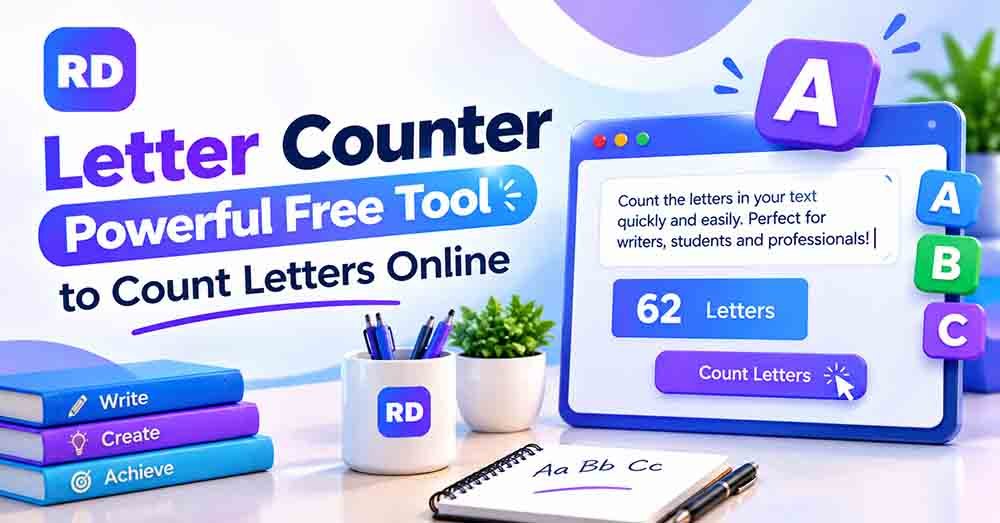
A letter counter helps you find the number of letters in a word, sentence, paragraph, or complete text. Whether you are a student, writer, blogger, or content creator, counting letters can help you check your writing quickly and accurately.
Manually counting every letter can take time, especially when you are working with long paragraphs. An online letter and character counting tool makes it easier to check your text in seconds.
In this guide, you will learn how letter counting works, how to calculate letters manually, and how letters differ from characters, spaces, and words. You will also see practical examples and useful tips for getting accurate results.
What Is Letter Counting?
Letter counting is the process of finding how many alphabetic letters appear in a piece of text. You can use this method to check a single word, a sentence, a paragraph, or a longer document.
For example, the word “Computer” contains eight letters. The phrase “Hello World” contains ten letters and one space.
A letter counting tool can be helpful for:
- Counting letters in words and sentences.
- Checking spelling exercises and school assignments.
- Reviewing website content and written documents.
- Comparing the length of different text samples.
- Understanding the difference between letters and characters.
Not every online tool counts letters separately. Some tools display the total number of characters, including spaces, numbers, and punctuation. Check the results carefully to make sure you are using the correct count.
How to Count Letters Online
Using an online counting tool is easy. You do not need to install software or have technical knowledge.
Follow these simple steps to check your text.
Step 1: Open the Counting Tool
Visit a reliable online character counter to start checking your text.
Step 2: Enter Your Text
Copy the word, sentence, or paragraph you want to measure. Paste it into the text box provided by the tool.
Step 3: Check the Results
Review the counting information displayed on the screen. Depending on the tool, you may see total characters, characters with spaces, characters without spaces, and word count.
Step 4: Identify the Letter Count
If the tool does not show letters separately, count the alphabetic letters manually or use a tool that specifically supports letter counting. Do not assume that the total character count is the same as the number of letters.
Step 5: Edit and Count Again
If you are checking text for an assignment, caption, or document, make the required changes and check your text again.
An online counter can save time and reduce simple counting mistakes, especially when you work with longer text.
How to Count Letters Manually
You can calculate the number of letters without an online tool. This method works well for short words and sentences.
Consider this example:
Text: I love reading.
Step 1: Count Each Word
- I = 1 letter
- love = 4 letters
- reading = 7 letters
Step 2: Add the Letters
Add the number of letters in each word:
1 + 4 + 7 = 12 letters.
Step 3: Exclude Spaces and Punctuation
The sentence contains two spaces and one full stop. These are not alphabetic letters.
Therefore, the sentence contains:
- Letters: 12
- Spaces: 2
- Punctuation marks: 1
- Total characters, including spaces and punctuation: 15
This example shows why a letter-only result may differ from a general character count.
Letter Counting Examples
The following table shows how many letters appear in common words and sentences. It also compares letter counts with total character counts.
| Text | Letter count | Spaces | Punctuation | Total characters |
|---|---|---|---|---|
| Hello | 5 | 0 | 0 | 5 |
| Hello World | 10 | 1 | 0 | 11 |
| I love design. | 11 | 2 | 1 | 14 |
| Count my text! | 11 | 2 | 1 | 14 |
| Good morning | 11 | 1 | 0 | 12 |
| I like tea | 8 | 2 | 0 | 10 |
In this table, the letter count includes alphabetic letters only. The total character count includes letters, spaces, and punctuation.
For example, “Good morning” contains eleven letters and one space, making twelve characters in total.
Letter Count vs. Character Count
Letter counting and character counting are closely related, but they do not always measure the same thing.
A letter count usually focuses on alphabetic letters. A character count generally measures the total number of characters in text, which may include letters, numbers, spaces, punctuation, and symbols.
Consider the text “Hi, Ali!”
- Letters: 5
- Spaces: 1
- Punctuation marks: 2
- Total characters: 8
This distinction matters when you need an accurate count for a specific task.
| Feature | Letter count | Character count |
|---|---|---|
| Counts alphabetic letters | Yes | Yes |
| Counts spaces | Usually no | Depends on the counting option |
| Counts punctuation | Usually no | Usually yes |
| Counts numbers | Usually no | Usually yes |
| Measures total text length | Not always | Yes, according to its counting rules |
To understand these differences better, read our guide on word count vs. character count.
Why Is Letter Counting Useful?
Counting letters is useful for many everyday writing tasks. It can help you understand your text and complete work more efficiently.
1. For Students and School Assignments
Students often work with spelling exercises, vocabulary lists, and writing activities. A letter counting tool can help them check how many letters appear in a word or sentence.
It is also useful for language-learning tasks where students need to compare short and long words.
2. For Bloggers and Website Owners
Bloggers write titles, headings, descriptions, and articles every day. Checking text length can help them review their content before publishing.
A letter count is not the same as an SEO character limit, so use a character counter when checking the total length of a title or description.
3. For Social Media Content
Social media creators often need to write short captions and clear messages. Counting letters can help them inspect their wording, while a character counter is better for checking the full length of a post.
Learn more with our guide on how to count characters for social media posts.
4. For Writers and Editors
Writers can use letter counts to compare text samples, check spelling-related exercises, and review short passages. Editors may also use text-counting tools when preparing content for forms or publishing systems.
5. For Forms and Online Submissions
Some online forms require text to fit within a certain length. In these situations, a character counter can help you check whether your text meets the limit.
Always confirm whether the form counts spaces and punctuation, because these can affect the final result.
How to Count Characters With and Without Spaces
Understanding spaces is important when checking text length. A space separates words, but it is not an alphabetic letter.
For example, the phrase “I like tea” contains eight letters, two spaces, and ten characters in total.
- Letters only: 8
- Characters without spaces: 8
- Characters with spaces: 10
This example contains no punctuation, so the letter count and character count without spaces are the same.
For more examples, read our guide on how to count characters with and without spaces.
You can also explore our character counter with spaces guide to understand how spaces affect the total.
Can a Letter Counting Tool Count Special Characters?
A letter counting tool normally focuses on alphabetic letters. Numbers, punctuation marks, and symbols are usually not included in a letter-only count.
However, these symbols may be included in a general character count.
For example, the text “Hello123!” contains five alphabetic letters, three numbers, and one exclamation mark. Its total character count is nine.
Emojis and accented letters can be more complicated. Depending on the tool, a visible symbol may be counted differently because digital text can contain multiple underlying code points.
If you need to measure the overall length of your text, use a tool that clearly explains how it counts spaces and special symbols.
Tips for Getting an Accurate Letter Count
Follow these practical tips to avoid confusion when counting letters.
- Choose the right tool: Use a letter-specific tool if you need alphabetic letters only.
- Check spaces separately: Spaces are not letters, even though they may count as characters.
- Exclude punctuation from letter totals: Commas, full stops, and exclamation marks are characters, not alphabetic letters.
- Check numbers and symbols: These may increase the total character count without changing the letter count.
- Review your text: Check for missing words or accidental spaces before using the result.
- Use automatic counting for long text: Online tools are more convenient than counting every letter manually.
- Understand the results: Read the tool’s labels to see whether it counts letters, words, or total characters.
You can also read our complete guide to character counting for more information about measuring text accurately.
Frequently Asked Questions About Letter Counting
1. What is the easiest way to count letters online?
The easiest way is to use an online tool that provides a separate letter count. Paste your text into the tool and review the results. If it only displays total characters, you may need a letter-specific tool.
2. Is an online letter counter free?
Many online text-counting tools are free to use. They allow you to paste text and check available counting results without installing extra software.
3. Are spaces included in a letter count?
Usually, alphabetic letter counts exclude spaces. A character counter may include spaces or display separate totals for text with and without spaces.
4. What is the difference between letters and characters?
Letters are alphabetic symbols, such as A, B, and C. Characters are a broader category that can include letters, numbers, spaces, punctuation, and special symbols.
5. Can I count letters in a long paragraph?
Yes. You can count letters in long paragraphs, but an online tool is usually more convenient than counting each word manually. Make sure the tool measures letters rather than only total characters.
6. Can letter counting help with SEO?
It can help you inspect written text, but SEO titles and meta descriptions usually require a character count rather than a letter-only count. Use a character counter to check their total length and follow current search engine recommendations.
7. Why do counting tools show different results?
Different tools may follow different counting rules. One may count only alphabetic letters, while another includes spaces, punctuation, numbers, and symbols. Emojis and other Unicode characters can also affect results.
8. Can I count letters without spaces?
Yes. A letter-only count normally excludes spaces automatically. You can also use a character counter that provides a separate result for characters without spaces.
Conclusion
Counting letters is a simple way to check the number of alphabetic letters in words, sentences, and paragraphs. It can support students, writers, bloggers, and content creators who need accurate text measurements.
Although manual counting works for short sentences, an online tool can save time when checking longer text. Remember that letters and characters are different, so always choose the counting method that matches your needs.
Try our online character counter tool to check your text length and explore the available counting options.
For more information about how digital text represents characters and combined symbols, read the Unicode guide to characters and combining marks.