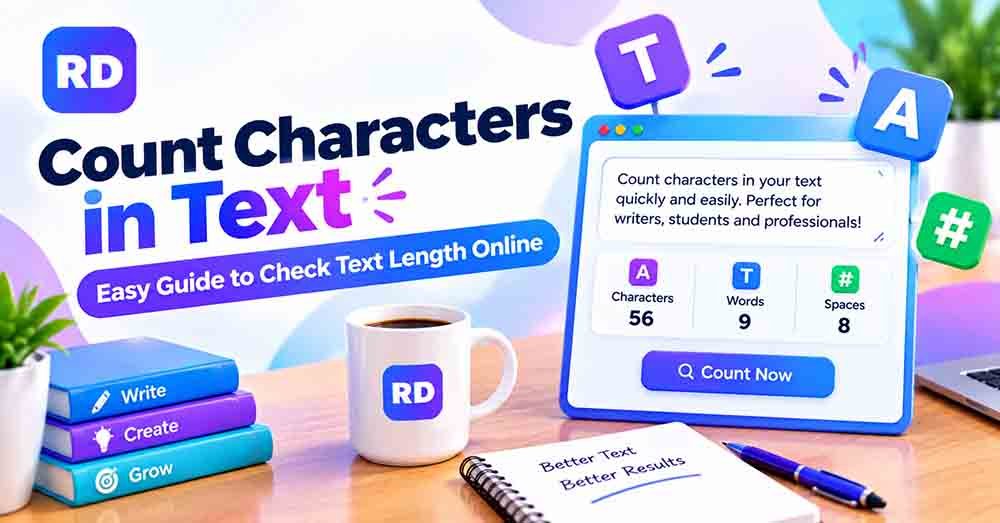
If you write articles, social media posts, emails, or website content, knowing your text length can be very useful. You may need to count characters in text to meet a platform limit, prepare a short description, or check the length of your writing.
Manually counting every letter, space, and punctuation mark can take a lot of time. An online character counter tool makes this task easier by showing text statistics in seconds.
In this guide, you will learn what characters are, how to calculate them manually, how spaces affect the result, and how an online letter counter can help you check your writing.
What Does It Mean to Count Characters in Text?
Counting characters means finding the total number of individual characters in a word, sentence, paragraph, or document.
A character can include:
- Letters: A, B, C, and other alphabetic symbols.
- Numbers: 1, 2, 3, and other digits.
- Spaces: Empty spaces between words.
- Punctuation: Commas, full stops, question marks, and exclamation marks.
- Special symbols: @, #, %, &, and similar signs.
- Other symbols: Emojis and characters from different writing systems.
For example, the text “Hello World!” contains 12 characters when the space and exclamation mark are included.
Understanding what counts as a character helps you measure text correctly, especially when working with online forms, social media platforms, and website content.
How to Count Characters in Text Online
An online counting tool is one of the easiest ways to check the length of your writing. You do not need to install software or count each character yourself.
Follow these simple steps:
Step 1: Open an Online Counter
Visit a reliable online character counter to start.
Step 2: Copy Your Text
Select the word, sentence, paragraph, or complete document you want to measure. Copy the selected text.
Step 3: Paste Your Text
Place your copied content into the tool’s text box. Most online counters start calculating automatically when you enter text.
Step 4: Review the Results
Check the available results. Depending on the tool, you may see:
- Total characters
- Characters with spaces
- Characters without spaces
- Word count
- Other text statistics
Step 5: Edit Your Content
If your text is too long, remove unnecessary words or punctuation. Paste the updated version again to check the new result.
This method is especially helpful when you need to measure long paragraphs or several pieces of content.
How to Count Characters Manually
You can also calculate the total character count without using an online tool. This method is useful for short sentences and simple examples.
Let’s use this sentence:
Text: I love design.
Step 1: Count the Letters
The sentence contains these words:
- I = 1 letter
- love = 4 letters
- design = 6 letters
Total letters: 1 + 4 + 6 = 11.
Step 2: Count the Spaces
There are two spaces between the three words.
Step 3: Count Punctuation
The full stop at the end adds one character.
Step 4: Add Everything Together
- Letters: 11
- Spaces: 2
- Punctuation: 1
Total characters with spaces: 14
If you exclude spaces, the total becomes 12 characters.
This simple calculation shows how different counting methods can produce different results.
Examples of Character Counting
The following table provides practical examples to help you understand how characters are measured.
| Text | Letters | Spaces | Punctuation | Total characters |
|---|---|---|---|---|
| Hello | 5 | 0 | 0 | 5 |
| Hello World | 10 | 1 | 0 | 11 |
| I love design. | 11 | 2 | 1 | 14 |
| Count my text! | 11 | 2 | 1 | 14 |
| Good morning | 11 | 1 | 0 | 12 |
| I like tea | 8 | 2 | 0 | 10 |
These examples include alphabetic letters, spaces, and punctuation. Numbers and special symbols also add to the total character count.
For example, “Hello123!” contains five letters, three numbers, and one punctuation mark. Its total is nine characters.”count characters in text”
Character Count With and Without Spaces
One important detail when measuring text is whether spaces are included.
A space is a character, but it is not a letter. Some tools include spaces in the total, while others provide a separate count without spaces. “count characters in text”
Consider this example:
Text: I like tea
- Letters: 8
- Spaces: 2
- Characters with spaces: 10
- Characters without spaces: 8
Both results are correct because they use different counting methods.
If you want to understand this difference in more detail, read our guide on how to count characters with and without spaces.
You can also learn how a character counter with spaces measures the full text and how a character counter without spaces ignores spaces in its result.
Character Count vs. Word Count
Character count and word count measure two different things.
A character count measures individual letters, numbers, spaces, punctuation marks, and other symbols. A word count measures how many words appear in a piece of writing.
For example, the sentence “I love graphic design.” contains four words. Its character count is 23 when spaces and the full stop are included.
Here is a simple comparison:
| Feature | Character count | Word count |
|---|---|---|
| Measures individual characters | Yes | No |
| Measures the number of words | No | Yes |
| Includes spaces | Depending on the setting | Usually separates words using spaces |
| Includes punctuation | Usually yes | Usually attached to words |
| Useful for social media limits | Yes | Sometimes |
For a complete explanation, visit our guide on word count vs. character count.
Why Is Character Counting Important?
Checking text length can help with many writing and content tasks. Here are some common situations where accurate counting is useful.
1. Social Media Posts
Social media platforms may have limits for posts, captions, bios, or descriptions. Checking the total length before publishing can help you keep your message within the required limit.
Read our guide on how to count characters for social media posts for more useful tips.
2. Website Titles and Meta Descriptions
Website owners and bloggers often prepare SEO titles and meta descriptions. Checking their character length can help them write clear descriptions that fit common search result display guidelines.
Remember that search engines may display titles and descriptions differently depending on the device and search query.
3. Emails and Messages
Some forms, messaging systems, and online services have limits on the amount of text you can enter. A character counter helps you check the length before submitting your message.
4. School and College Assignments
Students may need to follow specific writing requirements. Checking text length can help them prepare assignments, short answers, and written exercises.
5. Content Writing and Editing
Writers and editors can use text-counting tools to review articles, product descriptions, headings, and other content. This can make editing easier and help keep writing within a required length.
How Does an Online Letter Counter Help?
A letter counter is useful when you want to understand the number of alphabetic letters in your writing. However, a general character counter can provide more information about the complete text.
For example, it may show the total characters, spaces, and words separately. This makes it easier to compare different types of text measurements.
You can use these results when preparing:
- Blog posts and articles
- Product descriptions
- Social media captions
- Website headings
- Short messages and emails
- School assignments
To learn more about text measurement, explore our complete character count guide.
How Are Emojis and Special Characters Counted?
Not all visible symbols are counted in exactly the same way by every tool.
Basic English letters, numbers, and spaces are usually easy to measure. However, some emojis and special symbols may contain multiple underlying Unicode code points.
For example, a family emoji may appear as one symbol on your screen but contain several code points joined together. Some tools count these parts separately, while others treat the complete emoji as one visible character.”count characters in text”
Accented letters and combined symbols can also produce different results depending on the counting method.
If you need an accurate result for text containing emojis or special symbols, check how your chosen tool handles Unicode characters.
Tips for Getting an Accurate Character Count
Follow these tips to avoid mistakes when checking text length:
- Choose the correct counting option: Decide whether you need a total count or a count without spaces.
- Include punctuation when required: Full stops, commas, and question marks usually count as characters.
- Check numbers and symbols: These are also part of the total character count.
- Remove unnecessary spaces: Extra spaces can change the final result.
- Review emojis: Some symbols may be counted differently by different tools.
- Use automatic counting for long text: Online tools can save time and reduce manual errors.
- Check the final version: Always measure your text again after editing.
These simple steps can help you get more consistent results when working with different types of writing.
Frequently Asked Questions
1. What does it mean to count characters in text?
It means finding the total number of individual characters in a piece of writing. These may include letters, numbers, spaces, punctuation marks, and special symbols.
2. How can I count characters online for free?
Open an online character counting tool, paste your text into its input box, and review the displayed results. Many tools provide character totals automatically without requiring installation.
3. Are spaces included in a character count?
Yes, spaces are characters. However, some tools provide separate results for text with spaces and text without spaces.
4. What is the difference between letters and characters?
Letters are alphabetic symbols such as A, B, and C. Characters include letters as well as numbers, spaces, punctuation, and special symbols.
5. Does punctuation count as a character?
Yes. Commas, full stops, question marks, and other punctuation marks normally count as individual characters.
6. Can I check the character count of a long article?
Yes. You can paste a long article into an online counter to measure its length. Make sure the tool supports the amount of text you want to check.
7. Do emojis count as one character?
Not always. Some emojis contain multiple Unicode code points. Different tools may count the same visible emoji differently depending on how they process text. “count characters in text”
8. Why is character counting useful for SEO?
It helps website owners review the length of SEO titles and meta descriptions. However, search engines do not follow one fixed character limit for every displayed title or description.
Conclusion
Knowing how to measure text length is useful for students, bloggers, writers, and social media creators. It helps you prepare content for online platforms, review website descriptions, and check writing requirements.
Manual counting works for short sentences, but an online tool is much faster for longer paragraphs and documents. Understanding the difference between letters, spaces, punctuation, and total characters also helps you avoid incorrect results. “count characters in text”
Try our free online character counter to measure your writing and check the available text statistics.
For more information about how digital text handles special symbols and combined characters, read the Unicode guide to characters and combining marks.