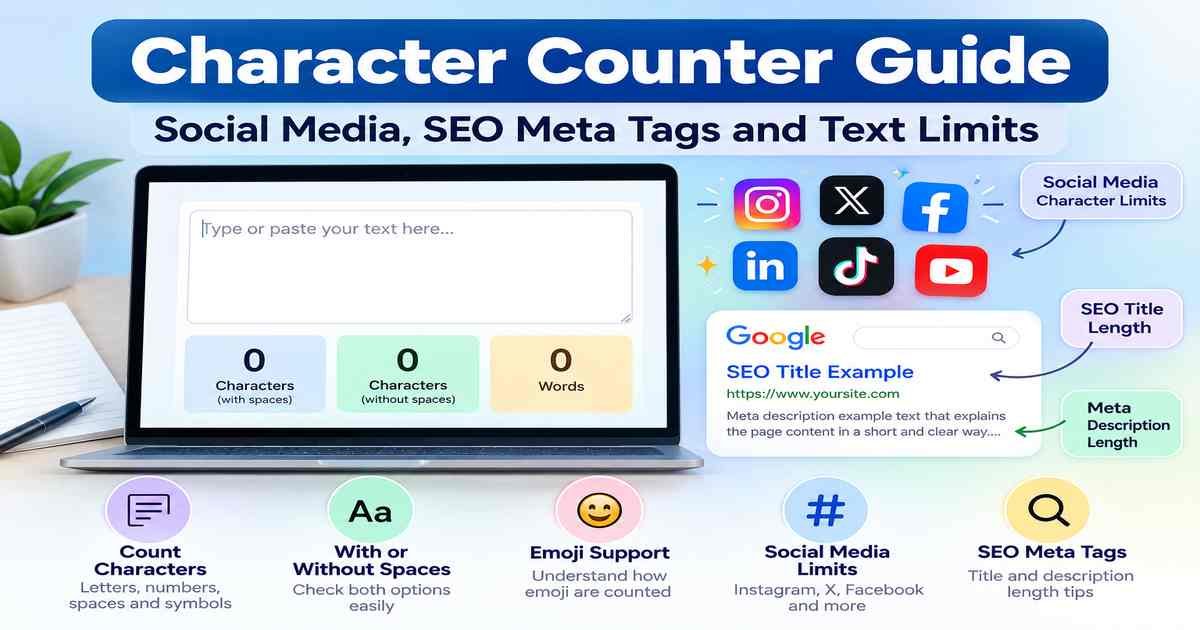
Need to check how many characters are in your text? Whether you’re writing an Instagram caption, SEO title, meta description or online form, a character counter helps you stay within the required limits.
A free online character counter makes it easy to count letters, numbers, spaces and symbols without checking them manually.
In this guide, you’ll learn how to count characters, understand social media and SEO text limits, and discover 5 essential tips for writing clear content that fits within character limits.
What Is a Character Counter?
A character counter is a tool that counts every character in a piece of text. It helps students, bloggers, content writers and social media users check their text length.
Most character counting tools also show:
- Characters with spaces
- Characters without spaces
- Total words
- Text length
You may also see these tools called an online character counter, character count checker or character limit checker.
They all have the same basic purpose: paste or type your text and check its length.
You can explore free writing utilities in the RandomsDex Text Tools category.
Characters vs Words: What’s the Difference?
Words and characters measure different things.
A word is usually a group of letters or numbers separated by spaces.
A character is a letter, number, space, punctuation mark or symbol.
Example: “Hello, World!”
- Words: 2
- Characters with spaces: 13
- Characters without spaces: 12
Word counts are useful for essays, articles and reports.
Character counts are useful when writing social media captions, SEO titles, meta descriptions or text with a specific length limit.
To learn more about word counting, read our Word Counter Guide.
What Counts as a Character?
Most character counters include the following:
- Letters: Each basic letter counts as one character.
- Spaces: Spaces usually count toward text limits.
- Punctuation: Commas, periods, question marks and quotation marks count.
- Numbers: Each digit counts separately. For example,
2026contains 4 characters. - Symbols: Characters such as @, #, & and % are counted.
- Line breaks: These may count as one or more characters depending on the platform.
Different tools may use slightly different rules for special characters.
Character Count With Spaces vs Without Spaces
Many online character counters display two different results.
Characters With Spaces
This includes letters, numbers, punctuation marks and spaces.
Most social media platforms and online forms include spaces in their character limits.
Characters Without Spaces
This excludes spaces from the total count.
This measurement can be useful for academic writing, translation projects and typing tasks.
Tip: Always check which counting method your platform requires. If you’re unsure, assume spaces count until you confirm otherwise.
Why Do Emoji Sometimes Count as Multiple Characters?
Emoji can make character counting confusing.
Computers use a text standard called Unicode. Some emoji require more than one code unit to represent them.
For example:
- A simple letter such as
ausually counts as one. - Some emoji count as two UTF-16 code units.
- Family emoji and emoji with skin-tone modifiers may use several code units.
- Some accented letters can be stored in different ways.
According to MDN Web Docs, JavaScript’s string length measures UTF-16 code units instead of visible characters.
This explains why different character counters may show different results.
Important: If you’re close to a character limit, always check the final count on the platform you’re using.
Character Limits for SMS Messages
SMS messages also have character limits.
A standard SMS segment can contain up to 160 characters using the basic GSM character set.
If your message includes emoji or certain non-Latin characters, a single segment may be limited to 70 characters.
Long messages can be divided into multiple segments, which may reduce the number of characters available per segment.
Social Media Character Limits
Different social media platforms have different limits for captions, posts and bios.
Here are some commonly cited limits:
| Platform | Character Limit |
|---|---|
| Instagram caption | 2,200 characters |
| Instagram bio | 150 characters |
| X (Twitter) standard post | 280 characters |
These limits may change, so always check the latest information inside the app.
Instagram Character Limits
Instagram captions commonly allow up to 2,200 characters, while bios commonly allow up to 150 characters.
Only the beginning of a long caption appears before users select “more”.
Put your main message near the beginning so readers understand your post quickly.
Hashtags and spaces also count toward the caption limit.
X (Twitter) Character Limits
Standard X posts commonly have a 280-character limit.
Some paid accounts can publish longer posts.
Links and certain languages may be counted differently, so check the platform’s own counter.
Other Social Media Platforms
Facebook, LinkedIn, TikTok and YouTube also have character limits for certain fields.
These limits can change over time.
Tip: Write your content in a character counter first, then paste it into the platform to check the final count.
SEO Title Length: How Many Characters Should You Use?
An SEO title is the title that may appear in Google search results.
Many website owners ask whether Google has a fixed title character limit.
The answer is no.
According to Google Search Central, Google may shorten or change title links depending on the search result layout and device.
However, many SEO writers use 50 to 60 characters as a practical guideline.
Tips for Writing SEO Titles
- Use your main keyword naturally.
- Put important words near the beginning.
- Make the title clear and relevant.
- Avoid keyword stuffing.
- Check the title length before publishing.
A character counter can help you compare different title versions and choose one that’s easy to read.
Remember that 50–60 characters is a guideline, not an official Google requirement.
Meta Description Length for SEO
A meta description is a short summary of a webpage.
Search engines may display it below the page title in search results.
Google does not have a fixed character limit for meta descriptions.
According to Google Search Central, search snippets are generated automatically and may change depending on the search query and device.
Many SEO professionals aim for approximately 150 to 160 characters.
Tips for Writing Meta Descriptions
- Describe your page clearly.
- Include your main keyword naturally.
- Give readers a reason to visit.
- Write a unique description for every page.
- Avoid unnecessary keyword repetition.
Google may show different text from your page if it believes that text better answers the search query.
A character count checker can help you write concise descriptions, but clarity matters more than reaching an exact number.
5 Essential Character Counter Tips for SEO and Social Media
Using a character counter correctly can help you write better social media posts, website titles and descriptions.
Here are five simple tips.
1. Put Important Words First
Start your title, caption or description with the main message.
If the text gets shortened, readers can still understand the important part.
For SEO titles, try to include the main topic near the beginning.
2. Count Spaces and Punctuation
Remember that spaces, commas, periods and symbols usually count toward character limits.
Use a character counter with spaces to check the full length of your text.
3. Keep SEO Titles and Descriptions Clear
Many SEO writers aim for around 50–60 characters for titles and 150–160 characters for meta descriptions.
These are guidelines, not fixed Google limits.
Focus on making your text useful and easy to understand.
4. Check Emoji and Special Characters
Emoji may count differently depending on the platform.
If you’re writing a caption or text message with emoji, leave some extra room.
Always check the final count inside the app.
5. Avoid Unnecessary Words
Remove filler words that don’t add meaning.
For example:
Before: “We are really very happy to announce our new product.”
After: “We’re happy to announce our new product.”
The second version is shorter and clearer.
These five tips can help you write within character limits without losing your message.
Other Places Where Character Counts Matter
Character counters are useful for more than social media and SEO.
Common examples include:
- Online forms: Some fields have strict text limits.
- Text messages: Message length can affect SMS segments.
- Product titles: Online stores may restrict title length.
- Advertisements: Ad platforms often limit headlines and descriptions.
- Image alt text: Clear, concise descriptions help explain images.
- Usernames: Many platforms limit username length.
- Spreadsheets and databases: Some fields have maximum text lengths.
Common Character Counting Mistakes
Avoid these mistakes when checking your text:
- Treating SEO title length as a fixed rule. Google does not set a fixed character limit.
- Forgetting spaces and punctuation. These usually count.
- Ignoring emoji. Some emoji count differently across systems.
- Using outdated social media limits. Platform rules can change.
- Trusting only one counter. Always check the platform’s final count.
- Making text too short. Don’t remove important information just to save characters.
How to Use the RandomsDex Character Counter
You can explore character counting utilities in the RandomsDex Text Tools category.
The basic process is simple.
Step 1: Open a Character Counter
Choose a character counting tool.
Step 2: Paste or Type Your Text
Enter your caption, SEO title, meta description or other content into the text box.
Step 3: Check the Character Count
Review the total characters with spaces and without spaces, if both are shown.
Step 4: Edit Your Text
Shorten or improve your writing until it fits the required limit.
Step 5: Check the Final Result
Paste the text into the actual platform to confirm it meets the limit.
If you also want to check words or reading time, read our Word Counter Guide.
You can find more free utilities in the Text Tools category.
Tips for Writing Within a Character Limit
When space is limited, small changes can make a big difference.
- Start with the main point. Put important information first.
- Remove filler words. Words like “really”, “just” and “that” are not always necessary.
- Use numbers when appropriate. For example,
5is shorter thanfive. - Leave extra room. A few spare characters can help when platforms count text differently.
- Keep your message clear. Don’t shorten text so much that it becomes confusing.
- Test before publishing. Check the final result in the actual app or website.
Frequently Asked Questions (FAQs)
What Is the Difference Between a Character Counter and a Word Counter?
A character counter measures letters, numbers, spaces and symbols. A word counter measures the number of words in your text.
Do Spaces Count as Characters?
Yes. Most platforms include spaces in their character limits. Many tools also show a separate count without spaces.
Is There an Official Character Limit for SEO Titles?
No. Google does not publish a fixed character limit for title links. Many SEO writers use around 50 to 60 characters as a guideline.
How Long Should a Meta Description Be?
There is no official Google character limit. A length of approximately 150 to 160 characters is commonly used, but Google may display a different snippet.
Why Does My Emoji Count as Two Characters?
Some emoji use two UTF-16 code units, while more complex emoji may use several. Different systems can produce different counts.
What Is the Instagram Caption Limit?
Instagram captions commonly allow up to 2,200 characters, while bios commonly allow up to 150 characters. Check the app for current limits.
How Do I Count Characters in a Text Message?
Paste your message into a character counter. Remember that emoji and certain non-Latin characters can reduce the number of characters that fit into one SMS segment.
Can I Count Characters Online for Free?
Yes. Free online character counting tools can help you check text length without counting manually.
Conclusion
A character counter is a useful tool for social media users, bloggers, students and SEO professionals. It helps you check text length, stay within character limits and keep your writing clear.
By following these 5 essential tips, you can write better SEO titles, meta descriptions and social media posts without exceeding character limits.
Remember to count spaces, check emoji carefully and treat SEO title and meta description lengths as guidelines rather than strict Google rules.
Ready to check your text? Explore the free RandomsDex Text Tools and make your writing easier.