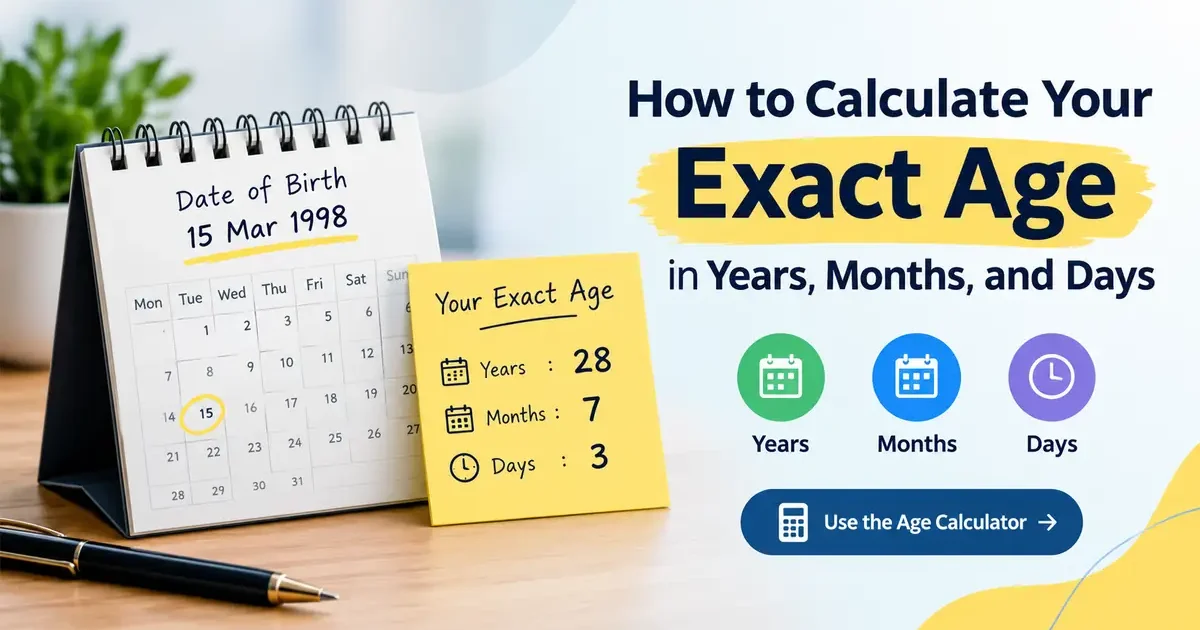
Have you ever wondered about your exact age in years, months, and days? Knowing your exact age can be useful when completing official forms, checking eligibility requirements, applying for jobs, or simply satisfying your curiosity.
An exact age calculator makes this process quick and easy. Instead of counting every month and day manually, you can enter your date of birth and a target date to find your precise age.
In this guide, you will learn how an exact age calculator works, how to calculate your age manually, and how leap years affect the result. You can also use the free Age Calculator on RandomsDex to check your answer.
What Is an Exact Age Calculator?
An exact age calculator is an online tool that calculates your age in years, months, and days using your date of birth and a selected date.
Unlike a simple age calculation that shows only completed years, an exact age calculator provides a more detailed result. For example, instead of showing only 28 years, it can tell you that you are 28 years, 7 months, and 3 days old.
This information can be useful for personal records, school admissions, official documents, and other situations where a precise age matters.
How Does an Exact Age Calculator Work?
An exact age calculator compares two dates: your date of birth and the date on which you want to calculate your age.
The tool calculates the difference between those dates while accounting for the number of days in each month and the effect of leap years.
Follow these simple steps to calculate your exact age:
- Open the RandomsDex Age Calculator.
- Enter your date of birth.
- Select today’s date or another target date.
- Click the calculate button.
- Review your age in years, months, and days.
The result gives you a more detailed answer than calculating your age by subtracting your birth year from the current year.
How to Calculate Your Exact Age Manually
You do not always need an online exact age calculator. You can also calculate your age by comparing your birth date with the target date.
To do this, subtract the years, months, and days separately. If the target day is smaller than your birth day, you may need to borrow days from the previous month. If the month is smaller than your birth month, you may need to borrow a year.
Step 1: Calculate the Years
Subtract your birth year from the target year.
For example:
- Birth year: 1998
- Target year: 2026
- Difference: 28 years
However, check whether your birthday has already occurred in the target year. If it has not, subtract one year from the result.
Step 2: Calculate the Months
Compare the birth month with the target month. If you need to borrow a year, add 12 months and reduce the year count by one.
Step 3: Calculate the Days
Compare the day of the month on which you were born with the target day. If the target day is earlier, borrow the number of days in the previous month.
This is why an exact age calculator can be helpful: it handles these date calculations automatically.
Exact Age Calculator Example
Let’s look at a practical example to understand how the calculation works.
Suppose your date of birth is March 15, 1998, and your target date is October 18, 2026.
Your exact age is:
- Years: 28
- Months: 7
- Days: 3
Therefore, your exact age is 28 years, 7 months, and 3 days.
You can enter the same dates into an exact age calculator to verify the result.
How Many Total Days Have You Lived?
Your age in calendar years, months, and days is different from the total number of days you have lived.
From March 15, 1998, to October 18, 2026, the date difference is 10,444 days.
The total includes the extra days contributed by leap years. You can also use our guide to calculating the number of days between two dates to learn more about date differences.
How Leap Years Affect an Exact Age Calculator
A leap year has 366 days instead of the usual 365 because February contains 29 days rather than 28.
Leap years matter when calculating the number of days between two dates. A calculation that ignores leap years may produce an incorrect total.
For example, someone born on February 29, 2004, has completed 22 years by October 18, 2026. The exact way a February 29 birthday is treated on a non-leap year can depend on the applicable rules or convention.
An exact age calculator accounts for calendar dates when calculating the difference between a birth date and a target date.
For more information, read how leap years affect your age calculation or visit Time and Date’s leap-year guide.
Common Mistakes When Calculating Your Exact Age
Even a simple date calculation can go wrong if you overlook a few details.
1. Forgetting Whether Your Birthday Has Passed
Subtracting the birth year from the current year does not always give your completed age. If your birthday is still coming up, your completed age is one year lower.
2. Assuming Every Month Has 30 Days
Calendar months have different lengths. Some have 30 days, others have 31, and February has 28 or 29 days. An exact age calculator uses the actual calendar dates.
3. Using the Wrong Date Format
Some forms use month/day/year, while others use day/month/year. Check the format before entering your birth date to avoid an incorrect result.
4. Confusing Total Days With Calendar Age
Your age in years, months, and days describes a calendar interval. Your total days lived is a different measurement and depends on the actual dates involved.
5. Ignoring Leap Years
Leap years affect total-day calculations. Always account for February 29 when working out the number of days between dates.
When Should You Use an Exact Age Calculator?
An exact age calculator can help in several everyday situations.
Official Forms and Applications
Some applications ask for your date of birth or precise age. Calculating your age accurately can help you check the information before submitting a form.
School and Job Eligibility
Schools, training programs, and employers may have age-related eligibility requirements. You should always check the specific rules that apply to your application.
Personal Records
You may want to know your age in years, months, and days for personal records, family milestones, or other occasions.
Birthday Planning
You can calculate how much time remains until your next birthday. Visit our guide on how to calculate your next birthday and the days until it for more details.
Calculate Your Age on a Past or Future Date
An exact age calculator can also be useful when you want to know how old you were on a past date or how old you will be on a future date.
For example, you might want to calculate your age on your graduation day, a previous birthday, or a future anniversary.
Simply enter your date of birth and select the date you want to check. The calculator will determine your age for that particular day.
You can learn more in our guide on calculating your age for a specific date in the past or future.
Frequently Asked Questions
1. What is an exact age calculator?
An exact age calculator is an online tool that calculates your age in years, months, and days based on your date of birth and a target date.
2. How do I calculate my exact age manually?
Subtract your birth date from the target date, accounting for completed years, calendar months, and the correct number of days in each month.
3. Is an exact age calculator accurate?
An exact age calculator can provide an accurate calendar-date difference when the dates are entered correctly and the tool handles month lengths and leap years properly.
4. Can I calculate my age on a future date?
Yes. Enter your date of birth and select a future target date to find your age on that day.
5. Does an exact age calculator include leap years?
A properly designed calculator accounts for leap years when calculating date differences and total days.
6. Can I calculate my age in total days?
Yes. Some calculators provide total days alongside your age in years, months, and days. The total depends on the selected start and end dates.
7. Why is my calculated age different from my age in years?
Your age in completed years does not include the additional months and days since your last birthday. An exact age calculator shows these extra months and days as well.
Conclusion
Calculating your age in years, months, and days is straightforward once you understand how calendar dates work. However, different month lengths and leap years can make manual calculations more complicated.
An exact age calculator offers a convenient way to calculate your age without doing the maths yourself. Enter your birth date, choose a target date, and check your result using the free RandomsDex Age Calculator.