Creating a strong password is important for protecting your online accounts. A weak password can make it easier for someone to access your personal information. The good news is that you do not need to think of complicated passwords yourself.
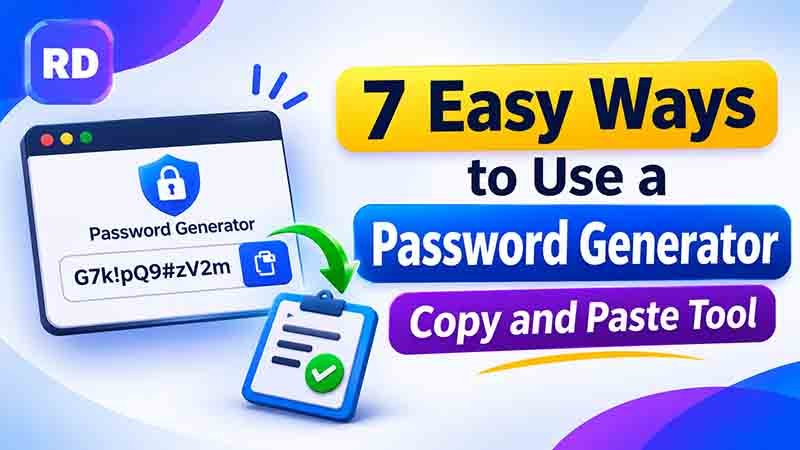
A password generator copy and paste tool helps you create a random password and copy it directly to your account’s password field. This saves time and helps you avoid using simple or repeated passwords.
You can use this method for email accounts, social media, online shopping, banking, and other websites.
Table of Contents
- What Is a Password Generator Copy and Paste Tool?
- How Does It Work?
- How to Generate and Copy a Password
- Examples of Strong Passwords
- What Makes a Password Strong?
- Benefits of Using a Password Generator
- Important Password Safety Tips
- Frequently Asked Questions
- Conclusion
What Is a Password Generator Copy and Paste Tool?
A password generator is an online tool that creates random passwords using different characters. These characters may include uppercase letters, lowercase letters, numbers, and special symbols.
The copy-and-paste feature makes the process easier. Instead of remembering or typing a long password manually, you can generate it, copy it, and paste it wherever you need it.
You can try the free online password generator to create a password with your preferred length and character types.
How Does It Work?
The tool uses your selected settings to create a random combination of characters. You can usually choose:
- Password length
- Uppercase letters (A–Z)
- Lowercase letters (a–z)
- Numbers (0–9)
- Special characters (!, @, #, and others)
After generating a password, click the copy button. The password is placed on your clipboard, ready to paste into a website or application.
How to Generate and Copy a Password
Follow these simple steps:
Step 1: Open a Password Generator
Visit an online generator that allows you to create random passwords. Choose a trusted tool that works directly in your browser.
Step 2: Select Password Length
Choose a suitable length. For important accounts, a unique password of 16 characters or more is a good choice.
Step 3: Choose Character Types
Enable uppercase letters, lowercase letters, numbers, and symbols. Using a larger character set can increase the number of possible combinations.
Step 4: Generate Your Password
Click the generate button. The tool will create a random combination based on your selected settings.
Step 5: Copy and Paste It
Click the copy button to copy the result. Open your account’s password field and paste it using Ctrl + V on Windows or Command + V on Mac.
Step 6: Save It Securely
Store the password in a trusted password manager. Avoid saving it in public documents, shared notes, or unprotected files.
Examples of Strong Passwords
Here are some sample password formats:
| Password Example | Character Types |
|---|---|
R8#mQ2!vLp9@xT5z | Letters, numbers, symbols |
K7@wN4#pX9!dB2qL | Uppercase, lowercase, numbers |
vP6$zT8&nR3!mQ9a | Mixed characters |
H2!xL9@cW5#rJ7pM | Mixed characters |
These are examples for understanding password structure. Do not use passwords published in an article for your real accounts. Generate a fresh one instead.
You can also explore a random password generator guide to learn more about creating secure combinations.
What Makes a Password Strong?
A strong password should be long, unpredictable, and different for every account.
Three important factors make a password stronger:
1. Password Length
Longer passwords usually offer more possible combinations. A 16-character password can provide significantly more possibilities than a short 8-character password, assuming both are generated randomly.
2. Character Variety
Using different character types increases the available character set. For example, uppercase letters, lowercase letters, numbers, and symbols provide more possible combinations than lowercase letters alone.
3. Randomness
Avoid predictable details such as your name, birthday, phone number, or common words. Random combinations are harder to guess.
Password Combination Calculation
You can estimate the number of possible combinations with this formula:
Total combinations = Character set size ^ Password length
For example, if a password uses 72 possible characters and has 12 positions:
72¹² = 19,408,409,961,765,342,617,600 possible combinations
This is a theoretical estimate. Actual security also depends on how randomly the password is generated and how the website stores and protects it.
For more ideas, read this guide on creating a strong password.
Benefits of Using a Password Generator
Using a random password tool offers several useful benefits:
- Saves time: Create a password in seconds instead of thinking of one yourself.
- Improves security: Random combinations are less predictable.
- Reduces repetition: Create a different password for each account.
- Offers flexibility: Choose your preferred length and character types.
- Easy to use: Copy the result and paste it directly into a password field.
If you need a longer password, try this 24-character password generator.
Important Password Safety Tips
Generating a random password is only one part of account security. Follow these tips to protect your accounts:
- Use a unique password for every important account.
- Avoid sharing passwords with other people.
- Never use your name or birthday as a password.
- Enable two-factor authentication whenever possible.
- Use a trusted password manager to store passwords.
- Do not paste passwords into unknown websites.
- Keep your devices and browsers updated.
You can also learn about a random secure password generator for more information about password security.
Frequently Asked Questions
1. What is a password generator copy and paste tool?
It is an online tool that creates random passwords and lets you copy the result directly to your clipboard for easy use.
2. How do I copy a generated password?
Click the copy button beside the generated password. Then open the password field on your website and paste it using Ctrl + V on Windows or Command + V on Mac.
3. What is a good password length?
A unique password of at least 16 characters is a useful target for important accounts. Longer passwords can provide more possible combinations.
4. Should I use special characters in my password?
Yes, special characters can increase the number of possible combinations. However, password length and randomness are also very important.
5. Is it safe to use an online password generator?
It can be safe when you use a trustworthy tool that generates passwords securely. Avoid entering your existing passwords into unknown websites.
6. Should I use the same password for multiple accounts?
No. Use a different password for every account. If one password is exposed, unique passwords help protect your other accounts.
Conclusion
Creating unique passwords does not need to be difficult. A reliable generator can help you make random combinations, copy them, and use them across your online accounts.
Choose a suitable length, include different character types, and save every password in a trusted password manager. Also enable two-factor authentication for extra protection.
A few simple security habits can make your online accounts much safer.
For more online security advice, visit the official CISA guide to using strong passwords. It explains how to create secure passwords, use password managers, and protect your online accounts.