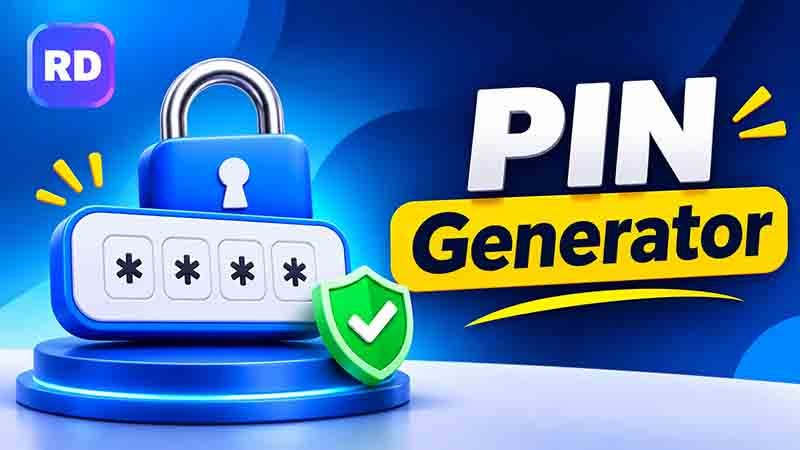
A PIN is a short number code used to protect phones, bank cards, accounts, apps, and other devices. A strong PIN should be difficult for other people to guess. A PIN generator helps create random number combinations instead of relying on easy codes such as birthdays, repeated digits, or simple number patterns.
If you need a random code, you can also explore the online password generator tool to create different types of secure passwords.
This guide explains how PINs work, how to calculate the number of possible combinations, and how to choose a safer code.
Table of Contents
- What Is a PIN?
- How Does a PIN Generator Work?
- How Many PIN Combinations Are Possible?
- Step-by-Step PIN Calculation
- Examples of Different PIN Lengths
- Tips for Choosing a Secure PIN
- Common PIN Mistakes to Avoid
- Benefits of Using an Online Tool
- Frequently Asked Questions
- Conclusion
What Is a PIN?
PIN stands for Personal Identification Number. It is a numeric code that helps verify your identity before allowing access to a device, account, or service.
Most PINs contain four to six digits, although some systems allow longer codes. You may use one when:
- Unlocking your smartphone.
- Using an ATM or bank card.
- Accessing a secure application.
- Opening a protected device.
- Confirming certain transactions.
A PIN is different from a normal password because it usually contains numbers only. Its security depends on its length, randomness, and the protection provided by the system where it is used.
How Does a PIN Generator Work?
A PIN generator creates number combinations using a random selection process. Instead of choosing numbers yourself, you can use randomly selected digits to make a code.
For example, a randomly created four-digit PIN might look like this:
- 5831
- 7406
- 2964
These are examples only, not codes you should use for important accounts.
A random code can be harder to predict than a PIN based on your birthday or a familiar number. However, the quality of the result depends on how the tool generates its numbers.
A good tool should provide genuinely random results and avoid predictable patterns. If the tool offers different length options, choose a longer PIN when the service supports it.
How Many PIN Combinations Are Possible?
The number of possible PINs depends on the number of digits and whether repeated digits are allowed.
For a standard numeric PIN, each position can contain one of ten digits:
0, 1, 2, 3, 4, 5, 6, 7, 8, or 9.
When repeated digits are allowed, the formula is:
Total combinations = 10^n
Here, n represents the number of digits in the PIN.
For example:
- A 4-digit PIN has 10,000 possible combinations.
- A 5-digit PIN has 100,000 possible combinations.
- A 6-digit PIN has 1,000,000 possible combinations.
- An 8-digit PIN has 100,000,000 possible combinations.
This shows why longer codes generally offer more possible combinations.
Step-by-Step PIN Calculation
You can calculate the number of possible numeric PINs using a simple mathematical method.
Follow these steps:
Step 1: Identify the PIN length
First, decide how many digits your code contains. For this example, we will use six digits.
Step 2: Count the available digits
There are ten possible digits, from 0 to 9.
Step 3: Apply the formula
Use this formula:
[
10^n
]
Replace n with the number of digits.
Step 4: Calculate the result
For a six-digit PIN:
[
10^6 = 10 \times 10 \times 10 \times 10 \times 10 \times 10
]
Total = 1,000,000 possible combinations.
This calculation assumes that digits can repeat and that a code can begin with zero. Some services use different rules, so their actual number of possible PINs may be smaller.
Examples of Different PIN Lengths
The following table compares the possible combinations for different numeric code lengths.
| PIN Length | Calculation | Possible Combinations |
|---|---|---|
| 3 digits | 10³ | 1,000 |
| 4 digits | 10⁴ | 10,000 |
| 5 digits | 10⁵ | 100,000 |
| 6 digits | 10⁶ | 1,000,000 |
| 7 digits | 10⁷ | 10,000,000 |
| 8 digits | 10⁸ | 100,000,000 |
A longer code creates more possible combinations, but the system’s security rules also matter. For example, account lockouts and attempt limits can help prevent repeated guessing.
Tips for Choosing a Secure PIN
A PIN generator can help you avoid choosing familiar number patterns. Still, you should follow a few basic security practices.
1. Choose a Longer PIN
If your device or service allows it, choose six or more digits instead of using a short four-digit code.
2. Avoid Birthdays and Personal Dates
Do not use your birth date, anniversary, phone number, or other information that people may know about you.
3. Avoid Simple Number Patterns
Codes such as 1234, 1111, 0000, and 2580 are easy to remember but may also be easy to guess.
4. Use a Different PIN for Important Accounts
Avoid using the same code for your phone, bank card, and other important services. If one PIN is exposed, using different codes can reduce the damage.
5. Keep Your PIN Private
Never share your code through public messages or with people you do not trust. Cover the keypad when entering your PIN in a public place.
6. Understand the Tool You Use
A PIN generator should create unpredictable results. Avoid tools that always produce similar number patterns or ask for unnecessary personal information.
For additional password protection, read this guide on how to create a strong password.
Common PIN Mistakes to Avoid
Even a longer code can become unsafe if you use it carelessly. Avoid these common mistakes:
| Mistake | Why It Is Risky | Better Choice |
|---|---|---|
| Using 1234 | Easy to guess | Choose random digits |
| Using your birthday | Personal information may be known | Use unrelated numbers |
| Repeating one digit | Creates a predictable pattern | Mix different digits |
| Sharing your PIN | Others can access your account | Keep it private |
| Reusing one PIN everywhere | One exposed code can affect several accounts | Use separate codes |
| Writing it in a public place | Someone may find it | Store it securely |
You can also explore a regular password generator if you need a password containing letters and numbers rather than a numeric code.
Benefits of Using an Online Tool
An online PIN generator can save time when you need a new numeric code. Instead of thinking of different number combinations, you can create a random result in seconds.
Here are some useful benefits:
- Saves time: You do not need to create number combinations manually.
- Avoids familiar patterns: Random selection can reduce the use of common codes.
- Offers convenience: You can generate a code whenever you need one.
- Supports different needs: Depending on the available options, you may create codes of different lengths.
- Makes selection easier: You can avoid choosing a PIN based on personal information.
For longer password options, you can explore a 24-character password generator. If you want another option, try the random secure password generator.
Frequently Asked Questions
Can a PIN generator create a six-digit code?
Yes. A tool that supports six-digit codes can create a numeric PIN with one million possible combinations when repeated digits and leading zeros are allowed.
Is a PIN generator safe to use?
A PIN generator can be useful if it uses a reliable random process and does not collect unnecessary personal information. For sensitive accounts, use a trusted tool and follow the security recommendations of your bank or service provider.
Should I use a different PIN for every account?
Yes. Using separate PINs for important accounts can reduce the risk of multiple accounts being affected if one code is exposed.
Are longer PINs more secure?
Generally, yes. A longer random PIN has more possible combinations than a shorter one. However, the service’s attempt limits and other security controls are also important.
Can PINs contain letters and symbols?
A traditional PIN usually contains numbers only. Some devices and services allow longer alphanumeric passcodes, but these are not always considered standard PINs.
What if I forget my PIN?
Follow the official recovery or reset process provided by your device, bank, or service. Never try to bypass security controls or share confidential account details with strangers.
Official PIN Security Guidelines
Using a random code is only one part of keeping your account safe. The State Bank of Pakistan also recommends keeping your PIN private, avoiding easy number patterns, and covering the keypad when entering your code. Read the official State Bank of Pakistan ATM and PIN security guidelines to learn more about safe banking practices.
Conclusion
A random numeric code can help protect your devices and accounts when it is created and used correctly. Longer codes generally offer more possible combinations, while avoiding birthdays, repeated digits, and familiar patterns makes guessing more difficult.
A PIN generator can make it easier to create random codes without relying on personal numbers. Choose a suitable length, keep your code private, and use a different PIN for important accounts. These simple habits can help improve your everyday digital security.