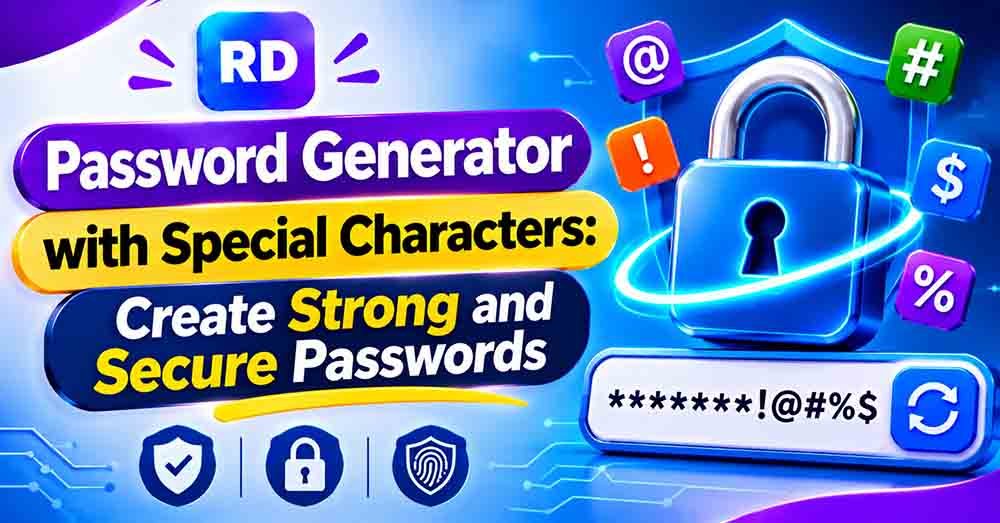
A strong password is one of the best ways to protect your online accounts. However, creating a password that is difficult to guess can be challenging. A password generator with special characters makes this task easier by creating random passwords using uppercase letters, lowercase letters, numbers, and symbols.
Special characters such as !, @, #, $, and % add more variety to a password. When combined with letters and numbers, they can create a password with many possible combinations.
You do not need to create complicated passwords manually. You can use the free online password generator tool on RandomsDex to generate a random password in seconds. Choose your preferred length and character options to get started.
In this guide, you will learn how password generators work, why symbols are useful, how to create a secure password, and how to protect your online accounts.
What Is a Password Generator with Special Characters?
A password generator with special characters is an online tool that creates random passwords containing different types of characters.
These may include:
- Uppercase letters: A, B, C, D
- Lowercase letters: a, b, c, d
- Numbers: 0, 1, 2, 3
- Special characters: !, @, #, $, %
Instead of using common words or personal details, the generator combines different characters to create a random password.
For example, a simple password such as hello123 follows a common pattern. A random combination such as R7#mQ2!vLp9@xT4$ is less predictable.
The main purpose is to create unique passwords that are difficult to guess.
Common Special Characters Used in Passwords
Special characters are symbols that are not regular letters or numbers. Many websites allow users to include them when creating passwords.
Here is a table of commonly used symbols:
| Character | Name |
|---|---|
! | Exclamation mark |
@ | At sign |
# | Hash |
$ | Dollar sign |
% | Percent sign |
& | Ampersand |
* | Asterisk |
? | Question mark |
_ | Underscore |
+ | Plus sign |
^ | Caret |
- | Hyphen |
Not every website supports every symbol. Always check the password rules of the website where you want to use your new password. “password generator with special characters”
Why Should You Use Special Characters in Passwords?
Adding symbols can increase the number of possible character combinations. This can make a randomly generated password harder to guess.
Here are some important benefits.
1. More Possible Combinations
A password that uses only lowercase letters has fewer character choices than one that includes uppercase letters, numbers, and symbols.
Using more character types increases the possible combinations available to the generator.
2. Better Protection Against Guessing
Simple passwords often contain common words, names, or number patterns. These are easier to predict.
Random passwords avoid familiar patterns and can provide better protection against password-guessing attempts.
3. Less Use of Personal Information
Some people use their names, birthdays, or phone numbers as passwords. Such information may be easy for others to discover.
A randomly generated password does not need to include personal details.
4. Faster Password Creation
You do not need to think of a new combination every time you create an account. A password generator with special characters can generate a random password in seconds.
How to Generate a Password with Special Characters
Creating a random password is simple. Follow these steps to generate one using an online tool.
Step 1: Open the Password Generator
Visit the RandomsDex password generator. The tool helps you create random passwords without choosing every character manually.
Step 2: Select the Password Length
Choose how many characters you want in your password.
A longer password generally provides more possible combinations. For many accounts, 16 characters or more is a useful starting point when supported by the website.
Step 3: Choose Character Types
Enable the character options you need:
- Uppercase letters
- Lowercase letters
- Numbers
- Special characters
Using all four types gives the generator more choices when creating a password.
Step 4: Generate a Random Password
Click the generate button to create your password. If you want a different combination, generate another one.
Step 5: Copy and Save It Safely
Copy your new password and save it in a trusted password manager. Avoid sharing it with anyone or storing it in an unprotected text file.
Examples of Passwords with Special Characters
The following examples show how different character types can be combined.
Important: These examples are published for learning purposes only. Never use passwords displayed in public articles for your personal accounts.
| Example password | Character types |
|---|---|
R7#mQ2!vLp9@xT4$ | Letters, numbers, symbols |
bK8&zP3!wN6#qR2@ | Letters, numbers, symbols |
T5@hX9$kM2!pL7&c | Letters, numbers, symbols |
nQ4*Y8!sD2@vK6#p | Letters, numbers, symbols |
A secure password should be randomly generated and unique to your account. Do not reuse the examples above.
Difference Between Passwords With and Without Special Characters
Different password combinations can offer different levels of protection. Password length and randomness are also important factors.
| Password type | Example | General comparison |
|---|---|---|
| Lowercase only | sunshine | Weak |
| Letters and numbers | Sunshine27 | More variety, but predictable |
| Mixed characters | S7n!Q4#vP9@x | More complex |
| Long random password | R8@kT3!mQ6#vX2$pL9 | More possible combinations |
These examples are for comparison only. A password is not automatically secure just because it contains symbols. It should also be long, random, and unique.
How Many Special Characters Should a Password Have?
There is no fixed number of symbols that makes every password secure. The total length, randomness, and character choices all matter.
Here are some general password-length examples:
| Password length | General guidance |
|---|---|
| 8 characters | May be too short for many accounts |
| 12 characters | Offers more possible combinations |
| 16 characters | A useful starting point for many accounts |
| 20 characters | Provides even more possible combinations |
| 24 characters | Useful when a website supports longer passwords |
A password generator with special characters can help you create longer combinations without manually selecting every symbol. “password generator with special characters”
Remember that some websites have character restrictions. If a password is rejected, check the website’s rules and generate another one using supported characters.
Tips for Creating a Strong and Secure Password
Creating a password is only the first step. You should also follow good security habits to protect your accounts.
Use a Long Password
Choose a password that meets the website’s requirements. Longer passwords generally offer more possible combinations “password generator with special characters”.
Mix Different Character Types
Use uppercase letters, lowercase letters, numbers, and symbols when supported.
Avoid Common Words and Patterns
Do not use simple combinations such as 123456, password123, or your name and birthday.
Create a Different Password for Every Account
Using the same password on multiple websites can put several accounts at risk if one website experiences a data breach.
“password generator with special characters”
Use a Password Manager
A password manager can generate and store unique passwords. It also helps you avoid writing passwords in unprotected documents.
For more useful advice, read our guide on how to create a strong password.
Can You Generate a 24-Character Password with Symbols?
Yes. You can create a 24-character password containing uppercase letters, lowercase letters, numbers, and special characters.
Longer passwords can provide more possible combinations when they are generated randomly. However, you should always check whether the website accepts the selected length and symbols.
If you need a password with exactly 24 characters, try the 24-character password generator.
How Does an Online Password Generator Save Time?
Creating a random password manually can take time. You may also repeat familiar words or patterns without noticing. “password generator with special characters”
An online generator makes the process faster and easier.
- Instant results: Generate a password within seconds.
- Custom length: Select the number of characters you need.
- Character options: Choose letters, numbers, and symbols.
- Easy copying: Copy the result instead of typing it manually.
- Quick alternatives: Generate another password whenever needed.
A password generator with special characters is useful when creating unique passwords for email, social media, online shopping, and other websites.
Frequently Asked Questions (FAQs)
1. What is a password generator with special characters?
It is an online tool that creates random passwords using symbols, numbers, uppercase letters, and lowercase letters. These combinations can make passwords harder to guess.
2. Which special characters can I use in a password?
Common symbols include !, @, #, $, %, &, *, and ?. However, supported characters depend on the website or service.
3. Are passwords with special characters more secure?
They can be more secure because symbols increase the number of possible character combinations. However, password length, randomness, and uniqueness are also important.
4. How long should a password be?
A password of 16 characters or more is a useful starting point for many accounts. Follow the website’s requirements and choose a longer password when supported.
5. Can I create a password with symbols and numbers?
Yes. Most password generators allow you to combine uppercase letters, lowercase letters, numbers, and symbols.
6. Is an online password generator safe to use?
A reputable generator can be useful, but you should choose a trusted tool. For sensitive accounts, consider using a reputable password manager with a built-in generator.
7. Should I use the same password for multiple accounts?
No. Use a different, unique password for every important account. This helps limit the damage if one website experiences a data breach.
8. Can I create a password without special characters?
Yes. Some websites do not allow symbols or have specific character restrictions. You can generate a password using letters and numbers instead, while keeping it long, random, and unique.
Conclusion
Using random passwords is an important step toward protecting your online accounts. Combining symbols, numbers, uppercase letters, and lowercase letters can increase the number of possible combinations and make passwords harder to guess.
A password generator with special characters makes this process quick and simple. You can select your preferred length, choose character types, and generate a random password within seconds.
For better security, use a unique password for every account, avoid personal information, and store your passwords in a trusted password manager. Visit RandomsDex to generate a password and improve your online security. “password generator with special characters”
For official information about password security, read the NIST Digital Identity Guidelines. These guidelines explain modern password practices, including password length and checking passwords against commonly used or compromised choices.