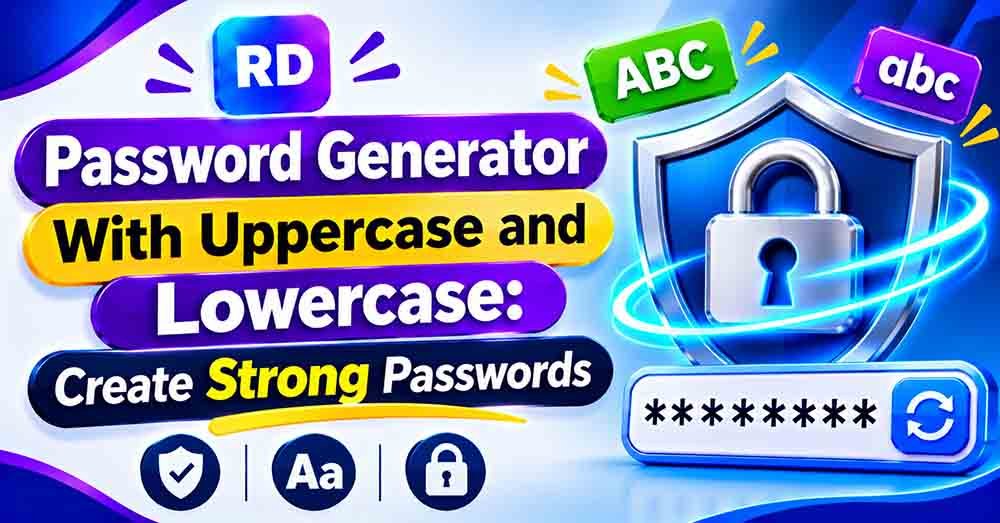
A strong password is one of the best ways to protect your online accounts. Using a mix of uppercase and lowercase letters makes your password more difficult to guess. Adding numbers and special characters can make it even stronger.
A password generator with uppercase and lowercase letters helps you create secure passwords in seconds. Instead of thinking of a new password yourself, you can use an online tool to generate a random combination of characters.
Whether you need a password for your email, social media, banking, or another online account, choosing a strong password is important.
You can use the online password generator to create random passwords with different character types and lengths.
In this guide, you will learn how uppercase and lowercase letters work, how to create strong passwords, and how to choose the right password length.
Table of Contents
- What Is a Password Generator With Uppercase and Lowercase?
- Why Use Uppercase and Lowercase Letters in a Password?
- How to Create a Strong Password
- How Password Strength Is Calculated
- Password Generator With Uppercase and Lowercase: Examples
- How an Online Password Generator Saves Time
- Password Length and Security
- Common Password Mistakes to Avoid
- Frequently Asked Questions
- Conclusion
What Is a Password Generator With Uppercase and Lowercase?
A password generator with uppercase and lowercase letters is an online tool that creates random passwords using both capital and small letters.
For example:
- Uppercase letters: A, B, C, D, E
- Lowercase letters: a, b, c, d, e
- Numbers: 1, 2, 3, 4, 5
- Special characters: @, #, $, %, &
A password generator can combine these characters to create a password such as R7m@qL2v!pK9.
This type of password is harder to guess than a simple password such as hello123.
The main purpose of a password generator is to help users create strong, random passwords without spending time thinking of different combinations.
Why Use Uppercase and Lowercase Letters in a Password?
Uppercase and lowercase letters increase the number of possible characters that can appear in a password.
For example, the letter A is different from the letter a. Most websites treat these as separate characters, so changing the letter’s case changes the password.
Using both types of letters makes your password more difficult to guess, especially when they are combined with numbers and special characters.
Benefits of Using Both Letter Cases
- More possible combinations: Each letter can have two different forms.
- Better password strength: Random combinations are harder to guess.
- Improved account security: Strong passwords help protect your personal information.
- Easy password creation: An online tool can generate a password instantly.
- password generator with uppercase and lowercase
However, using uppercase and lowercase letters alone does not guarantee a strong password. Password length and randomness are also important.
How to Create a Strong Password
Creating a strong password is simple when you follow a few basic steps.
Step 1: Choose a Suitable Password Length
Password length is one of the most important parts of password security.
For most personal accounts, a unique password of at least 16 characters is a good choice. Longer passwords generally provide more possible combinations.
Step 2: Use Uppercase and Lowercase Letters
Include both capital and small letters in your password.
For example, instead of using mypassword, use a random combination such as mYpA9sTq.
Do not rely on changing only the first letter to uppercase. Random placement of capital letters is better.
Step 3: Add Numbers and Special Characters
Numbers and special characters increase the number of possible combinations.
For example:
mYpA9sTq → mYpA9sTq#7!
A longer, randomly generated password is usually a better choice than a short password with predictable changes. “password generator with uppercase and lowercase”
Step 4: Generate a Random Password
Use a password generator to create a random combination of characters.
A random password generator can help you create passwords without using personal information, common words, or predictable patterns.
Step 5: Store Your Password Safely
Use a trusted password manager to save your passwords securely.
Avoid writing passwords in public places or sharing them with other people.
How Password Strength Is Calculated
Password strength depends on the number of possible characters and the total password length.
A simple way to estimate the number of possible combinations is:
Total combinations = Character set size ^ Password length
For example, if a password uses 26 uppercase letters and 26 lowercase letters, the character set contains 52 possible characters. “password generator with uppercase and lowercase”
For a password with 8 randomly selected characters:
52⁸ = 53,459,728,531,456 possible combinations.
This means there are more than 53 trillion possible combinations.
Step-by-Step Example
Suppose you create a password with 12 characters using uppercase and lowercase letters.
- Uppercase letters: 26
- Lowercase letters: 26
- Total available characters: 52
- Password length: 12
- Total possible combinations: 52¹²
The result is approximately 390,877,006,486,250,192,896 possible combinations.
Adding numbers and special characters increases the number of possible combinations even further.
This calculation assumes that every character is selected randomly and that each character can be repeated.
Password Generator With Uppercase and Lowercase: Examples
The following examples show how different password lengths and character types affect password strength.
| Password | Character types | General strength |
|---|---|---|
abc123 | Lowercase and numbers | Weak |
Abc12345 | Uppercase, lowercase, numbers | Weak |
R7mQ2vLp | Uppercase, lowercase, numbers | Better |
R7m@qL2v!pK9 | Uppercase, lowercase, numbers, symbols | Strong |
T9#vLm2!qR8@xP5z | All character types, longer length | Very strong |
These examples are for learning only. Avoid using passwords that appear in articles or public examples for your real accounts.
How an Online Password Generator Saves Time
Creating a different strong password for every account can take time.
An online password generator makes this process easier by automatically creating random combinations.
You can usually choose:
- Password length
- Uppercase letters
- Lowercase letters
- Numbers
- Special characters
After selecting your preferences, the tool generates a password instantly.
You can also use a strong password creation guide to learn more about password security and better ways to protect your accounts.
Password Length and Security
Password length plays an important role in password strength.
A longer password has more possible combinations when it is generated randomly.
For example, a 16-character password using uppercase and lowercase letters has far more possible combinations than an 8-character password using the same characters.
Recommended Password Lengths
| Account type | Suggested password length |
|---|---|
| General online accounts | 16 characters or more |
| Email accounts | 16–20 characters |
| Banking accounts | 16–20 characters or more |
| Important business accounts | 20 characters or more |
These are practical suggestions rather than universal requirements. Always follow the password rules of the website or service you are using.
For accounts that support long passwords, a 24-character password generator can help you create a longer random password.
Common Password Mistakes to Avoid
Even when using a password generator, it is important to avoid common mistakes.
Using Personal Information
Do not use your name, birthday, phone number, or other personal details in your password.
These details may be easy for someone to discover.
Reusing the Same Password
Using the same password for multiple accounts can put all those accounts at risk if one password is exposed.
Create a unique password for every account.
Choosing Predictable Patterns
Passwords such as Password123! or Abcd1234 may look complex, but they follow common patterns.
Random passwords are generally harder to guess.
Sharing Your Password
Never share your password through public messages or unsecured channels.
Use secure account-sharing features when necessary.
Frequently Asked Questions
What is a password generator with uppercase and lowercase?
A password generator with uppercase and lowercase letters is a tool that creates random passwords using capital and small letters. It can also include numbers and special characters to improve password strength.”password generator with uppercase and lowercase”
Are uppercase and lowercase letters important in passwords?
Yes. Most websites treat uppercase and lowercase letters as different characters. Using both increases the number of possible combinations.
How many characters should a strong password have?
A unique password of at least 16 characters is a good choice for most accounts. Longer passwords can provide even more possible combinations when generated randomly.
Should I use numbers and special characters?
Yes, when the website supports them. Numbers and special characters increase the number of possible combinations, making a random password harder to guess.
Is an online password generator safe?
A reputable password generator can help you create strong passwords. For sensitive accounts, use a trusted tool that generates passwords securely and does not store or share your passwords.
Can I use the same password for different accounts?
No. Using the same password for multiple accounts increases your risk. If one account is compromised, other accounts using that password may also be at risk.
What makes a password difficult to guess?
A password is harder to guess when it is long, random, unique, and does not contain personal information or common patterns.
Conclusion
A strong password is an important part of keeping your online accounts secure. Using uppercase and lowercase letters, numbers, and special characters can increase the number of possible combinations and make your password harder to guess.
A password generator with uppercase and lowercase letters helps you create random passwords quickly and easily. Choose a suitable length, use a unique password for every account, and store your passwords safely. “password generator with uppercase and lowercase”
For better security, consider using a trusted password manager and enabling two-factor authentication wherever it is available.
Start creating stronger passwords today and take an important step toward protecting your online accounts. “password generator with uppercase and lowercase”
For more information about creating secure passwords, visit the official CISA password security guide. It explains how to create strong passwords, use a password manager, and protect your online accounts.