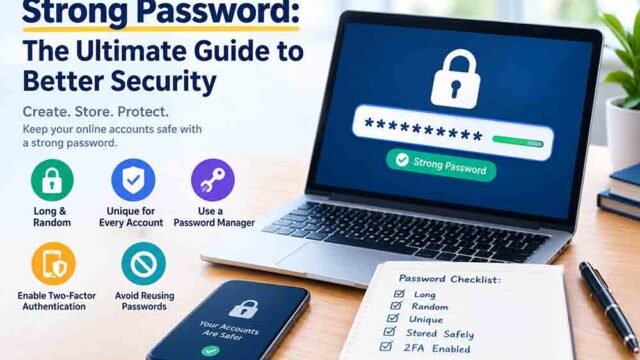
Creating a strong password is important for protecting your online accounts. However, remembering a long combination of random letters, numbers, and symbols can be difficult. This is why many people prefer passwords that are easier to read and remember.
A pronounceable password generator creates passwords using letter combinations that look similar to real words or sounds. These passwords are usually easier to say and remember than completely random character combinations.
For example, a combination such as Mavo7Lerin is easier to read than a random string such as X9qT2vLp8. Both contain letters and numbers, but the first one has a more natural sound.
In this guide, you will learn how pronounceable passwords work, how to create them, how to calculate possible combinations, and how to use them safely.
You can start by exploring the free online password generator and its available settings.
Table of Contents
- What Is a Pronounceable Password Generator?
- How Do Pronounceable Passwords Work?
- Why Do People Prefer Memorable Passwords?
- How to Create a Pronounceable Password
- Examples of Pronounceable Passwords
- How to Calculate Password Combinations
- Are Pronounceable Passwords Secure?
- Benefits of Using an Online Generator
- Tips for Creating Strong and Memorable Passwords
- Frequently Asked Questions
- Conclusion
What Is a Pronounceable Password Generator?
A pronounceable password generator is an online tool that creates passwords using combinations of letters that are easier to read and say.
Instead of producing a completely random group of characters, it may combine consonants and vowels to create word-like patterns.
For example:
Navo7LemiRika42MotuVelo8TarinMeko5Luvan
These combinations are not necessarily real words. They simply follow patterns that make them easier to pronounce.
Depending on the tool, a generated password may also include numbers, uppercase letters, and special characters.
The main purpose is to make passwords easier to remember without relying on common words or personal information.
You can also explore a regular online password generator to compare different password formats and character options.
How Do Pronounceable Passwords Work?
These passwords usually follow simple language patterns. Most pronounceable combinations use vowels and consonants in an order that resembles normal speech.
1. Vowels and Consonants
Vowels include:
- A
- E
- I
- O
- U
Consonants include letters such as B, C, D, F, G, H, and others.
A generator can combine these letters to create patterns such as:
- CV: consonant + vowel
- CVC: consonant + vowel + consonant
- CVCV: consonant + vowel + consonant + vowel
For example, the pattern CVCV could produce a combination like Mavo.
2. Adding Numbers
Numbers can be added to make a password more varied.
For example:
Mavo7Lerin42Taviko8
The number placement depends on the generator’s settings.
3. Adding Uppercase Letters
Changing the case of some letters can make the password look more varied.
For example, mavoleri could become MavoLeri.
However, simply changing the letter case does not automatically make a password secure. Length and randomness still matter.
Why Do People Prefer Memorable Passwords?
Remembering passwords for multiple websites can become difficult. A pronounceable format can make this task easier.
Here are some reasons people prefer this style.
Easier to Remember
A combination that follows familiar sound patterns can be easier to remember than a random string of unrelated characters.
Easier to Type
Some users find it easier to type letter combinations that look like words. This can be useful when entering passwords manually.
Useful for Different Accounts
You can create different memorable combinations for separate accounts instead of depending on one password everywhere.
Better Than Common Personal Words
A randomly generated word-like combination can be less predictable than a password based on your name, birthday, or favorite word.
However, pronounceable passwords should still be generated randomly. A familiar word with a predictable number added to it may not provide enough security.
How to Create a Pronounceable Password
Follow these steps to create a memorable password while keeping security in mind.
Step 1: Choose a Reliable Password Tool
Open a trusted online password generator. Check whether it offers pronounceable password settings.
Not every generator includes this feature, so review the available options before using it.
Step 2: Select the Password Length
Choose a suitable length. For important accounts, aim for at least 16 characters when the website supports it.
Longer combinations generally provide more possible choices, especially when they are generated randomly.
Step 3: Choose the Character Pattern
If the tool offers pattern settings, select a combination of vowels and consonants.
For example, a CVCV pattern creates a simple sound-like structure.
Step 4: Include Numbers
If the website allows numbers, enable them. Numbers can increase the available character set and make the result more varied.
Step 5: Add Uppercase Letters
Use uppercase and lowercase letters where supported. This gives you more character choices.
Step 6: Generate the Password
Click the generate button and review the result. If the password is too short or difficult to remember, adjust the settings and generate another one.
Step 7: Save It Securely
Store your password in a trusted password manager. Do not use the same password for multiple important accounts.
Examples of Pronounceable Passwords
The following examples show how word-like combinations can be used in password formats.
| Example | Length | Format |
|---|---|---|
Mavo7Lerin | 10 | Word-like letters and number |
Taviko42Ner | 11 | Mixed letters and numbers |
Rema8Votilan | 12 | Pronounceable combination |
Lunavo5Kerin | 12 | Mixed uppercase and lowercase |
Vemora9Tulik | 12 | Word-like pattern with number |
These are sample formats for learning purposes. Do not use passwords published in an article for your personal accounts. Always generate a fresh password.
Pronounceable vs Random Passwords
Both formats can be useful, but they have different characteristics.
| Feature | Pronounceable Password | Fully Random Password |
|---|---|---|
| Easy to remember | Usually easier | Usually harder |
| Easy to read | Yes | Not always |
| Character patterns | Often word-like | Unstructured |
| Manual typing | Often easier | Can be difficult |
| Security | Depends on randomness and length | Depends on randomness and length |
A pronounceable format is not automatically safer or weaker. Its security depends on how it is generated and how many possible combinations it can produce.
How to Calculate Password Combinations
You can estimate the number of possible passwords using a mathematical formula. This helps explain how password length and available characters affect security.
Basic Combination Formula
If every position can use any character from a selected set, the formula is:
Total combinations = Character set size ^ Password length
For example, if a password uses 26 lowercase letters and has 8 positions:
26⁸ = 208,827,064,576 possible combinations
This is a theoretical calculation for a password where each position can use any of the 26 letters.
Step 1: Count the Available Characters
Suppose your password generator uses:
- 26 lowercase letters
- 26 uppercase letters
- 10 numbers
Total character set = 26 + 26 + 10 = 62.
Step 2: Choose the Password Length
Suppose you want a password with 12 characters.
Step 3: Apply the Formula
Total combinations = 62¹²
62¹² = 3,226,266,762,397,899,821,056
This gives more than 3 sextillion theoretical combinations.
Step 4: Understand the Result
A larger character set and longer password can increase the number of possible combinations.
However, pronounceable generators may use specific letter patterns instead of allowing every character in every position. In that case, the actual number of possible results depends on the generator’s rules.
| Password Length | Character Set | Theoretical Combinations |
|---|---|---|
| 6 characters | 62 | 56,800,235,584 |
| 8 characters | 62 | 218,340,105,584,896 |
| 10 characters | 62 | 839,299,365,868,340,224 |
| 12 characters | 62 | 3,226,266,762,397,899,821,056 |
These figures assume independent random choices from all 62 characters. They should not be treated as the exact number of outputs from every pronounceable password generator.
Are Pronounceable Passwords Secure?
They can be secure, but only when they are generated with enough randomness and length.
A password made from a common word and a simple number may be easy to guess. For example, using your favorite name followed by your birth year is not a good security practice.
A randomly generated word-like combination can offer better protection, especially when it is long and uses a variety of characters.
Keep these points in mind:
- Avoid common dictionary words on their own.
- Do not use your name or personal information.
- Choose a longer combination.
- Generate a different password for every account.
- Store passwords in a trusted password manager.
- Enable two-factor authentication whenever possible.
For additional advice, read our guide on how to create a strong password.
If you want to use symbols and numbers in your password, explore our password generator with numbers and symbols.
Benefits of Using an Online Password Generator
An online password generator can make it easier to create passwords with different formats.
1. Saves Time
You do not need to think of combinations yourself. The tool can generate a result within seconds.
2. Offers Different Formats
Depending on the available settings, you may be able to create random, memorable, or mixed-character passwords.
3. Reduces Predictable Choices
A random generator can help you avoid using personal information and common password patterns.
4. Supports Different Lengths
You can choose a suitable length based on the website’s password requirements.
5. Makes Password Creation Convenient
You can generate a result, copy it, and save it without manually building a combination.
For longer password formats, you can also explore our 24-character password generator.
Tips for Creating Strong and Memorable Passwords
Follow these practical tips when creating passwords:
- Choose a suitable length: Use 16 characters or more for important accounts when supported.
- Use random combinations: Avoid choosing familiar words yourself.
- Include different character types: Use uppercase letters, lowercase letters, and numbers when allowed.
- Avoid personal details: Do not include your birthday, phone number, or name.
- Use unique passwords: Create a separate password for every important account.
- Use a password manager: Save your passwords in a trusted application.
- Enable two-factor authentication: Add another layer of protection to your accounts.
- Review security alerts: Change passwords if an account may have been exposed.
You can also explore our random secure password generator guide to learn more about unpredictable password combinations.
For further guidance, visit the CISA guide to using strong passwords.
Frequently Asked Questions
1. What is a pronounceable password generator?
It is a tool that creates passwords using letter combinations that look or sound like words. This can make them easier to read and remember.
2. Are pronounceable passwords easy to remember?
Usually, yes. They use familiar sound patterns, which can make them easier to remember than completely random strings.
3. Are pronounceable passwords safe?
They can be safe when they are long and randomly generated. Avoid short, common words and predictable combinations.
4. Can a pronounceable password include numbers?
Yes. Many password formats can include numbers along with vowels and consonants. The available options depend on the generator.
5. How long should a memorable password be?
For important accounts, aim for at least 16 characters when possible. A longer random combination generally provides more possible choices.
6. Can I use the same password for different accounts?
No. Always use a separate password for each important account. This reduces the risk of other accounts being affected if one password is exposed.
7. What is the difference between a pronounceable and a random password?
A pronounceable password follows word-like sound patterns, while a fully random password may contain unrelated characters. Both can be secure if they are generated with sufficient randomness and length.
8. Should I add symbols to a pronounceable password?
You can add symbols if the website accepts them. Symbols can increase the available character set, but length and randomness remain important.
Conclusion
Remembering complicated passwords can be difficult, especially when you have accounts on many websites. Word-like combinations can make passwords easier to read, say, and remember.
A pronounceable password generator can help you create memorable combinations using vowels, consonants, numbers, and other selected characters. However, always choose enough length and make sure the result is randomly generated.
For better account security, use a unique password for every account, save it in a trusted password manager, and enable two-factor authentication. These simple habits can help protect your personal information online.