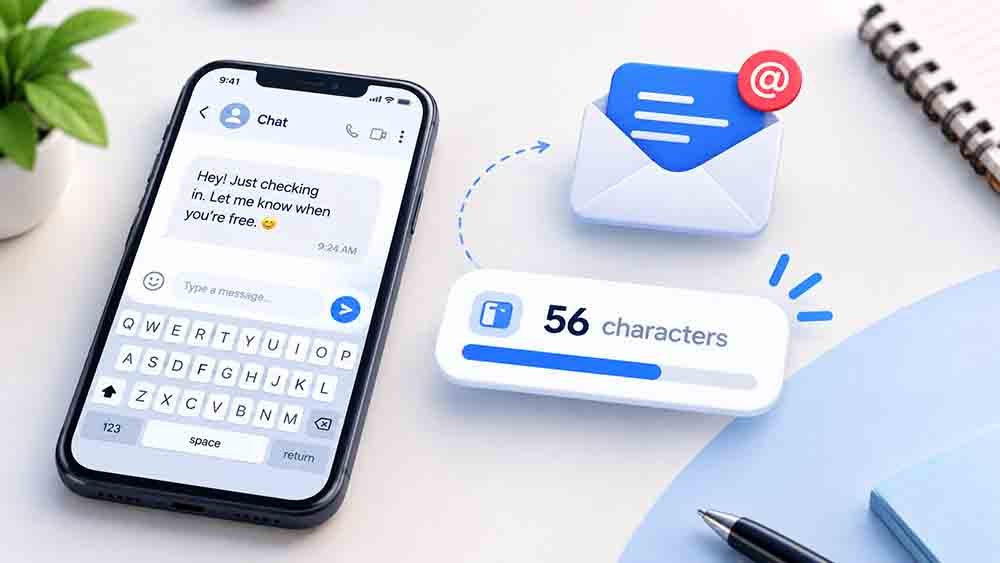
Have you ever written a text message that was too long or an email subject that did not fit? Knowing how to count characters in text messages and emails helps you stay within limits and write clear messages.
To check your text instantly, use our free Character Counter. It counts characters, including spaces and punctuation, so you can check your message before sending it.
In this guide, you will learn how character limits work, what counts as a character, and how to check your message length with simple steps.
Knowing how to count characters in text messages and emails is useful when you need to follow a strict character limit.
The easiest way to learn how to count characters in text messages and emails is to use an online character counter.
When you understand how to count characters in text messages and emails, you can prepare shorter messages and clearer email subject lines.
Why Character Count Matters
Character count is important when sending text messages, writing email subject lines, and completing online forms. Some platforms allow only a limited number of characters.
A message that is too long may be split into multiple SMS parts. A long email subject may also be cut off on some screens.
Checking your character count before sending helps you keep your message clear and within the required limit.
How to Count Characters in Text Messages and Emails
The easiest way to count characters is to use an online character counter. You can also count them manually when your message is short.
Follow these steps:
- Write your text message or email.
- Copy the complete text.
- Open the Character Counter tool.
- Paste your text into the box.
- Check the total character count.
- Review spaces, punctuation, and symbols.
- Edit your message if it exceeds the limit.
For another method, read our guide on how to count characters with and without spaces.
1. Understand the SMS Character Limit
A standard SMS text message can contain up to 160 characters when using the GSM-7 character set. Some characters, such as certain symbols and many emoji, may require Unicode encoding.
When a message uses Unicode, a single SMS part commonly holds up to 70 characters. Longer messages are split into parts, which commonly hold 153 characters per part for GSM-7 or 67 characters per part for Unicode. “How to Count Characters in Text Messages and Emails”
These limits can vary depending on the encoding and messaging service. Learn more in Twilio’s SMS character limit guide.
Tip: Check your message before sending it, especially when it includes emoji or special symbols.
2. Check Spaces and Punctuation
Spaces and punctuation marks usually count as characters. This includes commas, full stops, question marks, and exclamation marks.
For example:
Hello Worldcontains 11 characters, including the space.Hello, World!contains 13 characters, including the space and punctuation.
If you need to stay under a strict character limit, remember to include spaces and punctuation in your count. “How to Count Characters in Text Messages and Emails”
3. Count Emoji and Special Characters
Emoji and special characters can affect character counts in different ways. Some emoji use more than one Unicode code point, so the number shown by a counter may differ from what you expect.
For example, a family emoji or a flag emoji can be made from multiple Unicode characters. Some systems count these as one visible symbol, while others count the underlying code points differently.
Use a character counter that suits the platform where you plan to send your message. This is especially useful for SMS, online forms, and social media captions.
4. Keep Email Subject Lines Clear
Email subject lines do not have one universal character limit. However, long subjects may be cut off on mobile devices or smaller screens.
As a general writing guideline, aim for around 40–60 characters when possible. This is not a strict technical limit, so adjust the length to suit your audience and email platform. “How to Count Characters in Text Messages and Emails”
For example:
- Too long:
Here Is Everything You Need to Know About Our New Service This Month - Clearer:
Discover Our New Service This Month
Keep the main point near the beginning so readers can understand your email quickly.
5. Use a Character Counter Before Sending
An online character counter is useful when you need an accurate result quickly. It can help you check a text message, email subject, social media caption, or short description.
To use one, paste your text into the tool and review the total. If your platform has a specific limit, compare your count with that limit before sending or publishing.
You can also read our guide on how to count characters for social media posts to learn how character limits apply to different platforms.
6. Avoid Common Character-Counting Mistakes
A few small mistakes can make your final count inaccurate. Keep these points in mind:
- Do not forget spaces between words.
- Include punctuation marks in your count.
- Check emoji and special symbols carefully.
- Copy the full message, not just part of it.
- Check the character limit for the platform you are using.
If you are preparing website content, you may also find our guide on word count vs. character count helpful.
7. Check Your Message Before Sending
Before sending a text message or email, read it once and check its length. Remove repeated words or unnecessary details if it is too long.
For emails, make sure the subject clearly explains the purpose of your message. For SMS, keep the most important information easy to understand.
If you are writing website content, you can also learn how to check word and character limits before publishing content.
A quick check can help you avoid cut-off text and make your message easier to read.
Frequently Asked Questions
How do I count characters in a text message?
Copy your message and paste it into an online character counter. The tool will show the character count, including spaces and punctuation.
Do spaces count as characters in text messages?
Yes. Spaces usually count as characters when measuring message length. Always check the counting rules used by your platform.
How many characters can an SMS contain?
A standard GSM-7 SMS can contain up to 160 characters in one part. Unicode messages commonly allow up to 70 characters in one part. Longer messages are usually split into multiple parts.
How many characters should an email subject have?
There is no single required limit for every email service. Around 40–60 characters is a useful guideline, but shorter subjects may work better on small screens.
Do emoji count as one character?
Not always. Some emoji are made from multiple Unicode code points. The count can vary depending on the tool and the platform.
Final Thoughts
Learning how to count characters in text messages and emails helps you write clear messages and avoid common length problems. Remember to count spaces, punctuation, and special symbols, and check the rules of the platform you are using.
For a quick result, try the free Character Counter before sending your next message.