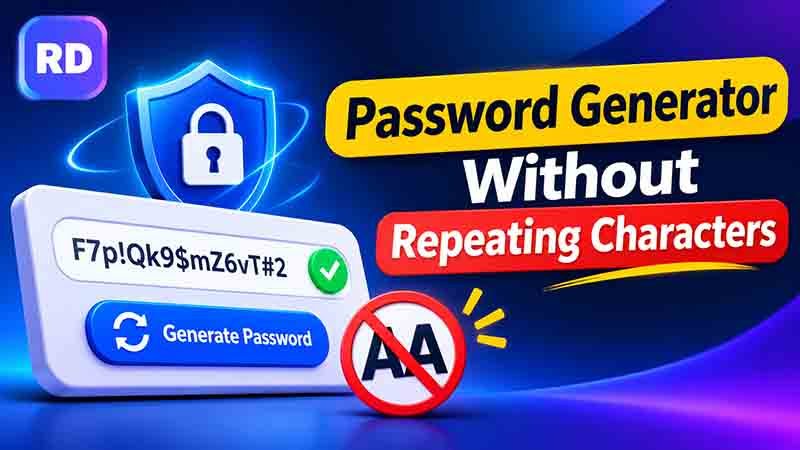
Creating a secure password is important for protecting your email, social media, banking, and other online accounts. However, using the same letters or numbers more than once can make your password patterns less varied. If you want every character to appear only once, a password generator without repeating characters can help you create a unique combination.
This type of tool creates passwords in which each selected character is used only once. For example, a password might contain uppercase letters, lowercase letters, and numbers, but the same character will not appear again.
In this guide, you will learn how these tools work, how to generate unique passwords, how to calculate possible combinations, and how to choose a suitable password length.
You can begin with the free online password generator and explore its available settings.
Table of Contents
- What Is a Password Generator Without Repeating Characters?
- Why Should You Avoid Repeated Characters?
- How to Generate a Password Without Repeating Characters
- Examples of Unique Passwords
- How to Calculate Password Combinations
- Is a Password Without Repeated Characters More Secure?
- Benefits of Using an Online Password Generator
- Common Mistakes to Avoid
- Tips for Keeping Your Passwords Safe
- Frequently Asked Questions
- Conclusion
What Is a Password Generator Without Repeating Characters?
A password generator without repeating characters is an online tool that creates passwords using different characters without using the same character twice.
For example, if a password contains the letter A, the generator will not use A again in another position. The same rule applies to numbers and other selected characters.
Depending on the tool, you may be able to select:
- Uppercase letters: A to Z
- Lowercase letters: a to z
- Numbers: 0 to 9
- Special characters: @, #, $, %, and other symbols
The tool selects characters from your chosen groups and creates a unique password. Since every character can appear only once, the available choices become smaller as the password gets longer.
This is different from a regular password generator, which may allow the same character to appear multiple times. You can explore a regular online password generator to compare the available settings.
Why Should You Avoid Repeated Characters?
Repeated characters are not automatically unsafe, but using different characters can create more varied password patterns.
Here are some reasons people choose unique-character passwords.
1. More Character Variety
A password made with different characters can have a wider range of character types and positions. This helps avoid simple repeated patterns.
For example, AABB1122 contains repeated characters, while A7bK9mQ2 uses different characters throughout.
2. Avoids Simple Patterns
Passwords such as aaaa1111 or abcabc12 follow easy-to-recognize patterns. Random combinations are generally less predictable.
3. Useful for Specific Password Rules
Some users prefer passwords where every character appears once. This can be useful for personal preferences, certain puzzles, coding exercises, or systems with specific requirements.
4. Makes Password Creation Easier
You do not need to check every character manually. A suitable generator can create a combination and automatically avoid duplicates.
Remember that avoiding repeated characters is only one part of password security. Password length, randomness, uniqueness across accounts, and secure storage also matter.
How to Generate a Password Without Repeating Characters
Follow these steps to create a unique password.
Step 1: Open a Password Generator
Visit a trusted online password tool. Check whether it offers an option to prevent repeated characters.
Step 2: Choose Your Password Length
Select the number of characters you want. A longer password generally offers more possible combinations, but the no-repeat rule limits how many characters are available.
Step 3: Select Character Types
Choose the character groups you want to include:
- Uppercase letters
- Lowercase letters
- Numbers
- Special characters
You can select only the groups supported by the website where you plan to use the password.
Step 4: Enable the No-Repeat Option
If the tool offers a setting such as “No Repeated Characters” or “Exclude Duplicate Characters,” turn it on.
This tells the generator not to use the same character more than once in the result.
Step 5: Generate a New Password
Click the generate button. The tool will create a random combination based on your selected length and character groups.
Step 6: Check the Result
Look through the generated password and make sure it follows your requirements. Confirm that no character appears twice.
Step 7: Copy and Save It
Copy the result and paste it into the required password field. Store it in a trusted password manager instead of an unprotected document.
Examples of Unique Passwords
The following examples show how different password lengths can look when every character is used only once.
| Password Example | Length | Character Types |
|---|---|---|
A7mQ2vK9 | 8 | Letters and numbers |
R4xN8bT2pL | 10 | Uppercase, lowercase, numbers |
M6qP9wC3zH5 | 11 | Mixed letters and numbers |
B8kT4nX2pR7v | 12 | Mixed letters and numbers |
Q5mZ8aL2rW9cT6 | 14 | Mixed letters and numbers |
These are examples for understanding the format. Do not use passwords published in an article for your real accounts. Generate a fresh password for each account.
Can a Password Contain No Duplicate Numbers?
Yes. If you select numbers from 0 to 9, each digit can appear only once. This means a password can contain a maximum of 10 different digits if it uses numbers alone.
The same idea applies to letters. If you select only lowercase English letters, there are 26 different characters available.
If you want to use symbols and numbers together, explore our password generator with numbers and symbols.
How to Calculate Password Combinations
You can calculate how many different passwords are possible when repeated characters are not allowed. The calculation is slightly different from a regular password because the available choices decrease after every position.
Formula for Passwords Without Repetition
For a password with a fixed length and no repeated characters, use this formula:
Total combinations = n × (n − 1) × (n − 2) × …
Here, n represents the total number of available characters.
For example, if you have 10 different characters and want a password of 4 characters, the calculation is:
10 × 9 × 8 × 7 = 5,040 possible combinations
Step 1: Count the Available Characters
Suppose you select only numbers from 0 to 9.
There are 10 available digits:
0, 1, 2, 3, 4, 5, 6, 7, 8, 9.
Therefore, your character set size is 10.
Step 2: Choose the Password Length
Suppose you want to create a password with four characters.
Because repetition is not allowed, the first position has 10 choices, the second has 9, the third has 8, and the fourth has 7.
Step 3: Multiply the Choices
10 × 9 × 8 × 7 = 5,040.
This means there are 5,040 possible four-character arrangements when selecting from 10 digits without repetition.
Step 4: Compare Different Lengths
Here is a simple comparison using 10 available digits.
| Password Length | Calculation | Possible Combinations |
|---|---|---|
| 2 characters | 10 × 9 | 90 |
| 3 characters | 10 × 9 × 8 | 720 |
| 4 characters | 10 × 9 × 8 × 7 | 5,040 |
| 5 characters | 10 × 9 × 8 × 7 × 6 | 30,240 |
| 6 characters | 10 × 9 × 8 × 7 × 6 × 5 | 151,200 |
These figures count arrangements where the order of characters matters. For example, 1234 and 4321 are treated as different passwords.
Step 5: Understand the Character Limit
When repetition is disabled, your password cannot be longer than the number of available characters.
For example:
- 10 digits allow a maximum of 10 characters.
- 26 lowercase letters allow a maximum of 26 characters.
- 62 uppercase letters, lowercase letters, and digits allow a maximum of 62 characters.
This is an important limitation to understand before choosing a password length.
Is a Password Without Repeated Characters More Secure?
A password with no repeated characters can provide more variety, but it is not automatically more secure than every password that contains repeated characters. “password generator without repeating characters”
For example, a long random password with a repeated letter may still be much harder to guess than a short password with no duplicates.
Consider these examples:
Abc123has no repeated characters, but it follows a simple pattern.K7mQ4vN9xT2pL8cRcontains random letters and numbers and is much less predictable.
The second example is longer and has a larger combination space. Its security depends on how randomly it was created.
The best approach is to use a long, unpredictable password and avoid reusing it across different accounts. Read our guide on how to create a strong password for more practical advice.
Benefits of Using an Online Password Generator
An online generator can make it easier to create unique combinations for different accounts.
1. Saves Time
You do not need to think of different characters yourself. The tool creates a password in seconds.
2. Reduces Manual Errors
Checking a long password for duplicate characters can take time. A suitable tool can apply the rule automatically. “password generator without repeating characters”
3. Offers Flexible Settings
You can choose password length and character types according to your needs.
4. Creates Random Combinations
A properly designed random generator can avoid common patterns and predictable personal information.
5. Helps Create Different Passwords
You can generate a separate password for each account rather than using the same combination everywhere.
6. Supports Longer Passwords
Some tools allow you to select longer combinations. If you need a long password, try our 24-character password generator. Keep in mind that a 24-character password without repetition requires at least 24 available characters.
Common Mistakes to Avoid
Even when using a generator, some mistakes can reduce your account security.
- Choosing a very short password: A short combination usually has fewer possible arrangements.
- Using predictable patterns: Avoid simple sequences such as
123456orabcdef. - Reusing passwords: Create a different password for every important account.
- Ignoring website requirements: Some platforms have minimum and maximum length rules.
- Saving passwords insecurely: Avoid storing passwords in public documents or shared notes.
- Trusting unknown tools: Use a reliable generator and avoid entering your existing passwords into unfamiliar websites.
Tips for Keeping Your Passwords Safe
Follow these habits to improve your online security:
- Use a unique password for every important account.
- Choose a long password whenever the website allows it.
- Avoid personal information such as your name or birthday.
- Store passwords in a trusted password manager.
- Enable two-factor authentication wherever possible.
- Never share your passwords with unknown people.
- Change a password immediately if you believe it has been exposed.
- Keep your browser, phone, and computer updated.
You can also read our guide to a random secure password generator to learn more about creating unpredictable password combinations. “password generator without repeating characters”
Frequently Asked Questions
1. What is a password generator without repeating characters?
It is an online tool that creates passwords in which each selected character appears only once. It can use letters, numbers, and symbols depending on the selected settings.
2. Can I use uppercase and lowercase letters together?
Yes. You can combine uppercase and lowercase letters with numbers and symbols, provided the generator supports those character groups.
3. Can numbers repeat in a generated password?
If the no-repeat setting applies to all selected characters, each number can appear only once. The exact behavior depends on the generator.
4. Does removing repeated characters make a password stronger?
It can increase character variety, but it does not guarantee better security. Password length, randomness, and uniqueness are also important.
5. Can I create a 16-character password without repeating characters?
Yes. You need at least 16 available characters in your selected character set. For example, a combination of uppercase and lowercase letters provides 52 different characters.
6. Can I use special characters?
Yes, if the tool allows them and the website accepts them. Adding symbols can increase the available character set. “password generator without repeating characters”
7. What happens if I select a password length greater than the character set?
The generator cannot create a valid result without repetition. You must select more character types or reduce the password length.
8. Should every online account have a different password?
Yes. Using separate passwords helps protect your other accounts if one website is compromised.
Conclusion
Creating a password with different characters can help you avoid repeated patterns and produce varied combinations. The important thing is to choose enough characters, use random selection, and avoid predictable information.
A password generator without repeating characters can make this process easier by automatically creating combinations that follow your selected rules. You can choose the length, select character groups, generate a fresh result, and save it securely. “password generator without repeating characters”
Remember that no repeated characters alone do not guarantee complete security. Use long and unique passwords, store them safely, and enable two-factor authentication to give your online accounts better protection.
For further security guidance, visit the CISA guide to using strong passwords.
Comments