Creating a strong password for every online account can be difficult. Many people use short passwords because they are easier to remember, but simple passwords may also be easier to guess. A passphrase offers another option by combining several words into one longer login phrase.
A random passphrase generator helps create combinations of unrelated words without relying on personal details or familiar sentences. These combinations can be easier to remember while offering many possible choices when the words are selected randomly.
You can explore the RandomsDex online password generator to see different password formats and available settings. Choose a suitable length and create a unique password for your account.
In this guide, you will learn how random passphrases work, how to calculate their possible combinations, and how to choose a secure format for your online accounts.
Table of Contents
- What Is a Random Passphrase Generator?
- Why Are Random Passphrases Useful?
- How to Create a Random Passphrase
- How to Calculate Passphrase Combinations
- Random Passphrase Examples
- Different Passphrase Styles
- Tips for Better Passphrase Security
- Common Mistakes to Avoid
- Frequently Asked Questions
- Conclusion
What Is a Random Passphrase Generator?
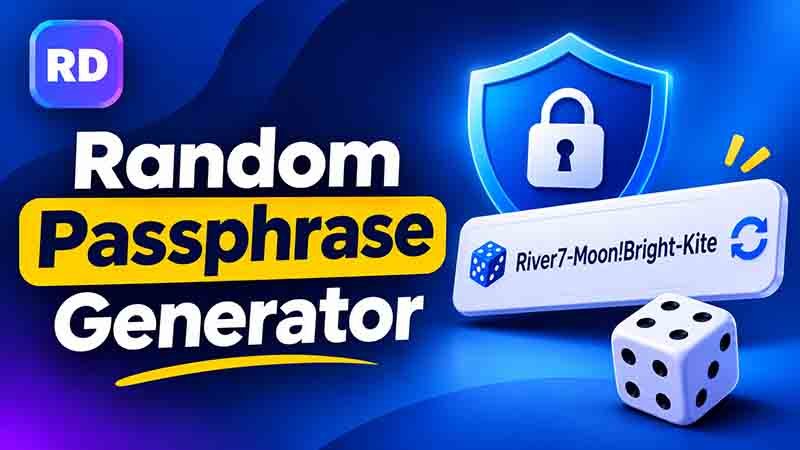
A random passphrase generator is a tool that creates a password using multiple words selected from a word list. These words are combined to make a longer phrase that can be used to protect an online account.
For example, a generated phrase might look like this:
River-Candle-Planet-Window
It contains four unrelated words. Each word gives the phrase a simple structure, which may make it easier to remember than a random string of characters.
A random passphrase generator should select words unpredictably instead of creating familiar sentences or common word combinations. This is important because phrases based on popular expressions, personal details, or predictable patterns may be easier to guess.
A useful passphrase should have three main qualities:
- Randomness: Words should be selected unpredictably.
- Length: The phrase should contain enough words or characters.
- Uniqueness: It should not be reused across different accounts.
The purpose is to create a long and unique phrase without making it difficult to manage.
Why Are Random Passphrases Useful?
Passphrases provide a practical way to create longer passwords. They can be especially useful for people who find complicated strings of letters and symbols difficult to remember.
1. Easier to Remember
A combination of unrelated words may be easier to recall than a short string such as T8#kP2!zQ. You can remember the words as separate images or ideas.
2. More Possible Combinations
When words are selected randomly from a large word list, the number of possible combinations can become very large. Adding more words increases the number of possible phrases.
3. Less Dependence on Personal Details
You do not need to use your name, birthday, phone number, or other personal information. Random word selection helps avoid these predictable choices.
4. Useful for Different Accounts
You can create a separate passphrase for each important account. If one service experiences a data breach, unique passwords help protect your other accounts.
5. Simple Password Management
A random passphrase generator can help you explore different word combinations. You can then store your chosen login details in a trusted password manager instead of trying to remember everything.
How to Create a Random Passphrase
Creating a secure passphrase is simple when you follow a few basic steps.
Step 1: Choose a Large Word List
A word list provides the words that can be selected for a passphrase. A larger list usually creates more possible combinations.
For example, a list may contain thousands of different words. The important thing is that the words are selected randomly rather than chosen according to a familiar pattern.
Step 2: Select Multiple Words
Choose four or more unrelated words as a starting point. The right number depends on the word list, the randomness of selection, and the website’s password requirements.
For example:
- River
- Candle
- Planet
- Window
These words do not form a common sentence or expression.
Step 3: Combine the Words
Join the selected words using a format accepted by your website.
Examples include:
- River-Candle-Planet-Window
- River_Candle_Planet_Window
- RiverCandlePlanetWindow
Spaces and symbols may not be accepted by every website, so check its rules before using a particular format.
Step 4: Check the Length
A longer passphrase generally offers more possible combinations when its words are selected randomly. Avoid using only two common words or a short familiar phrase.
Step 5: Create a Unique Phrase
Never use the same passphrase for several important accounts. Each account should have its own login details.
You can also explore a general password generator to compare word-based phrases with other password formats.
Step 6: Store It Safely
Use a trusted password manager to store your passphrase. Avoid saving it in public documents, shared files, or unprotected notes.
How to Calculate Passphrase Combinations
You can estimate the number of possible passphrases by using the size of the word list and the number of words selected.
The basic formula is:
Total Combinations = Word List Size ^ Number of Words
This formula assumes that every word is selected independently and that the same word can appear more than once.
Step-by-Step Calculation Example
Suppose a word list contains 7,776 different words.
You want to create a passphrase containing four words.
Step 1: Find the word list size
Word list size = 7,776
Step 2: Find the number of selected words
Number of words = 4
Step 3: Apply the formula
7,776 × 7,776 × 7,776 × 7,776
Step 4: Calculate the result
7,776⁴ = 3,656,158,440,062,976 possible combinations.
Now compare different passphrase lengths:
| Number of words | Possible combinations |
|---|---|
| 2 words | 60,466,176 |
| 3 words | 470,184,984,576 |
| 4 words | 3,656,158,440,062,976 |
| 5 words | 28,430,288,029,929,701,376 |
| 6 words | 221,073,919,720,733,357,899,776 |
These figures show how adding more randomly selected words increases the number of possible combinations.
A random passphrase generator can use a word list to create these combinations automatically. However, the calculation assumes genuinely random selection. If a person chooses common words or familiar phrases, the actual security may be lower.
The number of possible combinations is also not the only measure of security. A secure generation method, unique passwords, and safe storage are important too.
Random Passphrase Examples
The following examples show different passphrase styles. They are for learning only. Do not use these exact examples for your personal accounts.
| Passphrase style | Example | Main feature |
|---|---|---|
| Simple phrase | blue-sky | Short and predictable |
| Three random words | River-Candle-Planet | Uses unrelated words |
| Four random words | River-Candle-Planet-Window | Longer word combination |
| Words with numbers | River7-Candle-Planet-Window | Includes a number |
| Words with symbols | River!Candle#Planet | Uses separators and symbols |
A phrase made from random words can be easier to recall than a string of unrelated characters. However, it should not be based on a famous quote, common sentence, or personal information.
If a website requires numbers and symbols, you can explore a password generator with numbers and symbols to understand other available formats.
Different Passphrase Styles
There are several ways to create a passphrase. Each style has different features and may suit different website requirements.
1. Word-Based Passphrases
These use multiple unrelated words joined together. They are useful when you prefer a password that is easier to read and recall.
2. Passphrases With Numbers
Numbers can be added between words or at different positions if the website requires them. Avoid predictable additions such as your birth year or 123.
3. Passphrases With Symbols
Some formats use hyphens, underscores, or other special characters between words. Always check whether your website accepts the symbols you choose.
4. Long Passphrases
A longer phrase contains more words and can offer more possible combinations when the words are selected randomly.
If you need a longer character-based password, a 24-character password generator can help you explore another format. Remember that some websites have maximum password lengths.
5. Secure Random Passwords
Some people prefer a mixture of uppercase letters, lowercase letters, numbers, and symbols instead of words. A random secure password generator can help you explore this alternative.
6. Passphrases Without Repeated Characters
You may prefer combinations that avoid repeating characters. A password generator without repeating characters can help you explore that format.
Avoiding repeated characters is not essential for every secure password. Length and randomness matter more.
7. Pronounceable Passwords
Some passwords use letter combinations that are easier to read or say. You can explore a pronounceable password generator to learn about this style.
Pronounceable combinations should still be generated randomly. Common words and predictable patterns may be easier to guess.
Tips for Better Passphrase Security
Follow these simple tips when creating passphrases for your online accounts.
Use Randomly Selected Words
Do not choose words simply because they sound good together. Random selection helps make combinations less predictable.
Avoid Personal Information
Do not use your birthday, phone number, address, family names, or other details that someone could find online.
Make Every Passphrase Unique
Use a different phrase for every important account. Reusing login details can put multiple accounts at risk if one service is compromised.
Avoid Common Sentences
Famous quotes, song lyrics, popular sayings, and familiar expressions may be easier to guess than randomly selected words.
Use Multi-Factor Authentication
Enable multi-factor authentication (MFA) wherever possible. It adds another security step, such as an authenticator app or security key.
Use a Password Manager
A password manager can create and store unique login details. This is useful when you have many accounts and do not want to remember every password.
Check Website Requirements
Some websites do not accept spaces or certain symbols. Others have limits on password length. Always check the rules before using a new phrase.
Common Mistakes to Avoid
Even a long passphrase can be weak if it follows a predictable pattern. Avoid these common mistakes:
- Using famous quotes or common sentences.
- Choosing words related to your personal life.
- Reusing one phrase across multiple accounts.
- Adding only a predictable number to a common phrase.
- Sharing your passphrase with other people.
- Saving it in an unprotected document.
- Ignoring multi-factor authentication.
- Assuming that adding more words automatically makes every phrase secure.
If you believe a passphrase has been exposed, change it immediately. Also update any other account where you reused it.
Frequently Asked Questions
1. What is a random passphrase?
It is a password made from multiple words selected unpredictably. The words are joined together to create a longer phrase for protecting an online account.
2. How many words should a passphrase contain?
Four or more randomly selected words can be a useful starting point. More words can increase the number of possible combinations, but the right length depends on the word list and account requirements.
3. Is a random passphrase stronger than a normal password?
It can be. A long phrase made from randomly selected words may offer many possible combinations. However, a short or predictable phrase can still be weak.
4. Can I use spaces in a passphrase?
Some websites accept spaces, while others do not. Check the website’s password rules before choosing a format.
5. Should I add numbers and symbols?
You can add numbers and symbols if the website allows or requires them. Avoid predictable additions. Randomness and length are more important than simply adding symbols.
6. Is an online passphrase tool safe?
It can be useful, but choose a trustworthy tool. Avoid entering an existing password into an unknown website. For sensitive accounts, use a trusted password manager or a generator that creates passwords securely.
7. Can I use one passphrase for all my accounts?
No. Every important account should have a unique password or passphrase. Reusing login details can put multiple accounts at risk if one service experiences a data breach.
Protect Your Accounts With Better Password Habits
Creating a strong passphrase is only one part of online security. Keep your devices updated, avoid suspicious links, use unique login details, and enable multi-factor authentication wherever possible.
For additional advice, read the CISA guide to using strong passwords. It provides useful guidance on creating and protecting passwords.
Conclusion
A random passphrase generator can help create long combinations of unrelated words for your online accounts. These phrases can be easier to remember than random character strings while still offering many possible combinations when generated correctly.
Choose words randomly, avoid personal information, and use a different passphrase for every important account. Store your login details safely and enable multi-factor authentication for extra protection.
The best approach is to focus on randomness, length, and uniqueness rather than simply adding more words. These habits can help protect your accounts and make password management easier.