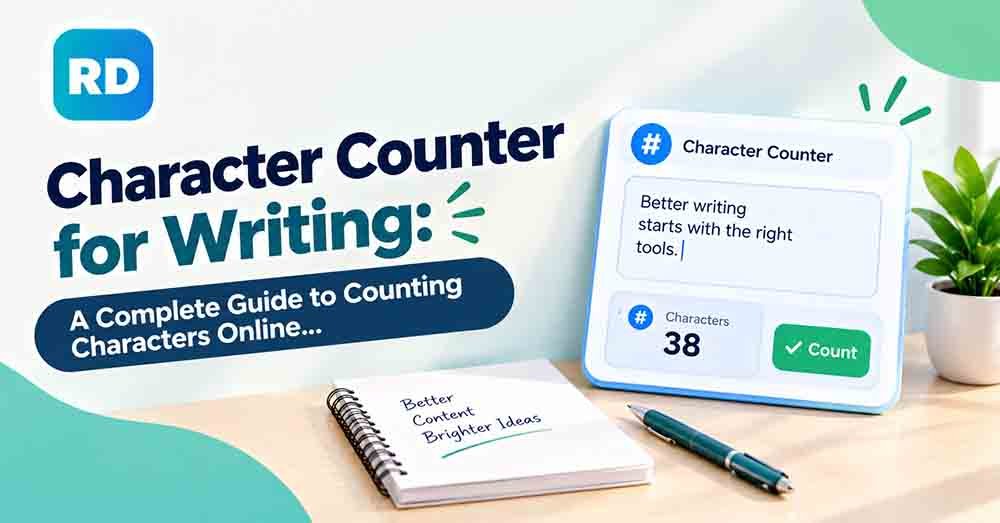
A character counter for writing is a useful tool that helps you count every character in a word, sentence, paragraph, or complete article. It shows how many letters, numbers, spaces, and punctuation marks your text contains. Whether you are a student, blogger, content writer, or social media manager, knowing your character count can help you create clear and well-organized content.
Manually counting characters can take a lot of time, especially when you are working with long articles, website descriptions, emails, or social media posts. An online character counter tool makes this process quick and simple. You can paste your text into the tool and instantly see the total number of characters.
In this guide, you will learn how character counting works, how to count characters manually, why character limits matter, and how to use an online tool to improve your writing.
What Is a Character Counter for Writing?
It is an online tool or method that calculates the total number of characters in a piece of text.
A character can be any letter, number, space, or punctuation mark. For example, the sentence “I love writing.” contains 15 characters when spaces and punctuation are included.
A counting tool helps writers understand the length of their content without counting every letter manually.
It is useful for:
- Students writing assignments and essays.
- Bloggers creating SEO-friendly articles.
- Social media managers preparing posts.
- Website owners writing meta titles and descriptions.
- Freelance writers working on client projects.
- Email marketers creating short messages.
- Content creators writing video descriptions.
Using an online counter can help you follow text limits and avoid unnecessary words.
Why Is Character Counting Important in Writing?
Character counting is important because different platforms and writing tasks have different text requirements.
For example, a social media post may have a character limit, while a website meta description should stay within a suitable length. If your text is too long, it may get cut off or become difficult to read.
Here are some important reasons to count characters.
1. Follow Character Limits
Many websites, social media platforms, and online forms have character limits. A counting tool helps you stay within those limits.
2. Improve Writing Quality
When you know your character count, you can remove unnecessary words and make your writing more direct.
3. Create Better SEO Content
SEO titles and meta descriptions need suitable lengths to display properly in search results. Counting characters helps you create concise descriptions.
4. Save Time
Instead of counting every letter manually, you can use an online character counter to get instant results.
5. Meet Client Requirements
Freelance writers and content creators often receive specific character limits from clients. A counting tool makes it easier to deliver content according to their instructions.
How Does a Character Counter for Writing Work?
A character counter works by checking every character in the text you enter.
It usually counts:
- Letters: A, B, C, and other alphabet characters.
- Numbers: 1, 2, 3, and other digits.
- Spaces: Empty spaces between words.
- Punctuation: Commas, full stops, question marks, and other symbols.
- Special characters: Symbols such as @, #, %, and &.
For example, consider this sentence:
“I enjoy writing blogs.”
| Text element | Character count |
|---|---|
| I | 1 |
| Spaces | 3 |
| enjoy | 5 |
| writing | 7 |
| blogs | 5 |
| Full stop | 1 |
| Total | 22 |
This example contains 22 characters, including spaces and punctuation.
The tool performs this calculation automatically, so you do not need to count each character yourself.
How to Count Characters Manually: Step-by-Step Method
You can count characters manually if you do not have access to an online tool. However, this method works best for short sentences.
Follow these simple steps.
Step 1: Write Your Text
Start by writing the word, sentence, or paragraph you want to check.
Example:
“Writing is a useful skill.”
Step 2: Count Every Letter
Count each letter separately.
- Writing = 7
- is = 2
- a = 1
- useful = 6
- skill = 5
Step 3: Count the Spaces
There are four spaces between the five words.
Step 4: Count Punctuation Marks
The sentence has one full stop at the end.
Step 5: Add Everything Together
7 + 2 + 1 + 6 + 5 + 4 + 1 = 26
Final result: 26 characters
This method is useful for short text, but manually counting a long article can become confusing. An online tool is a much easier option when you need accurate results quickly.
Examples of Character Counting
Understanding character counting becomes easier when you look at practical examples.
Here are some simple examples:
| Example text | Characters with spaces |
|---|---|
| Hello | 5 |
| Hello World | 11 |
| I love writing. | 15 |
| Count my text | 13 |
| Writing is fun! | 15 |
| Learn something new. | 21 |
These examples show that spaces and punctuation also affect the total character count.
You can check similar sentences, paragraphs, and longer content without doing the calculations yourself.
Character Count With Spaces vs. Without Spaces
One important thing to understand is the difference between counting characters with spaces and counting characters without spaces.
Character count with spaces includes every empty space between words.
Character count without spaces excludes spaces but still counts letters, numbers, and punctuation marks.
For example:
Text: “I like writing.”
| Counting method | Total |
|---|---|
| Characters with spaces | 15 |
| Characters without spaces | 13 |
Both results are correct because they use different counting methods.
If you want to understand this difference in more detail, read our guide on how to count characters with and without spaces.
How to Use an Online Character Counter for Writing
An online tool is one of the easiest ways to count characters. You do not need special software or advanced computer skills.
Follow these steps:
- Open the free online character counting tool.
- Copy the text you want to check.
- Paste your text into the input box.
- Wait for the tool to calculate the results.
- Check the total character count.
- Review the word and character information displayed by the tool.
- Edit your text if it exceeds your required limit.
The tool makes counting simple for short sentences and long paragraphs.
It can also help you check your content while editing, making it easier to prepare text for different platforms.
Where Can You Use a Character Counter?
Character counting is useful in many areas of writing and digital communication.
1. Social Media Posts
Social media platforms may have different character limits for posts, descriptions, and profile information.
A counting tool helps you prepare posts that fit platform requirements. You can also learn more from our guide on how to count characters for social media posts.
2. SEO Titles and Meta Descriptions
Website owners need clear and properly sized SEO titles and meta descriptions.
Counting characters can help you create suitable search snippets without making them unnecessarily long.
3. Blog Writing
Bloggers can use a counting tool to check headings, introductions, descriptions, and other parts of their articles.
It is especially useful when following editorial guidelines.
4. Academic Writing
Students sometimes need to follow specific character limits for applications, essays, and online assignments.
A counting tool makes it easier to meet these requirements.
5. Email Writing
Short and clear emails are easier to understand. Character counting can help when writing subject lines, short messages, and marketing emails.
6. Website Forms
Some online forms only allow a limited number of characters. A counting tool helps you prepare your response before submitting it.
Character Count vs. Word Count: What Is the Difference?
Character count and word count are two different ways to measure text length.
A word count tells you how many words your text contains, while a character count tells you how many individual characters it contains.
For example:
Text: “Writing helps people communicate.”
- Word count: 4
- Character count with spaces: 34
- Character count without spaces: 31
Here is a quick comparison:
| Feature | Character Count | Word Count |
|---|---|---|
| Measures | Individual characters | Complete words |
| Counts letters | Yes | No, counts them as part of words |
| Counts spaces | Depends on settings | Usually separates words |
| Counts punctuation | Yes | Usually not as separate words |
| Main purpose | Check character limits | Measure text length |
Both measurements are useful for different writing tasks.
For a deeper explanation, read our article about word count vs. character count.
Tips for Getting Accurate Character Counts
A reliable counting tool can make your work easier, but it is still important to understand how character counting works.
Follow these tips:
- Always check whether spaces are included.
- Remember that punctuation marks count as characters.
- Include numbers and special symbols in your calculations.
- Avoid adding unnecessary spaces before or after sentences.
- Check your text again after making edits.
- Follow the exact counting rules provided by your client or platform.
- Use an online tool when working with long paragraphs.
Does Every Character Counter Give the Same Result?
Not always. Different tools may handle special symbols, emojis, and certain Unicode characters differently.
For example, some emojis are made up of multiple Unicode code points. A tool may count them as multiple characters even though they appear as one symbol on the screen.
If you are working with a strict character limit, use the counting method required by your platform or client.
Frequently Asked Questions (FAQs)
1. What is a character counter for writing?
It is a tool that calculates the total number of characters in your text. It can count letters, numbers, spaces, punctuation marks, and symbols.
2. How do I count characters in a sentence?
You can count characters manually by adding all letters, spaces, and punctuation marks. For faster results, paste your sentence into an online counter.
3. Does character count include spaces?
It depends on the counting method. A count with spaces includes empty spaces between words, while a count without spaces excludes them.
4. Are punctuation marks included in character count?
Yes. Most counting tools include punctuation marks such as commas, full stops, question marks, and exclamation marks.
5. Can I count characters in a long paragraph?
Yes. You can paste a complete paragraph, blog post, or other long text into an online tool to calculate its character count.
6. Is a character counter useful for SEO?
Yes. It helps you check the length of SEO titles, meta descriptions, headings, and other website content.
7. What is the difference between letters and characters?
Letters are only alphabet symbols, such as A, B, and C. Characters include letters, numbers, spaces, punctuation marks, and special symbols.
8. Can I use a character counter for social media?
Yes. It helps you prepare captions, descriptions, and posts according to the character limits of different platforms.
9. Is an online character counter free?
Many online character counting tools are available for free. You can use them to check your text without installing additional software.
10. Why should writers use an online character counter?
Writers can save time, follow content requirements, check text length, and improve their editing process by using an online tool.
Conclusion
A character counter for writing is a simple but valuable tool for anyone who works with text. It helps you measure the length of sentences, paragraphs, articles, social media posts, and website content.
Instead of counting every letter manually, you can use an online tool to get quick results. It also helps you follow character limits, prepare SEO content, and make your writing more organized.
Whether you are a student, blogger, freelancer, or professional writer, understanding character counting can make your work easier.
Try the free character counter with spaces to check your text instantly. If you need a different counting method, you can also explore the character counter without spaces.
For more information about character encoding and how computers process text, visit the official Unicode Standard website. It provides useful information about characters, symbols, and text representation across different languages.