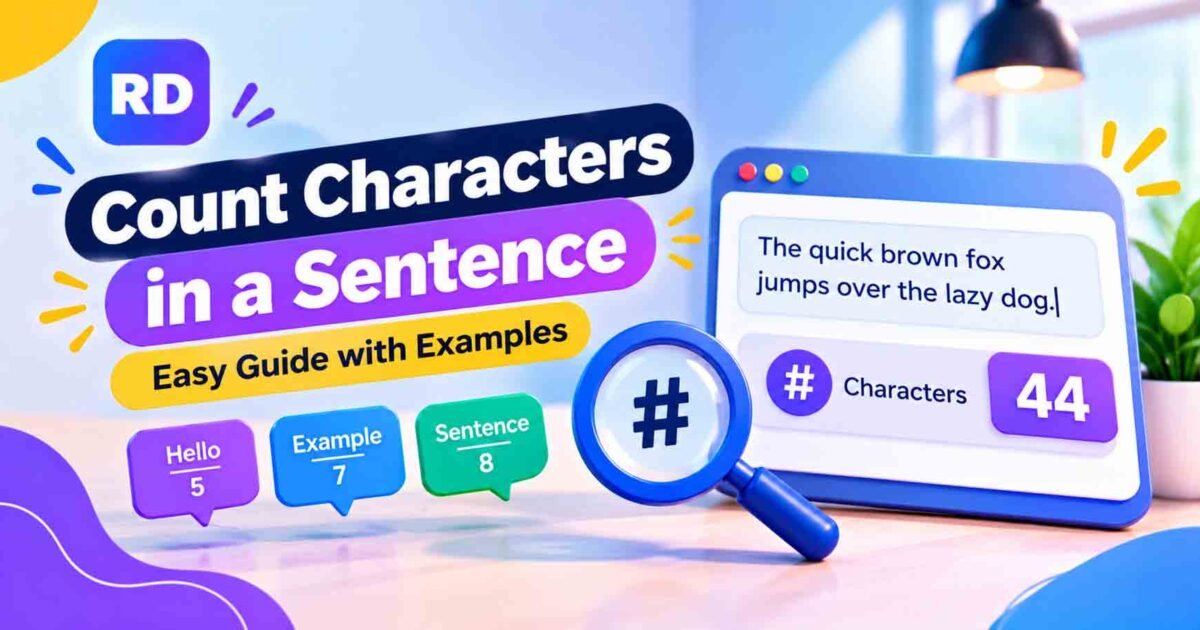
Do you want to know how many characters are in a sentence? Whether you are writing a social media post, school assignment, email, or website content, knowing the total text length can be very useful. Many platforms have character limits, so checking your writing before publishing can help you avoid problems.
The easiest way to count characters in a sentence is to count every letter, space, number, and punctuation mark. For example, the sentence “Hello World!” contains 12 characters, including the space and exclamation mark.
You can also use our free online character counter tool to check your text length in seconds. Simply paste your sentence and see the total without counting each character manually.
In this guide, you will learn how character counting works, how to calculate text length step by step, and how to check sentences with and without spaces.
What Does It Mean to Count Characters in a Sentence?
To count characters in a sentence means finding the total number of individual text elements in it. These elements can include letters, numbers, spaces, punctuation marks, and symbols.
For example, look at this sentence:
“I like apples.”
It contains:
- Letters = 11
- Spaces = 2
- Full stop = 1
- Total = 14 characters
Every letter is counted separately, even when the same letter appears more than once. Spaces and punctuation also count when you are checking the complete character total.
What Is Included in a Character Count?
A character count can include different types of text elements. Here are the most common ones:
| Character Type | Examples | Count |
|---|---|---|
| Letters | A, B, C | 3 |
| Numbers | 1, 2, 3 | 3 |
| Spaces | Gaps between words | 1 per space |
| Punctuation | . , ! ? | 1 per mark |
| Symbols | @, #, $ | 1 per symbol |
| Emojis | 😀 ❤️ | Depends on the counting method |
For example, the sentence “Hello, Ali!” includes letters, a space, a comma, and an exclamation mark. All of these may be included in the total character count.
How to Count Characters in a Sentence Manually
You can calculate the total character count yourself by following a few simple steps.
Step 1: Write Your Sentence
First, choose the sentence you want to check.
Example:
I love reading.
Step 2: Count the Letters
Count every alphabet letter separately.
- I = 1
- love = 4
- reading = 7
Total letters = 12
Step 3: Count the Spaces
Now count the gaps between the words.
There are two spaces in “I love reading.”
Total spaces = 2
Step 4: Count Punctuation Marks
Check whether your sentence contains a full stop, comma, question mark, or another punctuation mark.
There is one full stop at the end.
Total punctuation marks = 1
Step 5: Add Everything Together
Use this simple formula:
Total Characters = Letters + Spaces + Numbers + Punctuation + Symbols
For our example:
12 letters + 2 spaces + 1 full stop = 15 characters
This is how you can count characters in a sentence manually. The same method works for short messages, captions, and paragraphs.
Examples of Sentence Character Counts
The following examples show how many characters different sentences contain when spaces and punctuation are included.
| Sentence | Letters | Spaces | Punctuation | Total |
|---|---|---|---|---|
| Hello World! | 10 | 1 | 1 | 12 |
| Good morning. | 12 | 1 | 1 | 14 |
| I like tea. | 8 | 2 | 1 | 11 |
| I love reading. | 12 | 2 | 1 | 15 |
| How are you? | 9 | 2 | 1 | 12 |
| The sky is blue. | 12 | 3 | 1 | 16 |
| Count every letter! | 16 | 2 | 1 | 19 |
| Welcome home. | 12 | 1 | 1 | 14 |
These examples can help you understand how spaces and punctuation change the final result.
How to Count Characters Online
If you have a long sentence or several paragraphs, counting every character manually can take time. An online tool makes the process much easier.
Follow these steps:
- Open an online character counter.
- Copy the sentence or paragraph you want to check.
- Paste it into the text box.
- Review the character count displayed by the tool.
- Edit your text if it is longer than the required limit.
- Paste the updated text to check the new total.
An online tool helps you count characters in a sentence quickly without calculating every letter and space yourself.
You can also explore our guide to using an online character counter for different writing tasks.
Character Count With Spaces vs. Without Spaces
One important thing to understand is that character counts can be calculated in two different ways: with spaces or without spaces.
For example:
Sentence: I love tea.
- Letters = 8
- Spaces = 2
- Full stop = 1
- Total with spaces = 11
- Total without spaces = 9
When spaces are included, every gap between words adds one character. When spaces are excluded, those gaps are removed from the total.
Different websites and platforms may use different counting rules. Always check which type of count is required before submitting your text.
Read our guide on how to count characters with and without spaces for more examples.
Character Count vs. Word Count
Character count and word count measure different things.
- Character count: Measures individual letters, spaces, numbers, and punctuation marks.
- Word count: Measures the number of words in a sentence or paragraph.
For example:
Sentence: I love graphic design.
- Word count = 4
- Character count = 23, including spaces and the full stop.
Here is a simple comparison:
| Feature | Character Count | Word Count |
|---|---|---|
| Measures | Individual characters | Complete words |
| Counts spaces | Yes, when included | Not as separate words |
| Counts punctuation | Yes | Usually not separate words |
| Useful for | Text limits | Articles and assignments |
Both measurements are useful for writing, but they are used for different purposes. Learn more in our guide to word count vs. character count.
Why Is Sentence Character Counting Important?
Knowing how to count characters in a sentence can help you in many everyday writing tasks.
1. Social Media Posts
Social media platforms may have character limits for posts, captions, comments, and profile descriptions. Checking your text before publishing can help you keep your message within the required length.
Read our guide on how to count characters for social media posts for more information.
2. SEO Titles and Meta Descriptions
Website owners and SEO writers often check the length of page titles and meta descriptions. A character counter helps them review text before adding it to a website.
Search engines may display different amounts of text depending on the device and search query, so character limits are useful guidelines rather than fixed display rules.
3. Online Forms
Some websites limit the number of characters allowed in feedback boxes, application forms, and message fields. Checking your text first can help prevent submission errors.
4. Emails and Messages
Short messages may need to fit within a specific text limit. Checking the length helps you keep your writing clear and concise.
5. School Assignments
Students can use character counting to check sentence length, practise writing, and understand the difference between letters, words, and characters.
You can also use our general character count guide to learn more about measuring text length.
Tips to Get an Accurate Character Count
Follow these simple tips whenever you need to check your text:
- Include every letter: Count repeated letters separately.
- Check spaces: Decide whether your required count includes spaces.
- Include punctuation: Full stops, commas, and question marks count as characters.
- Check numbers and symbols: These also add to the total.
- Review emojis: Some emojis may be counted differently by different tools.
- Check after editing: Changes to your sentence can change its character count.
If you need to check text with spaces, try a character counter with spaces. If you need a count without spaces, use a character counter without spaces.
Frequently Asked Questions (FAQs)
1. How do I count characters in a sentence?
Count every letter, space, number, and punctuation mark. You can also paste your sentence into an online character counter to get the total automatically.
2. Do spaces count as characters?
Yes. Spaces count as characters when they are included in the counting method. Some tools also provide a separate count without spaces.
3. Does punctuation count as a character?
Yes. Common punctuation marks such as commas, full stops, question marks, and exclamation marks are counted as characters.
4. What is the difference between letters and characters?
Letters are alphabet symbols such as A, B, and C. Characters include letters, numbers, spaces, punctuation marks, and other symbols.
5. How can I count characters in a long sentence?
You can divide the sentence into smaller parts and count each part separately. However, an online character counter is usually faster and easier.
6. Can I count characters without spaces?
Yes. Many character counting tools show the total both with and without spaces. You can choose the result that matches your requirements.
7. Do emojis count as one character?
Not always. Some emojis contain multiple Unicode code points or combined elements. Different tools and platforms may count them differently.
8. Is an online character counter free?
Many online character counting tools are free to use. You can check text length directly in your browser without installing extra software.
Conclusion
Knowing how to count characters in a sentence is useful for social media posts, SEO content, emails, online forms, and school assignments. It helps you understand the length of your writing and make sure it fits the required limit.
You can count letters, spaces, numbers, and punctuation marks manually, but this process can take time when working with long text. An online character counter makes the task faster and easier.
Try our free online character counting tool to check your text length and get accurate results whenever you need them.
For more information about how letters and symbols are represented in digital text, visit the official Unicode Standard website, which explains how text is represented across different languages and devices.